

Budgeting software has come a long way. The best budgeting apps in 2026 connect to your financial accounts, surface forgotten subscriptions, and show you exactly where your month is heading. This guide walks through the top budgeting tools, compares features and pricing, and helps you pick the right app for your financial life.
Why budgeting software matters in 2026
Modern budgeting apps give you instant visibility into cash flow, upcoming bills, and net worth without logging into multiple banking apps. Nightly bank linking through services like Plaid means your transactions show up categorized and ready to review each morning. Subscription overload is real, and the best personal finance apps now scan your bank transactions to find recurring charges you may have forgotten about. Budgeting apps can help users avoid overspending by surfacing these patterns early.
Here is what to know before choosing:
Most premium budgeting apps cost between $5 and $15 per month, with annual discounts common. Free trials let you test before paying.
A free app often relies on ads or product recommendations to stay free, which can affect the experience and your privacy.
"Best" depends on your goals. Some people want simple expense tracking. Others want forward-looking cash flow projections, family budgets, or detailed reporting across financial institutions.
FloosYo is a forward-looking iOS budgeting app that focuses on where your month is heading, not just what you spent. It is covered in depth in the next section.
Best overall budgeting app for forward-looking budgets: FloosYo
FloosYo is built for people who want a simple, forward-looking budget on iPhone and iPad. Instead of just listing past transactions, it projects your spending and savings at your current pace so you can plan ahead before problems show up.
Bank linking via Plaid. FloosYo connects to your bank accounts through Plaid for nightly imports. Transactions are sorted into categories with real brand logos. Your bank login never touches FloosYo. Account linking is optional and removable at any time, which supports accurate cash flow tracking without forcing you to share credentials.
Dashboard. The main screen shows your monthly income, budgeted amounts, and "Flexible" money (what is left to spend). The bar turns red when you are over-budgeted. This gives you a quick answer to "Can I spend this?" without digging through numbers.
Budgeting tools. You can set up Needs and Wants budgets with a live "pace" indicator that tells you whether you are ahead or behind for the month. Presets like 50/30/20 and 70/20/10 give you a personalized spending plan in seconds. A zero-based budgeting assign screen lets you allocate every unit of income if you prefer that approach.
Capture methods. You can log transactions by voice, natural-language typing, receipt scanner (which auto-reads the total, shop name, and date), Siri phrase, or Apple Pay tap via Shortcuts automation. This makes daily logging fast enough that you actually do it.
Recurring expenses and subscriptions. Subscriptions are automatically found and filed as recurring expenses from your bank data. Each one shows its yearly cost so you see the full impact of a streaming service or gym membership. Reminders arrive 1, 3, or 7 days before a charge lands. A "Due today" list lets you mark each item Paid, Skip, or Stop.
Skip-to-save. Skipped expenses and last month's leftover cash move into your savings goal in one tap. You work with one savings goal at a time, with a progress bar and an end-of-year savings projection.
Reports and projections. Spending and savings charts show long-term spending patterns without needing Google Sheets or a spreadsheet. An end-of-year savings projection helps you see what consistent habits add up to.
Net worth and investments. FloosYo tracks net worth (assets minus debts), with account views for checking, savings accounts, cards, and net cash. You can view investment accounts with holdings and balances, but the app does not give returns advice or trading guidance.
Privacy and security. FloosYo is ad-free, encrypted at rest, supports 2FA, and never sells your data. There is an in-app support chat and you can delete your account and all financial data at any time. Pricing is $9.99/month or $99.99/year billed annually via Apple, with a 7-day free trial.
How to choose the best budgeting app for your lifestyle
The best budgeting software depends on your financial goals, the device you use, and how hands-on you want to be. Choosing budgeting software depends on your financial style. User-friendly budgeting software may vary based on personal financial management preferences. Here is what to weigh before you commit.
Platform. Some apps are iOS-only (like FloosYo), while others support iOS, Android, and web. Pick one that works on the devices you actually carry.
Automation level. Account syncing reduces manual data entry in budgeting apps. If you want to import transactions automatically, look for bank linking. If you prefer control, look for strong manual entry options.
Budgeting method. Zero based budgeting assigns every dollar of income to a job. Envelope budgeting puts cash into virtual envelopes for specific spending categories. Rules of thumb like 50/30/20 split income into broad buckets. Decide which feels natural.
Shared budgets. Couples and families benefit from apps with shared visibility, joint savings goals, and simple spending limits per category.
Alerts. Look for push notifications when a budget category is running hot, when a recurring charge is coming, or when new money is unassigned.
Special needs. College students with part-time income, freelancers with irregular cash flow, and people managing money across many subscriptions all have different priorities.
Test before committing. Try one or two budgeting apps via free trials. The best one is the one you can actually keep using weekly.
FloosYo vs popular budgeting apps in 2026
This section compares FloosYo to well-known alternatives on features and price. The goal is to help you find the right fit, not to rank everything on a single scale. For deeper comparisons, see the dedicated pages for YNAB Alternative, Rocket Money Alternative, and Monarch Money Alternative.
Forward-looking vs backward-looking. FloosYo projects your month at your current pace. Most personal finance tools default to showing what you already spent. This difference matters if you want to make financial decisions before the money is gone, not after.
Budgeting methods. FloosYo offers zero-based assignment plus 50/30/20 presets. YNAB uses a zero-based budgeting system for financial planning, requiring you to assign every dollar manually. Goodbudget focuses entirely on envelope budgeting. Monarch offers flexible and category budgeting styles.
Subscriptions. FloosYo auto-finds subscriptions from bank data and files them as recurring expenses with yearly cost shown. Rocket Money includes tools for automating savings and budgeting, and Rocket Money offers subscription cancellation tools to save money through bill negotiation. FloosYo focuses on visibility and skip-to-save instead of negotiation.
Price positioning. FloosYo costs $9.99/month or $99.99/year. YNAB is $14.99/month or $109/year. Quicken Simplifi runs about $6.99/month equivalent. Rocket Money's premium tier ranges from $7 to $14/month. Goodbudget premium is $10/month or $80/year.
Apple ecosystem. FloosYo is iOS-only with deep integrations: Siri phrases, Apple Pay capture via Shortcuts, three iOS widgets, and light/dark themes. Competitors like Monarch and YNAB support Android and web, which matters if you use multiple platforms.
Privacy. FloosYo is ad-free and does not sell data. Some free budgeting apps based on ad revenue or financial products recommendations trade convenience for your financial data.
Budgeting methods: zero-based, 50/30/20, and envelope budgeting
Knowing your preferred budgeting method helps you pick the right budgeting app. Each method handles your monthly income differently, and most budgeting tools support at least one of these approaches.
Zero based budgeting. You assign every unit of income to a category (groceries, rent, savings, giving) until nothing is unassigned. YNAB uses a zero based budgeting method exclusively. PocketGuard follows a zero-based budgeting framework as well. FloosYo supports this through its zero-based assign screen, where you distribute income across Needs, Wants, and savings until the unassigned balance hits zero.
50/30/20 and 70/20/10. The 50/30/20 rule allocates 50% to needs, 30% to wants, and 20% to savings. These rules work well as starting points. In an app, "Needs" might include rent, utilities, and groceries. "Wants" covers streaming, takeaway, and gym. The remaining percentage goes to savings goals. FloosYo offers both presets so you can create budgets in seconds.
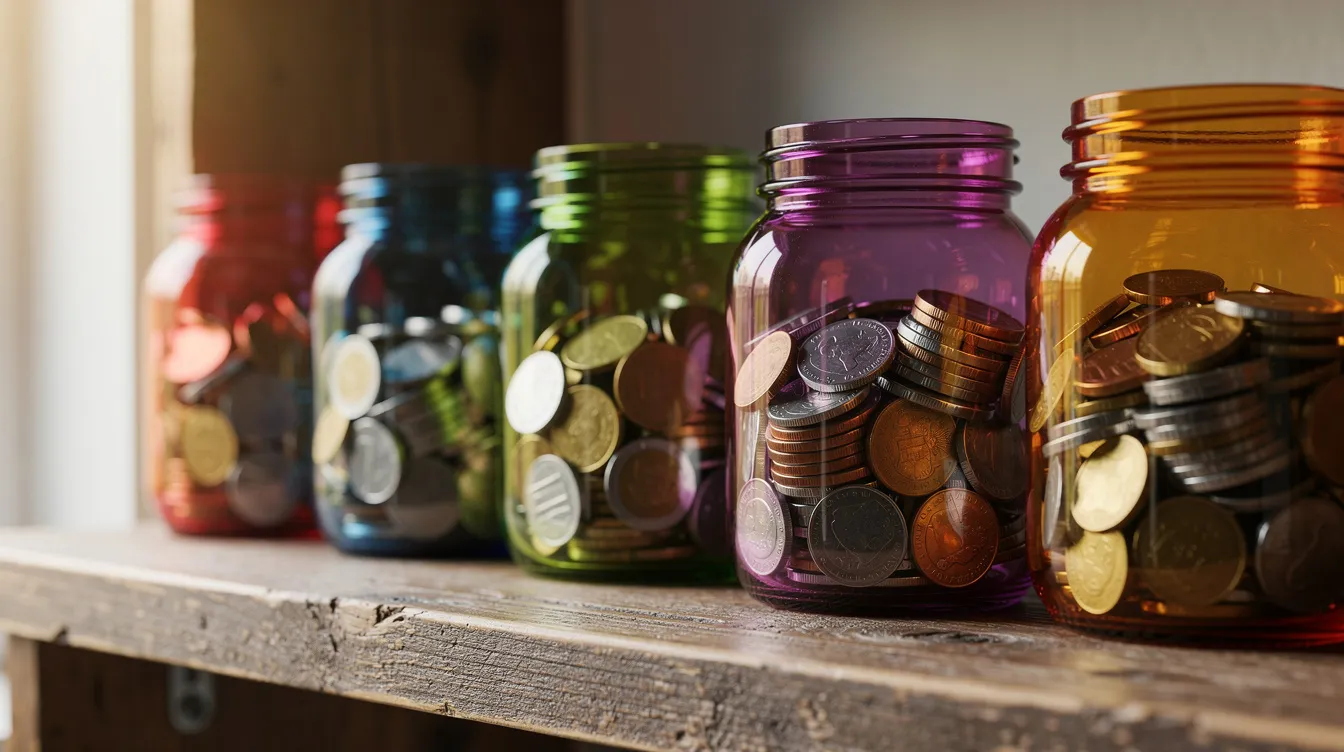
Envelope budgeting. You put money into separate virtual envelopes for groceries, fuel, transport, and other everyday items. Goodbudget uses the envelope budgeting system for planning finances, simulating physical envelopes digitally. This method works well if you want hard spending limits per category.
Which method fits you? Beginners wanting simple guardrails often start with 50/30/20. Detail-oriented users who like full control prefer the zero based budgeting approach. Couples who want clear category boundaries sometimes prefer envelope-like structure.
Mixing methods. Many budget apps let you blend approaches. You can use 50/30/20 as a target framework while still assigning every dollar in a zero-based screen. FloosYo supports presets plus fine-tuning so you can adjust as your financial situation evolves.
Key features to look for in budgeting software
Features matter less than whether you will actually use them weekly. The best budgeting software earns a place on your home screen by being useful in under two minutes a day.
Transaction capture. Look for automatic bank syncing or easy manual entry. The fewer taps it takes to log an expense, the more likely you are to track spending consistently.
Custom categories. Custom categories enhance budgeting flexibility. Being able to rename, recolor, and add icons to categories lets you create custom categories that match your actual spending habits rather than generic labels.
Recurring expense tracking. Automatic detection of recurring bills and subscriptions saves time and surfaces costs you might overlook. Expense tracking apps can alert users about upcoming bills and subscriptions before they hit.
Budget progress indicators. PocketGuard alerts users if they overspend their budget too quickly. FloosYo uses a live pace indicator showing whether you are ahead or behind. These visual cues help you adjust mid-month.
Cash flow views. Look for dashboards that show what is safe to spend after bills, subscriptions, and planned savings. Account balances alone do not tell you what is actually available.
Savings goals. Personal finance apps help set savings goals effectively. You can specify savings amounts and target dates in apps like FloosYo, where skipped expenses move directly into your goal. Goal setting and tracking improve budgeting effectiveness over time. Quicken Simplifi helps track progress toward savings goals. PocketGuard allows users to create unlimited savings goals.
Usability. Clean interface, daily streaks, flexible themes (light and dark), and quick logging keep the app pleasant to open. FloosYo includes daily logging streaks, milestone stickers, and 7 streak fixes a month.
Best budgeting apps by use case
Different users need different strengths. A college student, a freelancer, and a couple with shared bills all benefit from different personal finance apps. Here is a quick guide to the best personal finance apps by situation.
Forward-looking cash flow on iOS. FloosYo is best for users who want a spending plan that projects where the month is headed, with strong subscription tracking and simple zero-based or 50/30/20 budgets.
Hands-on zero-based budgeting. YNAB fits people who enjoy assigning every dollar manually and following a strict budgeting method with no shortcuts.
Rich web dashboards and financial planning. Monarch and Quicken Simplifi suit users who want advanced features like advisor collaboration, long-term projections, and detailed reporting across all their financial accounts. Quicken Simplifi adjusts spending plans based on user expenses. Monarch offers flexible and category budgeting styles for different financial management preferences.
Envelope budgeting. Goodbudget is built for users who want virtual envelopes for groceries, fuel, and everyday bill payments. EveryDollar requires manual entry in its free version for budgeting, which appeals to users who want full control over every transaction.
Net worth and wealth tracking. Some tools focus primarily on net worth and investment tracking. These can be paired with a day-to-day budgeting app if you want both a financial picture overview and granular expense tracking.
Students and beginners: simple budgeting apps for college students
College students and beginners often have irregular income, small but frequent expenses like coffee, takeaway, and transport, and limited time for financial management. A budgeting app for iPhone that takes less than two minutes a day can make a real difference in managing money during school.

Prioritize quick setup. Look for easy categorization of spending categories and clear cash flow views so you know what is left after rent, utilities, and subscriptions. Skip apps that require complex configuration.
FloosYo for college students. You can track part-time monthly income, flag subscriptions (music, streaming, study tools), and receive alerts before recurring charges hit. The dashboard shows exactly how much flexible money remains.
Habit-building features. Daily logging streaks and simple dashboards reduce stress rather than overwhelm with detail. Financial literacy grows naturally when you check in regularly with a spending tracker.
Simple setup suggestion. Start with 3 to 5 main budgets: housing, food, transport, fun, and savings. Set one savings goal, like a travel fund or new laptop. That is enough structure to build real spending habits without overcomplicating your financial life.
Managing subscriptions, bills, and recurring expenses
Subscriptions and recurring expenses like streaming, gym, apps, cloud storage, phone, and utilities quietly drain budgets if not tracked. Recurring expenses can create budgeting challenges because they add up month after month without requiring a conscious decision to spend. For a deeper look, see this guide on what recurring expenses are and how to cut them.
How good apps detect subscriptions. The best subscription manager apps scan your bank transactions to find subscriptions, flag them as recurring, and show the total monthly and yearly cost of each one.
FloosYo's approach. Subscriptions are automatically detected from bank data. You can set each recurring expense to daily, weekly, monthly, or yearly frequency. Reminders arrive 1, 3, or 7 days before. A "Due today" list lets you act on each charge.
Example. A user might see that three streaming services plus a gym membership total over $800 per year. By skipping one recurring charge each month and routing that money into savings, the yearly impact adds up quickly.
All in one view. Seeing every recurring bill in a single list beats hunting through bank statements. PocketGuard helps track and cancel unwanted subscriptions. Quicken Simplifi tracks upcoming bills and subscriptions. Rocket Money offers subscription cancellation and bill negotiation tools. FloosYo focuses on visibility, yearly cost awareness, and skip-to-save.
Why it matters. Future expenses are easier to manage when you can see them coming. Getting reminders before a charge lands gives you time to decide whether to keep, skip, or stop each recurring item.
Tracking cash flow, spending, and net worth in one place
Cash flow is simple in concept: money coming in, money going out, and what is left over each month. The challenge is seeing it all clearly without logging into four different banking apps.
Linked accounts. Budgeting apps link checking, savings accounts, credit card accounts, and other financial accounts so you see all bank transactions and balances together. Account syncing reduces manual data entry in budgeting apps and keeps your financial picture current.
Transaction categorization. Personal finance apps categorize transactions for better expense tracking. FloosYo assigns automatic categories with brand logos where possible. You can make manual edits and create custom categories. A duplicate check catches when a bank charge matches a manual entry, letting you merge or keep both. Many apps allow users to tag transactions for easier tracking and filtering.
Reports and patterns. Apps like Quicken Simplifi provide categorized breakdowns of spending by category and by month. Tracking expenses helps users identify spending patterns and issues, like rising takeaway or fuel costs that might otherwise go unnoticed.
Net worth tracking. Personal finance apps can track your net worth effectively by subtracting debts from assets. Monarch includes a net worth tracker and investment dashboard. PocketGuard allows users to sync investment accounts for net worth tracking. Credit Karma offers net worth tracking alongside credit score monitoring. Quicken Simplifi helps users visualize their net worth and cash flow. FloosYo tracks net worth with a simple assets-minus-debts view, without giving investment advice or return projections.
Budgeting together: couples, families, and shared money goals
Money is a common source of stress for couples and families. Shared visibility into spending and savings can reduce misunderstandings and make financial goals feel like a team effort. Collaborative access in budgeting tools simplifies joint finance management. For practical templates, see these budget plans for couples.
What to look for. Shared visibility without forcing joint bank accounts credit merges. Simple category-level spending limits. Notes or tags for who spent what.
Shared goals. Setting a household savings target, like a family trip, and tracking progress together keeps both partners motivated. Monarch allows users to set shared savings goals. Monarch offers customizable budgeting tools for singles or couples.
Different approaches. Some apps specialize in couples (like Honeydue). FloosYo focuses on making a single-person dashboard simple enough that partners can review it together weekly.
Monthly money date. Use any budgeting app for a 15-minute weekly or monthly review. Look at last month's spending, adjust budgets, and update your savings goals. This small habit builds trust and keeps both people aligned on financial goals.
Security and privacy: are budgeting apps safe to use?
It is natural to hesitate before linking bank accounts or sharing financial data with an app. Security should be a deciding factor, not an afterthought.
Standard protections. Look for encrypted data storage, secure connections to banks via services like Plaid, and multi factor authentication. Security features like two-factor authentication enhance budgeting app safety.
FloosYo's approach. Data is encrypted at rest. Bank linking is optional and can be turned off or removed at any time. Data is never sold. There are no in-app ads. You can delete your account and all financial data whenever you want.
Your part. Use a unique password for your budgeting app. Enable 2FA. Avoid sharing login details with others. These steps apply regardless of which personal finance tool you choose.
Desktop spreadsheets vs budgeting apps
Tools like Google Sheets, Microsoft Excel, and Tiller remain popular for people who love spreadsheets and want total control over their financial planning.
Spreadsheet pros. Total flexibility. DIY formulas and charts. No ongoing subscription for basic setups. You can build educational resources and tracking systems tailored to your exact needs.
Budgeting app pros. Automatic bank syncing to import transactions, categorized spending, mobile capture with receipt photos or voice, and instant subscription detection. You do not need to build anything from scratch.
Pairing both. Some users run a budgeting app for daily logging and cash flow, then export data or copy high-level numbers to a spreadsheet for long-term analysis. Yahoo Finance or Google Sheets can supplement your app for broader tracking.
When to switch. FloosYo is ideal for users who want to replace or simplify a manual spreadsheet, especially if they mostly live on iPhone or iPad. If you are spending more time updating a spreadsheet than actually reviewing your spending, an app is worth trying.
Building better money habits with your budgeting app
Consistency matters more than the perfect category list. Checking in for a few minutes most days builds stronger spending habits than a detailed monthly review you keep postponing. Effective budgeting tracks spending and savings consistently.
Habit-supporting features. Daily logging streaks, small milestone stickers, and simple progress charts reward sticking with the plan. FloosYo offers a daily logging streak with 7 streak fixes per month so one missed day does not break your momentum.
Daily routine. Open your budgeting app. Categorize new transactions. Glance at your "Flexible" money and savings goal. Check any upcoming recurring expenses. This takes under two minutes.
Weekly routine. Review category pacing (ahead or behind). Adjust upcoming spending. Decide whether to skip any planned but not-yet-paid expenses to boost savings.
The real test. The best budgeting app is the one you will actually open and update. A simpler app you use daily beats an advanced one you abandon after a week. Managing money gets easier once the habit is in place.
Budgeting apps and debt: staying organized without complex payoff plans
Many users have existing debts and want to stay organized while they pay them down. Budgeting software can help with visibility and tracking, even without walking through detailed payoff strategies.
Debt in your budget. Budgeting apps can track debt balances as part of net worth and monthly budgets, so you see obligations alongside everyday spending. This is part of basic debt management and keeping a clear financial picture.
Not a debt payoff plan simulator. Some competitors offer detailed debt payoff plan tools. This article focuses on budgeting and tracking rather than specific payoff methods.
FloosYo's approach. You can include debt-related payments as recurring expenses and see their total monthly impact on cash flow. This keeps your monthly budget honest without requiring a complex setup.
Start with clarity. Focus first on getting a clear picture of income, essential expenses, and flexible spending in your budgeting software. Once you see where money goes, you can make better financial decisions about how much to direct toward reducing debts.
Step-by-step: setting up your first budget in FloosYo
You can go from install to a working budget in under an hour. Here is the setup.
Step 1. Download FloosYo from the App Store on iPhone or iPad. Start the 7-day free trial. Choose whether to link a bank via Plaid or begin with manual entries.
Step 2. If you linked a bank, let the app import recent past transactions. Review and tweak categories. Create custom categories like "Groceries," "Fuel," "Streaming," "Gym," or "Takeaway" using your own names, colors, and icons.
Step 3. Add your income sources so the dashboard shows this month's income, budgeted amount, and "Flexible" cash clearly. This is where you start to see your real monthly budget take shape.
Step 4. Set up recurring expenses for rent, utilities, phone, subscriptions, and other regular recurring bills. Choose your reminder timing and review each item's yearly cost.
Step 5. Pick a budgeting style. Use the 50/30/20 preset or go full zero-based using FloosYo's assign screen. Distribute every unit of income across Needs, Wants, and savings until nothing is unassigned.
Step 6. Create one savings goal. This could be an emergency fund, a travel fund, or a new device. Enable Skip-to-save so skipped expenses and last month's leftover move into that goal in one tap.
Step 7. Set up one or more iOS budget widgets on your home screen. If you want faster logging, configure a Siri phrase or Apple Pay-based capture shortcut.
You are now set up. Check in daily, and let the app do the rest.
Final thoughts: choosing the best budgeting software for you
The best budgeting apps help you see your cash flow, keep up with recurring expenses, and move leftover money into savings goals consistently. No single app is perfect for everyone, but the right one makes your financial life simpler rather than more complicated.
FloosYo is ideal if you want a forward-looking, simple budgeting app on iPhone or iPad that focuses on where your month is going plus strong subscription and savings features. Try it for a full month, checking in several times a week, before deciding whether to switch or commit.
Getting visibility and building small weekly habits matters more than finding the "perfect" budgeting software. Start today, keep it simple, and let consistency do the work.