
You're staring at a phone bill, a cloud-storage renewal, and one streaming service you swear you canceled months ago. None of them looks dangerous on its own. Together, they turn into real money, and the pain shows up only after the next charge clears.
That's why the best subscription manager app isn't the one that finds the most charges. It's the one that helps you decide, fast, whether to keep, skip, cancel, or monitor each recurring payment before it hits again. If an app can show the yearly total, surface the next renewal early, and make the next move obvious, it saves more than a pretty dashboard ever will.
| App | Bank Integration | Pre-Charge Alerts | Yearly Projection | Privacy Posture | Pricing |
|---|---|---|---|---|---|
| FloosYo | Read-only bank detection, voice entry for missed items | Renewal reminders and consolidated digests | Monthly and yearly projections | Bank access is read-only, data is encrypted, financial data is never sold | One week free, then subscription through the App Store |
| Rocket Money | Strong bank-based detection | Alerts and reminders | Yes | Requires deep account access | Free tier, premium plan |
| Trim | Bank-linked and negotiation-focused | Limited reminder workflow | Less central | Account-linked service model | Service-based pricing |
| Bobby | Manual entry | Reminders for tracked items | Yes, if you add them | No bank connection | Free, with a low one-time upgrade |
| iOS-native tracker | Usually manual or limited system integration | Basic renewal visibility | Varies | Depends on the app | Usually free or low-cost |
Table of Contents
- The Recurring Charge You Forgot You Were Paying
- What a Subscription Manager App Actually Does
- Comparing the Top Subscription Manager Apps Feature by Feature
- Privacy, Security, and the Question of Who Sees Your Transactions
- A Day in the Life of Using a Subscription Manager
- Why Decision Quality Beats Detection Count
- Which Subscription Manager Fits Your Situation
- FAQ and the Same-Day Action Checklist
The Recurring Charge You Forgot You Were Paying
I've seen this with a streaming plan you signed up for to watch one show, a cloud-storage tier you stopped thinking about, and a niche app you downloaded during a busy week. Each charge feels small on its own, so it stays easy to ignore. Then the statement arrives, and that “tiny” monthly fee looks a lot bigger once you add it up across a year.
That gap is the whole problem. A 2022 C+R Research survey of 1,000 U.S. consumers found that people first estimated they spent $86 per month on subscriptions, but after itemizing everything, the average jumped to $219 per month, a $133 monthly gap worth about $1,596 per year. It also found that 86% of consumers had at least some subscriptions on automatic payment, which makes them easier to overlook in daily life (C+R Research).
Why memory loses to autopay
Practical rule: if a recurring charge never surfaces before renewal, it becomes part of your normal spending.
A bank statement is usually more honest than memory. The same survey found that 42% of respondents forgot they were still being charged for a subscription they no longer used, and 30% underestimated their monthly subscription spending by $100 to $199 while another 24% underestimated it by $200 or more (CNBC coverage of the C+R survey).
That's why a forgotten streaming service can feel harmless until you annualize it. Once a tool shows the yearly cost instead of the monthly sticker price, the decision changes. A charge that looked like background noise starts competing with real priorities, and that is the pressure a good subscription manager should create.
What a Subscription Manager App Actually Does
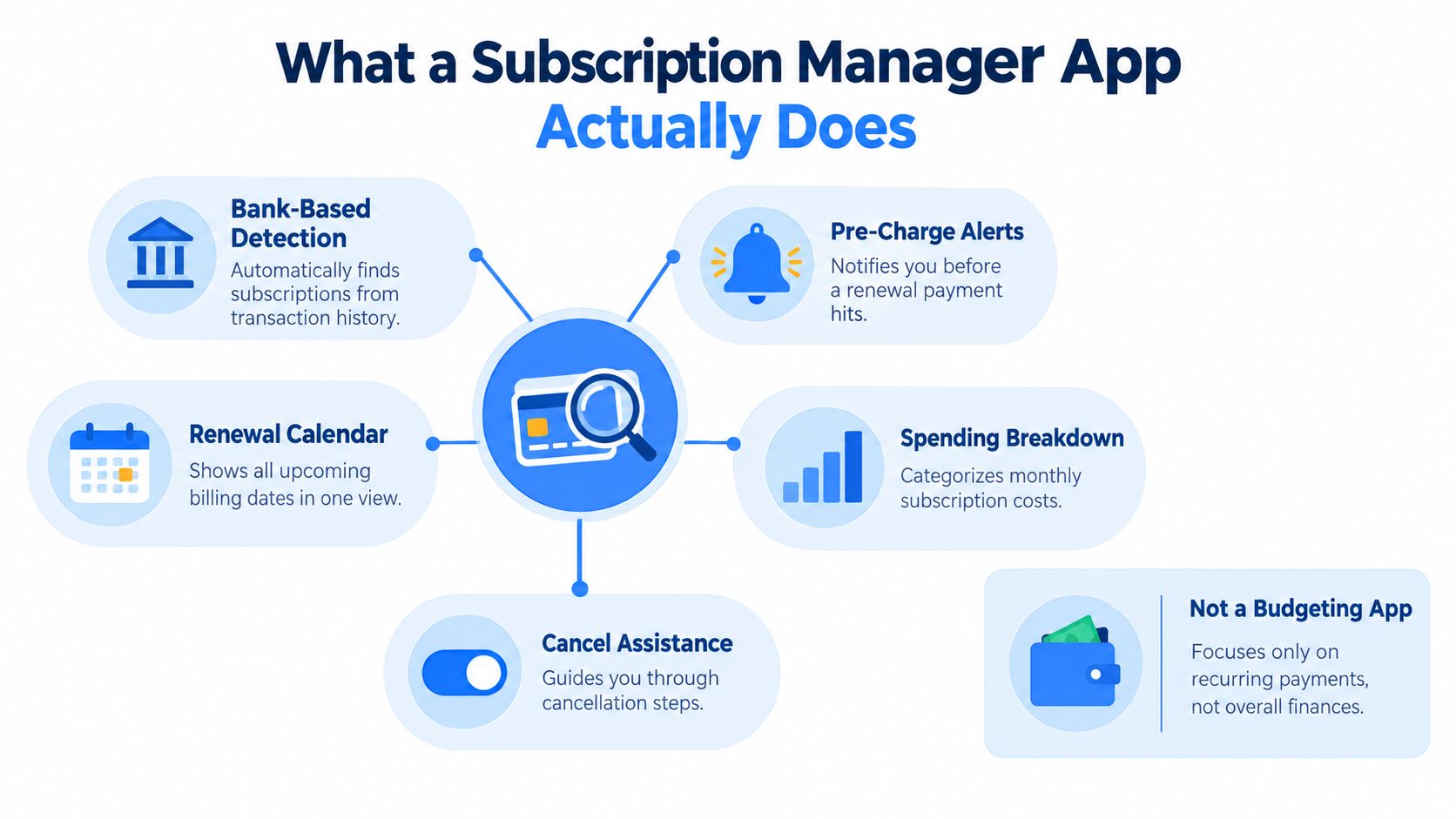
A subscription manager app is not a general budgeting app with a prettier chart. It's a tool built to catch recurring spending, explain what's happening, and push you toward a decision before the next billing event. The point is not to look backward at categories, it's to act before money leaves your account again.
The five capabilities that matter
A real subscription manager should do five things well. First, it needs bank-based detection or a strong manual capture flow so recurring charges don't depend on memory alone. Second, it should send pre-charge alerts that arrive early enough to do something useful. Third, it should translate monthly fees into yearly projections, because annual totals make weak value easier to see.
Fourth, it should support an actual next step, like skip, stop, or monitor, not just list charges on a screen. Fifth, it should let you add subscriptions that the bank won't see, such as items you enter by voice or text. That mix matters because a lot of recurring spending sits outside a clean card feed.
The difference from a normal budget app is timing. Budget apps are good at showing what already happened, often through pie charts and historical reports. Subscription tools are better when they tell you what is about to happen and what the choice costs over time.
The FTC's negative-option guidance explains why this category matters so much, since a negative option is a billing arrangement where a consumer is charged automatically unless they specifically say not to be billed (FTC). That default setup is why reminders and projections work better than memory.
The best apps don't just detect charges. They make the next decision obvious.
Comparing the Top Subscription Manager Apps Feature by Feature
| App | Bank Integration | Pre-Charge Alerts | Yearly Projection | Privacy Posture | Pricing |
|---|---|---|---|---|---|
| FloosYo | Yes, read-only bank connection plus voice entry | Yes, renewal reminders and digests | Yes | Bank data is encrypted, access is read-only, financial data is not sold | One week free, then App Store subscription |
| Rocket Money | Yes | Yes | Yes | Deep account access required | Free tier, premium plan |
| Truebill | Same product family as Rocket Money | Yes | Yes | Same model as Rocket Money | Same model as Rocket Money |
| Trim | Yes | Limited | Not the focus | More service-led than tracker-led | Service-based pricing |
| Bobby | No bank connection | Reminders for items you enter | Yes | Strong privacy posture because you add items manually | Free, with a low one-time upgrade |
| iOS-native option | Varies | Basic | Varies | Depends on the app | Usually low-cost |
Rocket Money is the heavyweight if you want automatic discovery across connected accounts. It's useful when you've got a messy mix of cards and you want a service to sweep the ledger for you. The trade-off is simple, more automation usually means more account access, so I'd only pick it if you value convenience over a tighter privacy setup.
Bobby is the opposite. It's clean, manual, and calm, which makes it a good fit if you already know your subscriptions and just want a tidy list with reminders. It won't rescue you from forgotten charges the way a bank-connected tool can, but it's a sensible choice if you'd rather enter things yourself and keep control tight.
Trim sits in the middle with a more service-driven feel. It's better when you care about recurring bills and negotiation help more than deep personal-finance reporting. An iOS-native option can work if you only need basic visibility, but many of those apps stop at reminders and don't do much to turn a charge into a decision.
FloosYo takes a narrower but sharper path. It combines bank-based detection, voice entry for anything the bank misses, and yearly projections that turn a small charge into a real annual number. That makes it more useful for people who don't just want a list, they want a decision engine.
Privacy, Security, and the Question of Who Sees Your Transactions
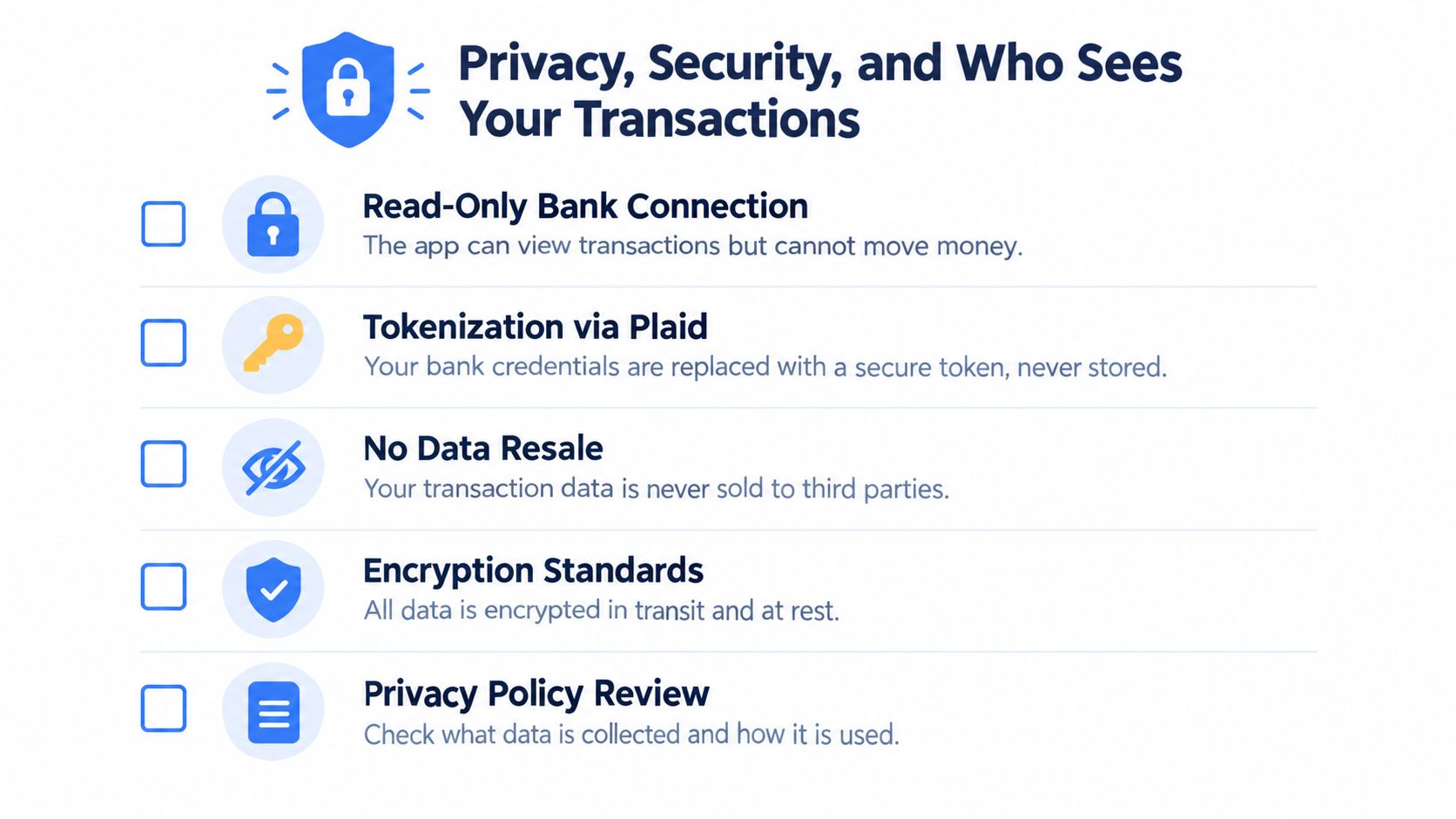
A read-only bank connection means the app can see transactions, but it can't move money. That's the standard I'd want before handing over account access to any subscription tool. If an app only needs to detect recurring charges and show upcoming renewals, it does not need payment power.
What to check before you connect
- Read-only access: The app should be able to view transactions without the ability to send money or change balances.
- Tokenized connection: Your bank login should be handled through a secure connector, not stored in plain form inside the app.
- Encryption at rest and in transit: Your data should be protected while it's moving and while it's stored.
- Clear data policy: You should know whether transaction data is shared, sold, or used for ads.
- Strong account protection: Two-factor authentication and signed event handling matter because account activity should be verified, not guessed.
Mastercard and FT Strategies reported that 25% of consumers blocked a recurring payment because they thought it might be fraudulent, while 29% disputed a recurring payment for the same reason, which shows how much recognition and explainability matter in this category (Business Wire).
That's why privacy and clarity are linked. If the app misidentifies a charge, or if the merchant name looks unfamiliar, you'll trust it less. If it shows you a recurring charge with a clear explanation and a clean source of truth, you're more likely to act on it without second-guessing every alert.
If you want a plain-English look at how FloosYo handles privacy, the relevant details are laid out on its privacy page. I'd still ask the same questions of any app before I connect an account.
A Day in the Life of Using a Subscription Manager
The first good app connection should feel boring. You link the account, the app starts reading transactions, and the recurring items surface without a pile of manual cleanup. If the tool makes you fight through setup just to see what you're paying for, it's already asking too much.
From there, the useful part is timing. Google's finance-mobile research found that 92% of respondents considered finance notifications useful when they provide value, with transaction and financial updates among the most useful types, which is exactly why pre-charge reminders beat random noise (Google finance-mobile research).
What the workflow should feel like
- Detection lands early. The app flags a recurring charge and explains why it thinks the payment repeats.
- The alert arrives before the charge. You get enough lead time to skip, cancel, or leave it alone.
- The yearly view changes the mood. A small monthly charge looks more serious when the app shows the annual total.
- The app asks for one decision. Keep, skip, cancel, or monitor, not ten unrelated taps.
- Savings are visible afterward. If you skip a cycle, the app should show the money you didn't spend, not just hide the charge.
That's the difference between a decent tracker and a useful one. A decent tracker tells you what happened last month. A useful one helps you avoid the next charge entirely.
Best habit: make the app earn its keep by showing you something before renewal, not after.
Why Decision Quality Beats Detection Count
A lot of apps brag about finding more subscriptions. That's a weak victory. Finding charges is the easy part. Telling you what to do about them is where actual savings happen.
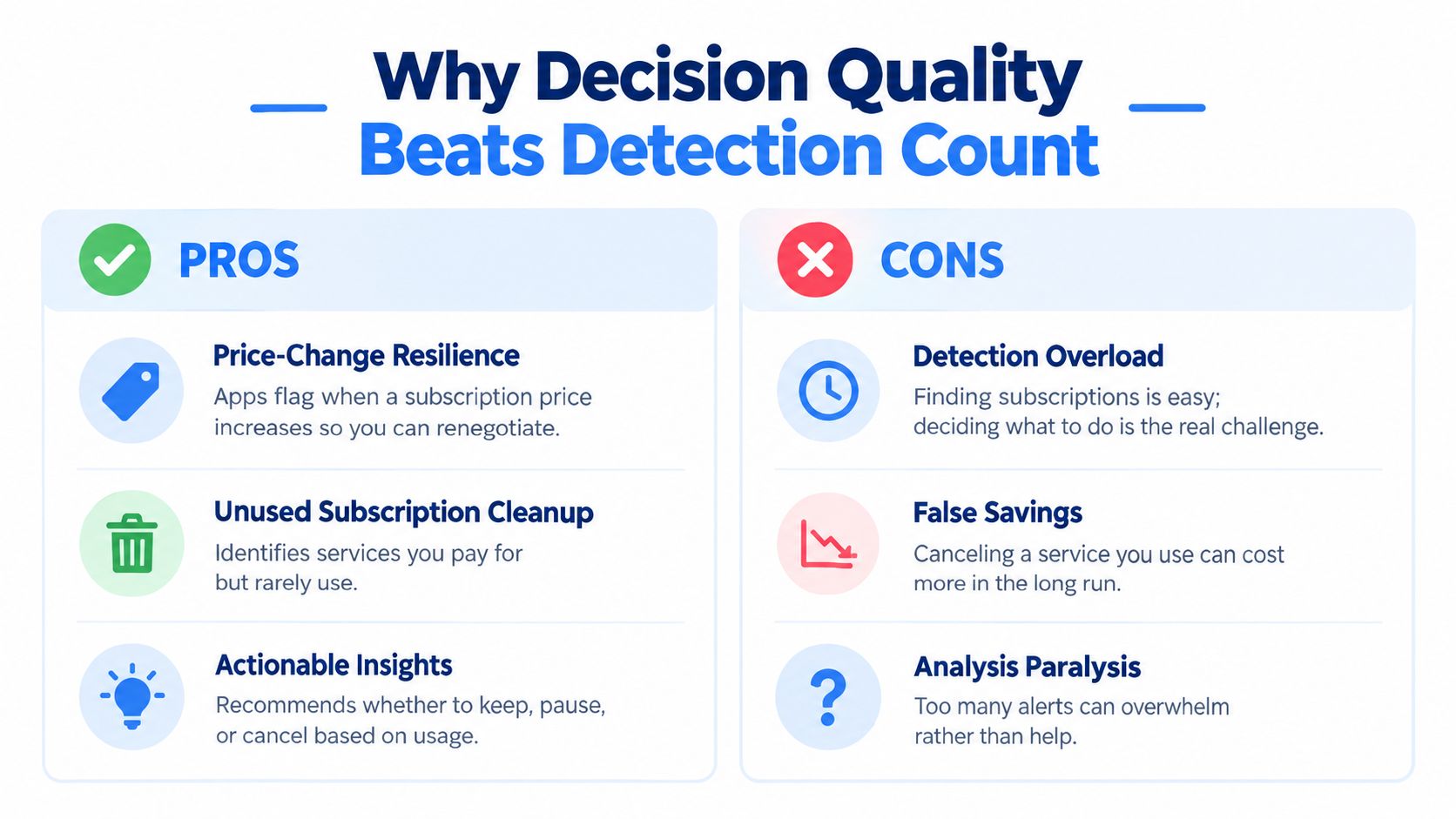
The strongest consumer evidence points in the same direction. U.S. adults reported spending $1,080 annually on subscriptions, including about $204 on unused services, and 42% kept paying after they had stopped using a service (CNET's summary of the consumer survey). That tells you the issue isn't merely discovery, it's judgment.
The right app helps you choose, not just count
If a service looks cheap at $4.99 per month, that's one conversation. At $59.88 per year, it becomes a different one. Annualizing the cost forces you to ask whether the service is still worth keeping, especially if you use it seasonally or only during occasional projects.
That's also why “cancel everything” is lazy advice. Some subscriptions are useful, and some are easy to forget but still worth keeping. The app should help you distinguish the two by showing usage context, renewal timing, and a clear action path.
The FTC's click-to-cancel framework says cancellation should be at least as easy as enrollment, and online sign-ups should offer cancellation online without forcing a live or virtual representative into the process (Kirkland summary of the FTC rule). A good manager mirrors that logic by giving you the next date and amount early enough to act.
For a practical way to think about annualized cost, the annual total cost guide is the right mental model. The point is simple, if an app can't turn monthly clutter into a yearly decision, it's not doing enough.
Which Subscription Manager Fits Your Situation
If you want maximum privacy and already know which recurring charges matter, Bobby is the cleanest fit. It stays manual and never asks for your bank login, so you control every entry yourself. That works well if you mainly need reminders and do not want an app watching your accounts.
If you want shared visibility in a household, bank-connected apps make more sense because they catch more of the moving parts. That matters when recurring charges are split across cards or scattered across family spending. A hands-off user will usually get better results from an app that focuses on detection and cancellation help instead of manual upkeep.
Freelancers and anyone with a pile of small software charges need something stricter. The right app should surface every line item and force a clear keep, skip, cancel, or monitor decision. Projection matters more than a long list of merchants. If the app can show the yearly drag of a few low-cost tools, it earns its keep by improving judgment, not by counting charges.
For iPhone users who want a privacy-first, bank-connected workflow, FloosYo is the sharper recommendation. It uses read-only bank detection, voice entry for charges the bank will not see, yearly projections, and pre-charge reminders to turn recurring clutter into decisions you can act on. It also uses bank connections through Plaid across 12,000 financial institutions in 20 countries, with a one-week free, full-access trial and no auto-billing commitment after that. That setup suits someone who wants automation without turning the app into a generic budget dashboard.
FAQ and the Same-Day Action Checklist
Connecting a bank account is safe only if the app uses read-only access, strong encryption, and a clear privacy policy. Recurring detection is useful when the app explains why it flagged a charge and lets you verify it before acting. Most apps can't cancel every subscription on your behalf, especially if the merchant uses a messy cancellation flow, so I'd treat cancellation help as a bonus, not a guarantee.
Subscriptions paid through app stores or shared with family members can slip past bank-only tools, so add those manually. That's also why voice entry matters for the charges your bank can't classify cleanly. If you want a deeper how-to on the actual canceling part, the subscription cancellation guide is the right companion read.
Use this checklist today:
- Pull your last statement: Look for repeating merchants and steady amounts.
- Flag anything unused in the last 30 days: If you didn't touch it, it's a candidate for review.
- Convert every charge into a yearly total: Monthly cost hides the drag.
- Choose one action per item: Keep, skip, cancel, or monitor.
- Set a reminder before the next renewal: Don't wait for the charge to post.
The goal isn't to slash every recurring expense. It's to make each one a conscious choice before the next billing event.
If you want a tool that turns recurring charges into clear monthly and yearly decisions, FloosYo is built for exactly that workflow. It finds recurring spending, shows what it costs over time, and prompts you to act before the next charge lands. Visit FloosYo and see whether it fits the way you manage subscriptions, bills, and everyday habits.