
A household can set a weekly grocery limit and still wonder why the monthly total keeps climbing. The answer may be extra trips, higher unit prices, household supplies mixed with food, or purchases made away from home that never belonged in the grocery target.
The best grocery budget worksheet depends on the job you need it to perform. Some tools help you plan meals, some estimate one shopping trip, some teach you whether a package is a good value, and others create a running monthly total. A complete system may need more than one format, especially when a printable worksheet handles item-level detail while bank-fed data captures transactions and recurring spending elsewhere.
That distinction matters because U.S. household food spending includes both food prepared at home and food purchased away from home. The Bureau of Labor Statistics reported $10,169 in average household food expenditure for 2024, including $6,224 for food at home and $3,945 for food away from home. Keep groceries, takeaway, and dining separate if you want to understand the actual pattern.
The comparison below looks at format, calculation depth, setup effort, sharing, customization, and limitations. It also shows where a worksheet should connect with FloosYo, particularly for subscriptions, bills, daily habits, renewal reminders, and yearly outflow projections that a grocery ledger can't detect automatically.
Table of Contents
- 1. Spend Smart. Eat Smart. from Iowa State University Extension
- 2. American Heart Association Grocery Guide
- 3. Vertex42 Grocery Price Book
- 4. Vertex42 Grocery List and Shopping List Templates
- 5. SNAP-Ed New York Grocery Game Plan
- 6. Sheetrix Free Grocery Budget Spreadsheet
- 7. PrintablePlanning Grocery Budget Planner and Shopping List
- 8. SAFE Credit Union Weekly Grocery Budget Worksheet
- 9. Duneed Grocery Budget Template
- 10. CartenCore Grocery Spending Spreadsheet
- Top 10 Grocery Budget Worksheet Comparison
- Build a Grocery System You Will Actually Maintain
1. Spend Smart. Eat Smart. from Iowa State University Extension
Spend Smart. Eat Smart. is a strong starting point when the immediate problem is setting a realistic grocery target before shopping. The Iowa State University Extension resource combines a household-size grocery budget calculator with printable meal-planning and shopping worksheets, so it connects the amount you plan to spend with the meals and ingredients that create that total. It's free, plain-language, and doesn't require an account.
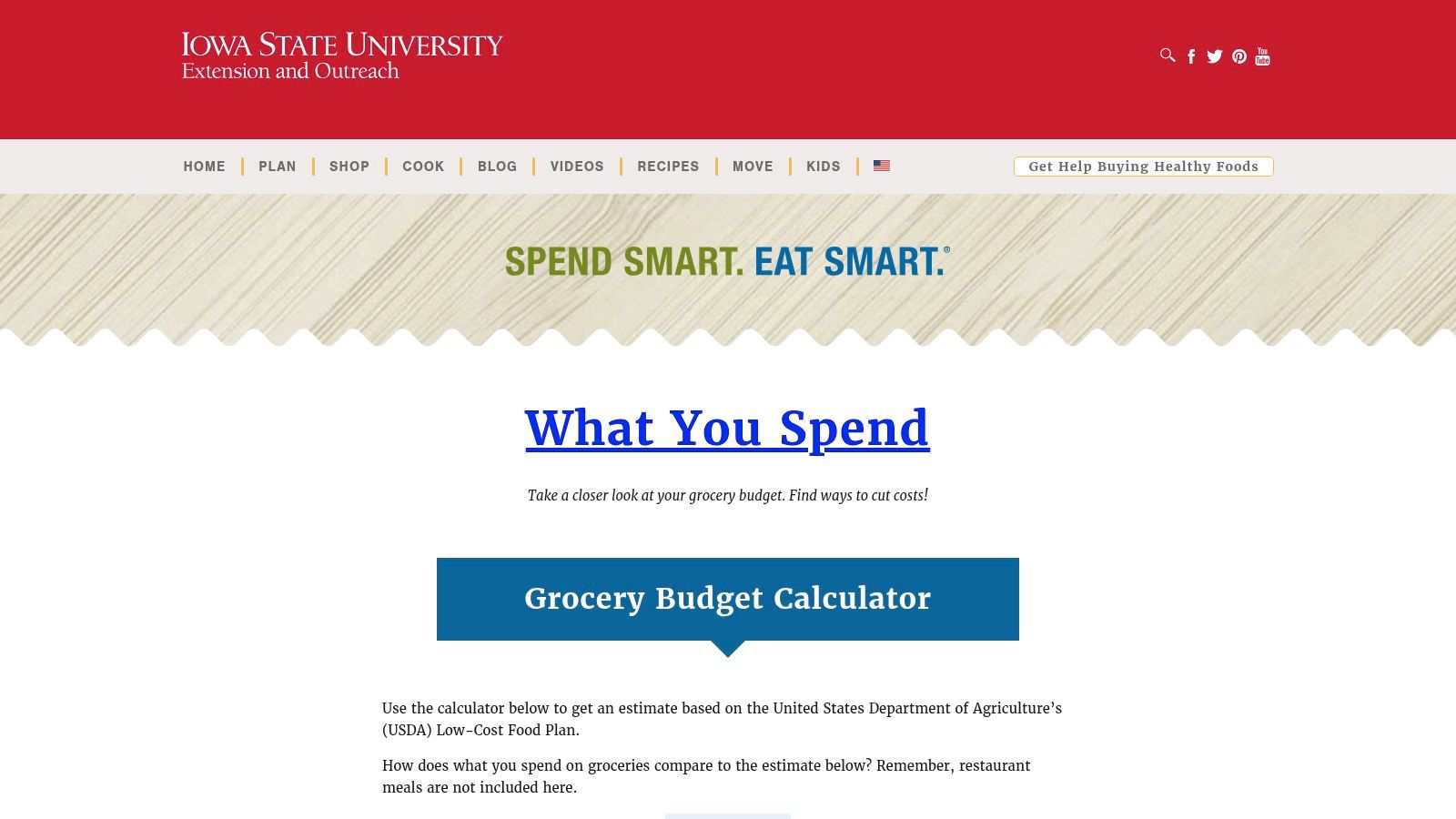
Use it in a short sequence. Calculate a household target, plan five days of meals, build the shopping list, and take that list to the store. Afterward, record the final receipt in a separate spreadsheet or app, because the worksheets aren't designed to maintain a transaction history.
Where it fits best
The resource is particularly useful for households that need structure before the shopping trip rather than retrospective charts. Keep grocery purchases at home separate from dining out, delivery, and takeaway. The BLS defines food at home as purchases from grocery stores and similar outlets, so combining every food transaction will make the grocery target harder to interpret.
The printable meal-planning worksheet is available in English and Spanish, and the toolset includes practical shopping and cost-saving guidance. Its weakness is equally clear. It estimates and plans, but it doesn't receive bank transactions, capture an unrecorded cash purchase, or project recurring outflows over a month and a year.
FloosYo can fill that gap by receiving bank transactions, accepting missing purchases through voice or text, and showing projected monthly and yearly costs. Use Iowa State's worksheets for the trip, then use a broader recurring-spend view for everything the worksheet can't see.
2. American Heart Association Grocery Guide
The American Heart Association Grocery Guide works as a decision aid for building a sensible basket, not as a complete spending ledger. Its downloadable PDF combines a sample grocery list with budget-minded reminders, unit-price guidance, frozen and canned alternatives, and Heart-Check cues for healthier choices. That makes it useful when the household's difficulty is choosing what belongs in the cart.
The best customization is simple. Add columns for quantity, expected price, actual price, store, and whether each item is essential or optional. The planned-versus-actual comparison turns a general shopping guide into a basic control sheet without forcing you to build a full workbook.
Useful for basket decisions
This guide is a good fit for a shopper who wants a paper reference in the store and a healthier starting basket. It is less useful for anyone trying to answer, “What did groceries cost across the last several months?” There isn't enough cost math or transaction history built into the PDF for that job.
Keep food and household supplies separate if you want the grocery figure to remain meaningful. Cleaning products, paper goods, and personal-care purchases can be necessary, but mixing them into groceries can make food prices appear to be rising when the category has simply expanded.
The American Heart Association Grocery Guide PDF pairs well with a spreadsheet for monthly and yearly totals. FloosYo can sit beside that process by showing bank-visible grocery patterns while the paper guide handles item selection. It can also capture a purchase that never appears in the expected category through voice or text, but it won't replace the guide's in-store decision prompts.
3. Vertex42 Grocery Price Book
Vertex42's Grocery Price Book is the strongest choice in this list when inconsistent prices, rather than forgotten receipts, are driving the problem. The Excel workbook records products, package sizes, stores, brands, dates, unit prices, and purchase prices. Over several trips, that history helps you distinguish a genuine value from a large package with a poor unit cost.
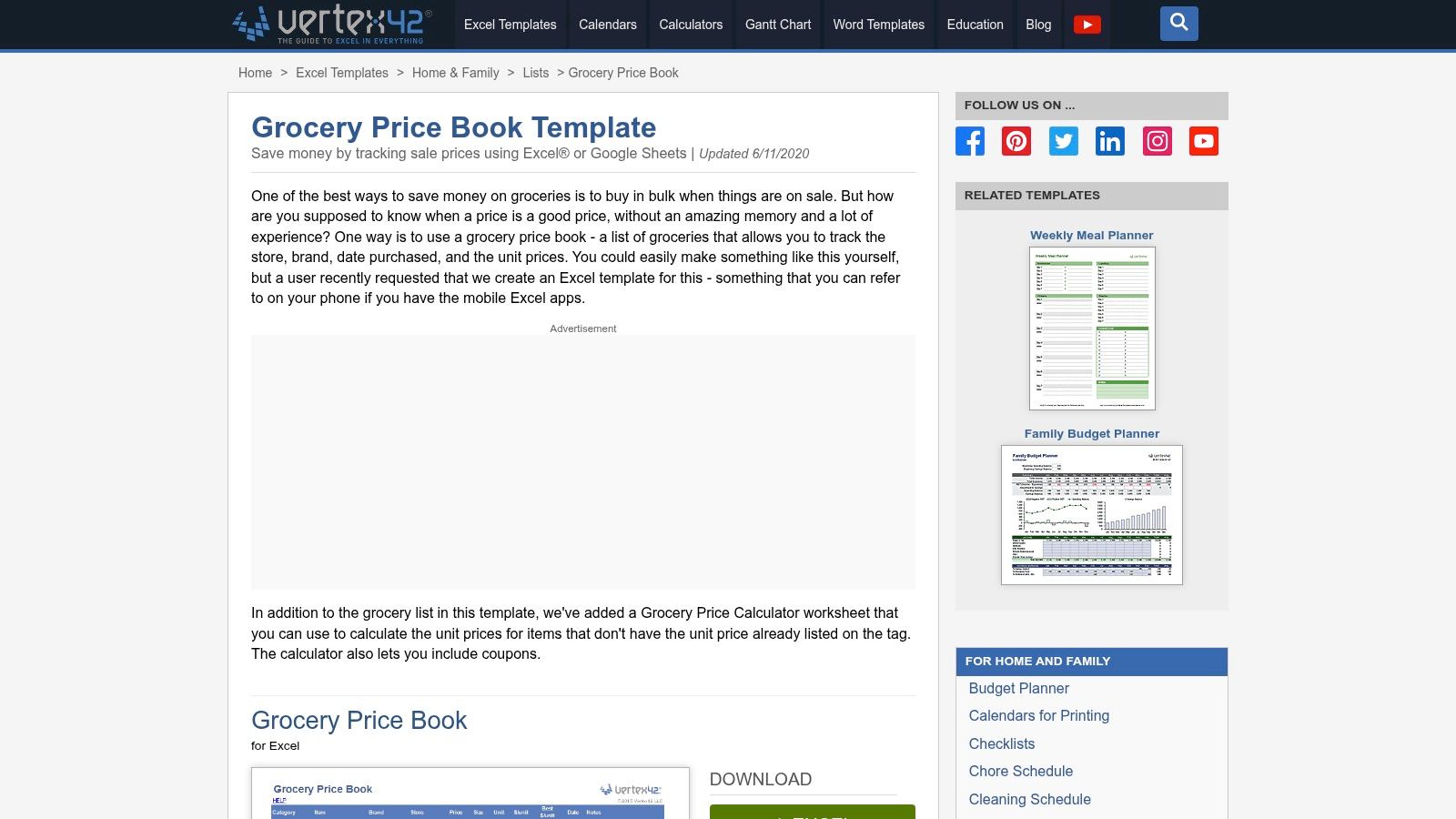
Set up stable item names first. “Rice,” “long-grain rice,” and a specific brand shouldn't become three unrelated records unless you intentionally want that distinction. Record the package size, store, brand, date, unit price, and actual purchase price each time. Review the same staple across several shopping trips before changing your routine, because one promotion or temporary price change isn't enough to establish a pattern.
The trade-off is discipline
A price book creates useful learning only when you maintain it. Manual entry is the cost of getting item-level price knowledge, and Excel users will have the smoothest experience. Anyone working in Google Sheets may need to import or convert the workbook carefully.
This tool doesn't identify recurring bank charges, subscriptions, or bills. It also won't know that a delivery order, convenience purchase, or household item changed your monthly outflow unless you enter it.
Download the Vertex42 Grocery Price Book when unit-price comparison is the core job. Pair it with FloosYo for the broader financial picture, including annual projections and recurring charges. The price book tells you which staple costs less per unit. FloosYo helps show whether a separate repeating expense is steadily taking room away from the grocery target.
4. Vertex42 Grocery List and Shopping List Templates
Vertex42's Grocery List and Shopping List Templates are built for control at the point of purchase. Category sections, quantity fields, remembered prices, and clean printable layouts make it possible to estimate a trip before leaving home. That makes this resource better for preventing one expensive shop than for explaining month-over-month patterns.
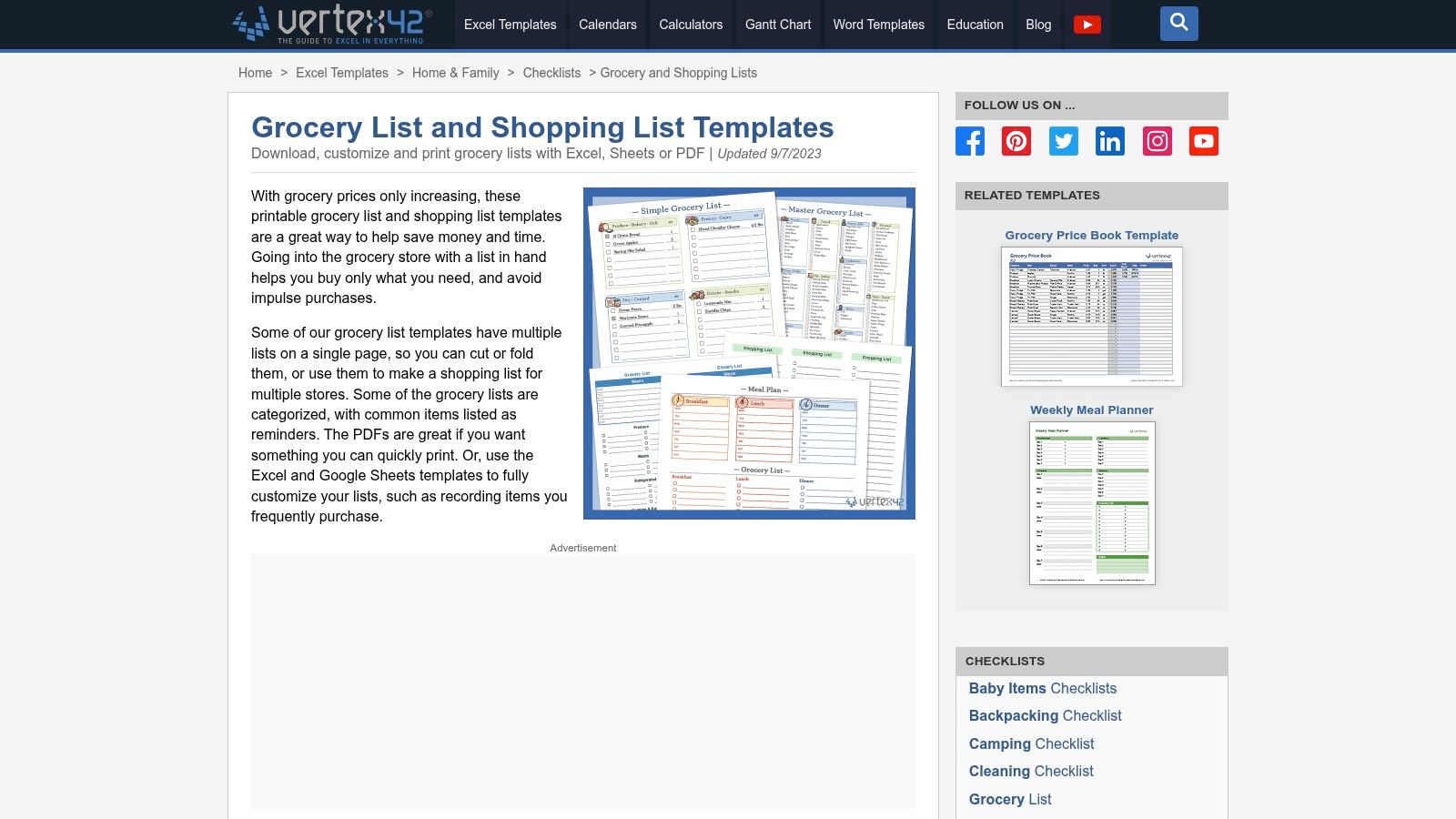
Enter expected prices before shopping, subtotal the categories, and mark substitutions as they happen. Afterward, compare the planned total with the receipt and record why the numbers differed. A changed package, missing sale, impulse item, or household purchase should not all be treated as the same kind of variance.
Customize the category boundary
Create separate sections for groceries, household supplies, and non-food purchases. If you want longer-term visibility, add a monthly summary tab with receipt date, store, planned total, actual total, and amount remaining. Without that customization, the template remains a trip checklist rather than a budget history.
This format is practical for regular weekly use and requires no sign-up. Its limitation is that the Excel-first design doesn't automatically produce a meaningful monthly analysis. Importing it into Google Sheets can work, but formulas and formatting should be checked before relying on it.
For a related approach to managing a smaller household grocery target, see this grocery shopping on a budget guide. Then use the Vertex42 grocery list templates for trip-level planning and FloosYo for transactions or habits that don't belong in the list, such as recurring delivery charges, phone bills, or subscriptions.
5. SNAP-Ed New York Grocery Game Plan
The SNAP-Ed New York Grocery Game Plan is the fastest low-friction option for a weekly reset. It is a one-page worksheet for planning meals, listing items, and aligning purchases with a weekly budget. Someone who abandons a detailed spreadsheet after the first trip may maintain this form because it asks for less information at the moment decisions are made.
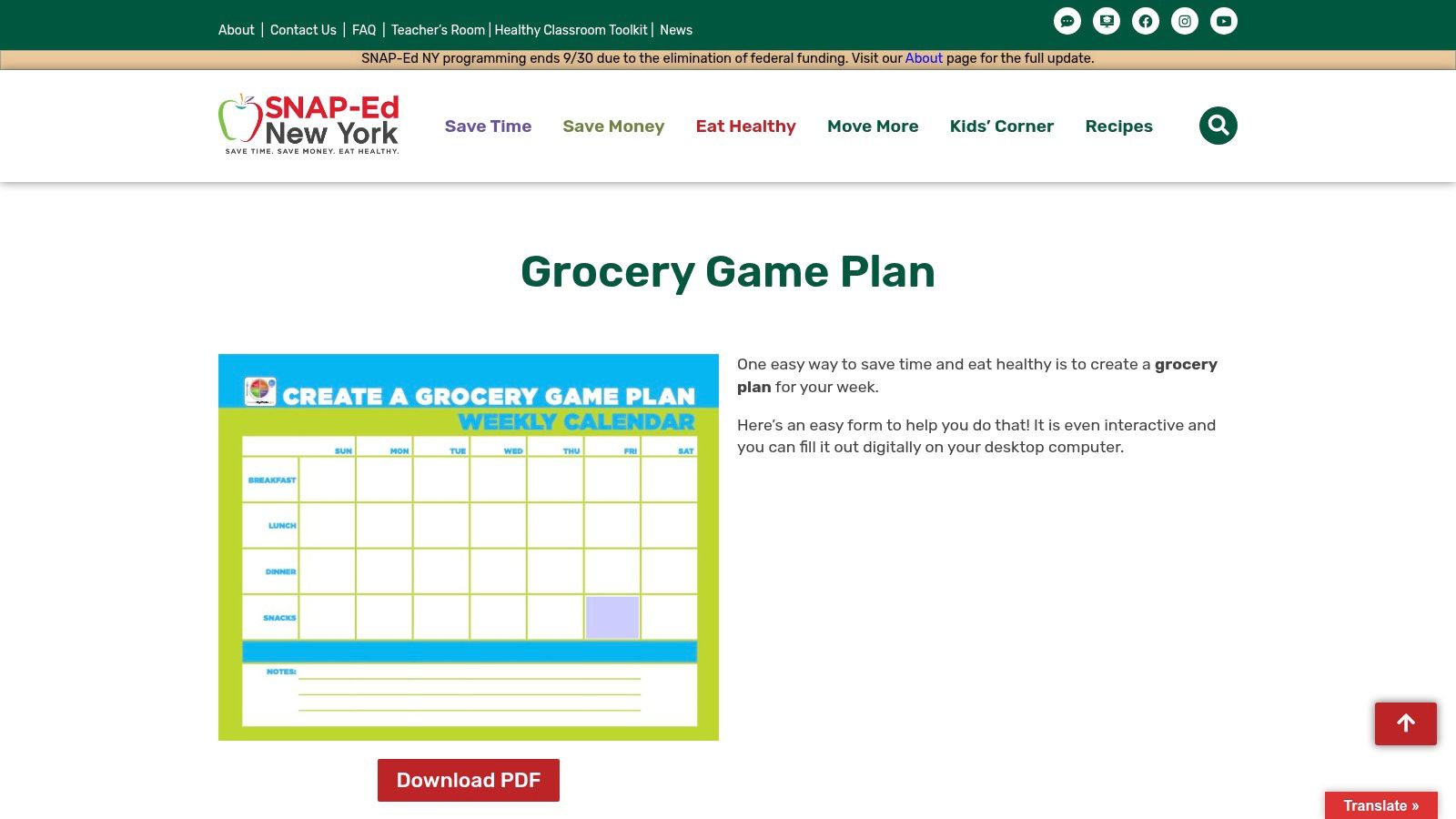
Add four small fields to make it more useful over time: expected total, actual total, receipt date, and store. A rollover field can show whether the household carried a surplus or shortfall into the next review. Those additions preserve the worksheet's simplicity while creating the beginning of a weekly history.
Keep the review realistic
This sheet won't explain a yearly pattern on its own. You'd need to transcribe each week into another system, and that extra step may reduce follow-through. It also won't automatically capture a purchase made with cash or a transaction categorized incorrectly by a bank feed.
Use the SNAP-Ed New York Grocery Game Plan when consistency matters more than analytics. FloosYo can provide bank-fed visibility for purchases that arrive electronically and voice or text capture for missing entries. The worksheet remains the place for meal and item planning, while the app supplies a faster record of outflows outside the paper workflow.
6. Sheetrix Free Grocery Budget Spreadsheet
Sheetrix is a practical middle ground for households that want a shared Google Sheets workbook without designing one from scratch. It includes planning and recording tabs, category and store breakdowns, monthly totals, color-coded dashboards, and a companion grocery-list sheet. One person can plan the trip, another can record the receipt, and everyone can review the result at month-end.
The workbook needs clear rules before the first entry. Separate groceries from household supplies, add planned and actual columns, and decide where one-off purchases belong. Don't hide an unusually large stock-up trip inside a monthly average. Label it so the later review can distinguish bulk buying from an ordinary overspend.
Sharing helps, but entry still matters
Cloud access is valuable when multiple household members shop. It reduces the problem of one person holding all the information, but it doesn't eliminate manual entry or imports. The usefulness of the dashboards depends on consistent categories and enough Google Sheets familiarity to maintain the workbook.
A spreadsheet also sees only what someone records. Bank-fed data can reveal a transaction that the household forgot to enter, but the merchant description may still need review before it is assigned to groceries or household spending.
Use the Sheetrix grocery budget spreadsheet for shared trip detail and monthly review. For the broader problem of keeping a running grocery total alongside recurring outflows, this grocery budget tracker guide explains where FloosYo can complement the sheet. The workbook remains useful because item-level detail is difficult to infer from a bank transaction alone.
7. PrintablePlanning Grocery Budget Planner and Shopping List
PrintablePlanning's Grocery Budget Planner suits shoppers who want a printable form but don't want to calculate every line manually. Enter an item, quantity, and price, and the editable PDF computes line totals and a pre-tax trip total. A hand-written version is also available, so the same basic structure works on paper or in a PDF reader.
The best use case is one planned trip or an occasional budget reset. Test the form on the device you'll use in the store before relying on it. Some mobile PDF readers handle editable fields smoothly, while others make repeated entry slow and awkward.
Extend it only if you need continuity
Add receipt total, date, store, and monthly running total fields if you want to reuse the form. Keep a copy of each completed trip rather than overwriting the previous one. That creates a basic archive, although it still won't provide the flexible filtering and multi-month analysis of a spreadsheet.
The PrintablePlanning grocery budget worksheet doesn't replace transaction history, recurring-charge detection, or yearly projections. It also won't distinguish a forgotten subscription from a grocery purchase because it has no bank connection.
Choose it when calculation at the trip level is the main friction. For subscriptions, bills, food delivery habits, and other repeating outflows, use a separate recurring-expense view. That separation prevents a printable grocery form from becoming an overloaded and difficult-to-maintain personal finance system.
8. SAFE Credit Union Weekly Grocery Budget Worksheet
The SAFE Credit Union worksheet is a paper-first tool for households that manage food spending through a weekly allotment. It provides space for the weekly budget, planned items, and prices. The layout is simple enough for a beginner and works well when the main question is whether the next shop fits inside the amount set aside.
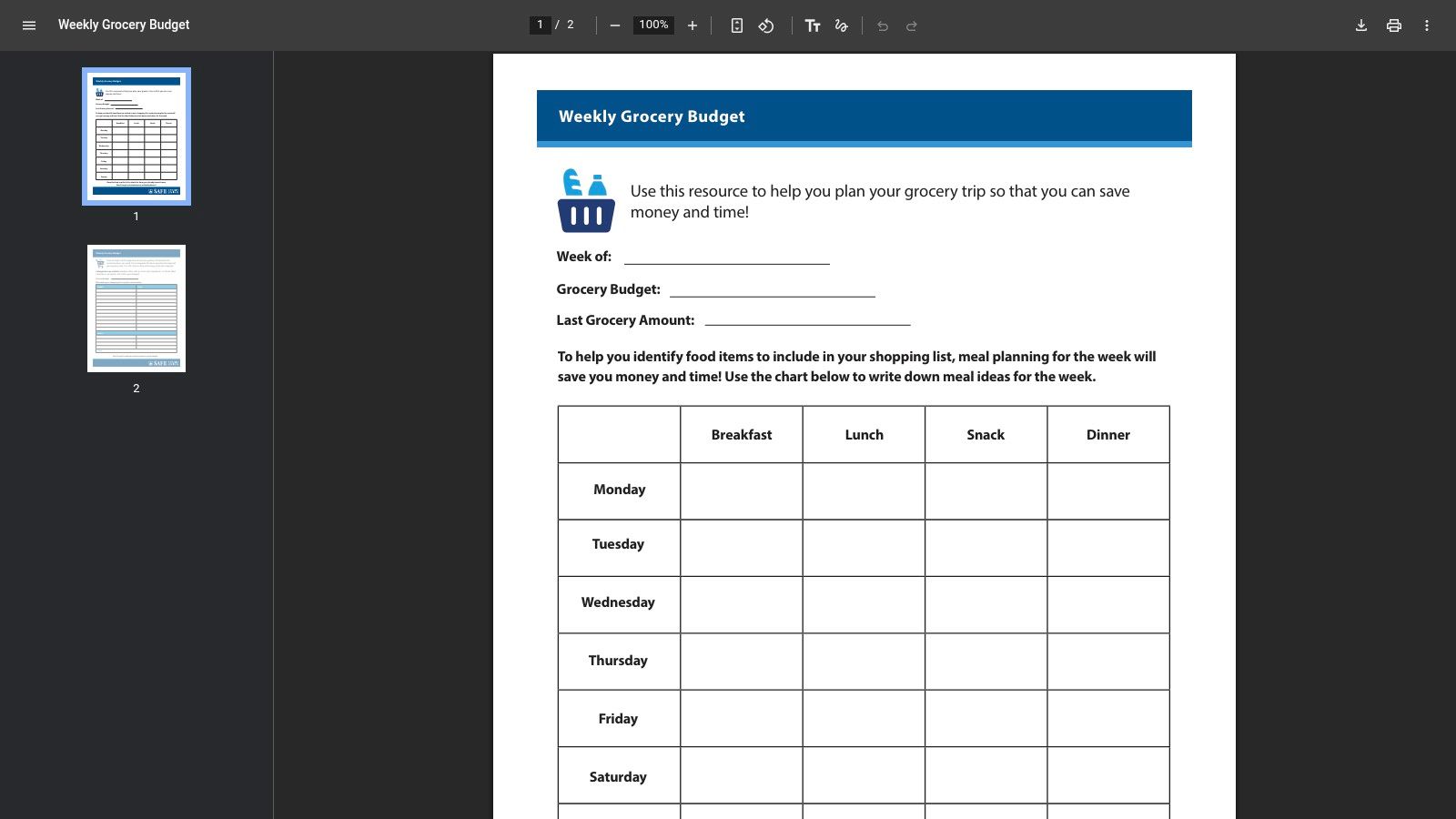
Use a repeatable sequence: set the weekly allotment, list planned items, record prices, total the receipt, and carry the variance into the next review. If your household shops several times during the week, add receipt dates and a weekly subtotal. Otherwise, one large shop can conceal several smaller purchases that collectively broke the limit.
Good weekly control, limited history
The worksheet doesn't calculate category subtotals automatically and offers little analytical depth. That's a reasonable trade-off for a clean printable page, but it means longer-term tracking needs a spreadsheet or bank-fed companion.
The SAFE Credit Union weekly grocery worksheet is best when a weekly rhythm will improve follow-through. It isn't the right primary tool for a household trying to understand annual spending, identify forgotten renewals, or compare recurring bills.
For context on grocery totals and how a weekly pattern can affect the yearly view, see this analysis of the average grocery bill. FloosYo can then handle transactions and recurring expenses that the paper sheet cannot, while the worksheet keeps the weekly shopping decision visible and concrete.
9. Duneed Grocery Budget Template
Duneed's Grocery Budget Template is the lightest option for someone who wants a monthly amount-left indicator without building a complete workbook. It provides a running monthly total with one line per receipt and is available in printable, Google Sheets, Excel, and CSV formats. The focus stays narrow, which is useful when a complicated dashboard would discourage regular entry.
Decide first whether food and non-food purchases are combined or separated. Then enter every receipt consistently with the date, store, amount, and category rule you selected. If you want a yearly view, add one monthly total per month and a yearly summary that rolls those figures together.
Fast adoption is its advantage
Duneed doesn't ask you to learn complex formulas, but advanced analysis still requires customization. The publisher has fewer third-party reviews than some of the established template providers, so treat the file as a starting format and verify that the calculations match your own entries.
The Duneed grocery budget template is a strong fit for a reader who needs to know how much remains this month. FloosYo adds a different layer. It can detect recurring bank charges, accept voice or text entries, remind you about renewals, support skip or stop decisions, and show projected monthly and yearly outflows.
That distinction matters. A running grocery total tells you what has already happened. A recurring-spend view helps you decide what to stop, skip, or monitor before another charge lands.
10. CartenCore Grocery Spending Spreadsheet
CartenCore's Grocery Spending Spreadsheet is designed for durability rather than a quick printable reset. Its food and household categories, monthly views, by-store views, and setup guidance support a repeatable workflow. The emphasis on stable categories is valuable because category creep can make a budget appear inconsistent even when shopping behavior hasn't changed.
Start with a fixed category boundary. Record every receipt, retain the store name, and review monthly and by-store views before changing the target. Add planned-versus-actual columns and a yearly summary only after the basic records are consistent. A separate household-supplies category keeps cleaning and paper purchases visible without allowing them to distort the food line.
Built for an Excel workflow
The CartenCore grocery spending spreadsheet is best for Excel users who want a grocery-specific file and practical guidance on maintaining it. Google Sheets users can import it, but the workbook should be checked after conversion.
It still depends on manual records. FloosYo can complement it with bank-supplied transactions, recurring bills, subscriptions, voice-entered cash or off-bank items, projected annual totals, and concrete skip or cancel decisions. Use the spreadsheet for receipt detail and monthly category review. Use the broader app layer when the question is not “What did this receipt contain?” but “What recurring outflow can I remove before it repeats?”
Top 10 Grocery Budget Worksheet Comparison
| Tool | Core focus / key features | UX / Quality | Price & value | Target audience | Unique selling point |
|---|---|---|---|---|---|
| Spend Smart. Eat Smart. (Iowa State Univ.) | Household grocery budget calculator + printable meal & shopping worksheets | ★★★★, evidence-based, plain-language | 💰 Free | 👥 Families & planners | ✨ University-backed, practical workflow for meal-to-budget planning 🏆 |
| American Heart Association, Grocery Guide | Printable grocery list + healthy, budget-minded shopping tips | ★★★★, clear guidance, health-focused | 💰 Free | 👥 Health-conscious shoppers | ✨ Heart-Check cues for healthier buys |
| Vertex42, Grocery Price Book (Excel) | Itemized unit-price book; track unit prices over time | ★★★★, detailed, spreadsheet-native | 💰 Free (Excel template) | 👥 Deal-seekers & analytical shoppers | ✨ Unit-price tracking to spot real bargains 🏆 |
| Vertex42, Grocery List & Shopping List Templates | Aisle-sorted, category lists with optional price memory | ★★★, practical trip-level tool | 💰 Free (Excel) | 👥 Weekly shoppers wanting in-store control | ✨ Clean, printable checklists with quick-estimate features |
| SNAP‑Ed NY, Grocery Game Plan (worksheet) | One-page weekly meal & shopping planner with tips | ★★★, fast, low-friction | 💰 Free | 👥 Budget-conscious households needing quick resets | ✨ Fast weekly plan to boost follow-through |
| Sheetrix, Free Grocery Budget (Google Sheets) | Cloud workbook with planning, recording & dashboards | ★★★★, shareable, color dashboards | 💰 Free (Google Sheets) | 👥 Households sharing budgeting duties | ✨ Cloud-based collaboration + monthly dashboards 🏆 |
| PrintablePlanning, Grocery Budget Planner (Editable PDF) | Auto-calculating PDF for trip planning (printable) | ★★★, convenient, PDF-based math | 💰 Paid (one-time) | 👥 Users who want printable forms without spreadsheets | ✨ Auto-calculating PDF that still prints well |
| SAFE Credit Union, Weekly Grocery Worksheet (PDF) | Weekly allotment worksheet for envelope-style budgeting | ★★★, simple, bank-backed | 💰 Free | 👥 Beginners & envelope-budget users | ✨ Beginner-friendly, bank-provided worksheet |
| Duneed, Grocery Budget Template | One-page monthly running total (CSV/Sheets/Excel/PDF) | ★★★★, lightweight & fast to adopt | 💰 Free / CSV export | 👥 Users wanting a single monthly “amount left” tracker | ✨ One-line-per-receipt monthly tracker for quick visibility |
| CartenCore, Grocery Spending Spreadsheet (Excel) | Durable weekly/monthly workbook with setup guidance | ★★★★, accuracy-focused | 💰 Free (Excel) | 👥 Excel users seeking long-term consistency | ✨ Practical guidance to avoid category creep and sustain habits 🏆 |
Build a Grocery System You Will Actually Maintain
The right choice depends on the failure you need to correct. Choose a printable planner when your weekly structure breaks down before shopping. Iowa State Extension, SNAP-Ed New York, the American Heart Association, and SAFE Credit Union are useful when meal planning, list-making, and a visible weekly limit matter more than analytics. PrintablePlanning is a practical middle option when you want the form to calculate a trip total without learning spreadsheet formulas.
Choose a price book when your main issue is package value and inconsistent prices. Vertex42 is better than a basic grocery list for learning which store, brand, or size produces a reliable unit-price advantage. It requires more entry discipline, but that effort answers a question most monthly worksheets can't answer: whether the item itself is becoming more expensive or whether the basket just contains more items.
Choose a shared spreadsheet when several people shop or when you want monthly category and store analysis. Sheetrix offers a cloud-based workflow, while CartenCore and Vertex42 serve Excel-oriented users. Choose a simple running-total template when adoption is the priority. Duneed makes it easier to see the amount left without creating a large workbook.
Your customization checklist should stay short:
- Category boundaries: Separate groceries, household supplies, dining out, delivery, and takeaway when those categories need different decisions.
- Planned versus actual cost: Record the expected trip total, receipt total, and variance.
- Receipt detail: Include the date, store, and whether a purchase was a normal shop, stock-up trip, or replacement purchase.
- Household size: Don't force a single adult or a larger household onto the same target. USDA food plans use a four-person reference household and recommend adjustments for different household sizes, including adding 20% for one-person households and 10% for two-person households, as explained in the USDA January 2025 Food Plans.
- Monthly and yearly rollups: Add monthly totals and project the same pattern across the year, but revisit the target when prices, household composition, or eating patterns change.
A two-layer workflow is often more reliable than asking one tool to do everything. Use the worksheet for meal plans, item quantities, substitutions, unit prices, and receipt detail. Use bank-fed data or FloosYo for transactions, recurring spending, missing entries through voice or text, renewal reminders, projected totals, savings goals, and skip or stop decisions.
That separation also protects the meaning of your grocery number. The Food Marketing Institute reported that 34% of grocery shoppers used pen and paper as a budgeting tool, compared with 32% using an app, while app use reached 54% among Gen Z and 41% among Millennials in its 2025 research. The FMI findings support a practical conclusion: a paper workflow and a mobile workflow aren't competing philosophies. Different household members may need different entry paths.
Start by selecting one template, not several. Define what counts as groceries, record the next several shopping trips consistently, and review the resulting monthly pattern before changing the target. Then connect the worksheet to FloosYo if subscriptions, bills, delivery habits, or other repeating charges are affecting the amount available for food. A grocery budget becomes useful when it explains the outflow and leads to a decision, not when it merely produces another total.
FloosYo connects to your bank to identify recurring spending, accepts grocery and other missing expenses through voice or text, and projects costs monthly and yearly. Use it alongside a grocery budget worksheet to receive renewal reminders, evaluate skip or stop decisions, and track the savings that follow. Visit FloosYo to add recurring-spend visibility to your grocery-control workflow.