
Budgeting on a steady paycheck is simple: the same amount lands on the same day, and you plan around it. When your income changes every month, that plan falls apart. One client pays $1,000 more than another, a payment shows up two weeks late, and a yearly bill you forgot about lands in the same week.
To budget when your income varies, stop planning around payday. Put every bill on a calendar, including yearly ones, turn the big yearly bills into small monthly sinking funds, and split every payment the same way the moment it lands: bills first, then sinking funds, then savings. Build a one-month buffer a little at a time, so a late payment never decides which bill gets paid.
Disclosure: FloosYo is our app. The last part of this guide shows how to set this up in FloosYo, but every step works with any budgeting app or a notebook.
The month it broke
One of us on the FloosYo team worked freelance before building this app. Every client paid a different amount, and the gap between one job and the next could be around $1,000. On paper, the year looked fine. Month to month, it was guesswork.
The real problem was never how much came in. It was not knowing two things at the same time: how much was still due, and how much was still coming.
Then came the month that made it obvious. A client payment that was expected early arrived late. Bills that were planned around that payment had to go late too. In the same stretch, the car's annual maintenance came due, a cost that only shows up once a year and is easy to forget until it lands. The only way to cover everything was to pull money out of savings.
Nothing about that month was unusual for a freelancer. Late payments and yearly bills are normal. What was missing was a plan that expected them.
Everything below is what changed after that month.
7 ways to budget when your income varies every month
1. Stop building your budget around payday
A paycheck budget says "money lands on the 1st, bills go out after." With irregular income there is no 1st. Plan your month by what is due and what you need, not by the date a client pays. This is sometimes called an open budget: the plan stays the same whether the money arrives on day 3 or day 23.
2. Put every bill on a calendar, including the yearly ones
Monthly bills are easy to remember. Yearly ones are the ones that hurt: car maintenance, insurance paid once a year, annual subscriptions, registration fees. List every bill with its due date and amount. Once you can see what is coming and when, a late payment stops being a surprise and becomes a timing question you can plan for. If you're not sure where your money goes today, start with our guide on how to track spending.
3. Budget for a high month, not your lowest one
The usual advice is to budget from your lowest month. That works for some people. Our approach is the opposite, and it's a personal preference rather than a rule: plan a little above what you actually spend. If you usually spend about $1,000 a month, budget $1,200. Because every bill is already counted, you know exactly how much room you have, and most months you finish under.
Pick whichever version lets you stop worrying. The important part is that every bill is in the plan.
4. Turn yearly bills into monthly sinking funds
A sinking fund is money you set aside a little at a time for a bill you know is coming. Instead of finding the full amount in one month, you split it across the year.
| Yearly bill (example) | Yearly cost | Set aside each month |
|---|---|---|
| Car maintenance | $600 | $50 |
| Car insurance paid yearly | $960 | $80 |
| Annual subscription | $120 | $10 |
The numbers above are only an example. Use your own bills. This one change was the biggest improvement for us: the car maintenance that once forced a trip to savings became a bill that was already paid for when it arrived.
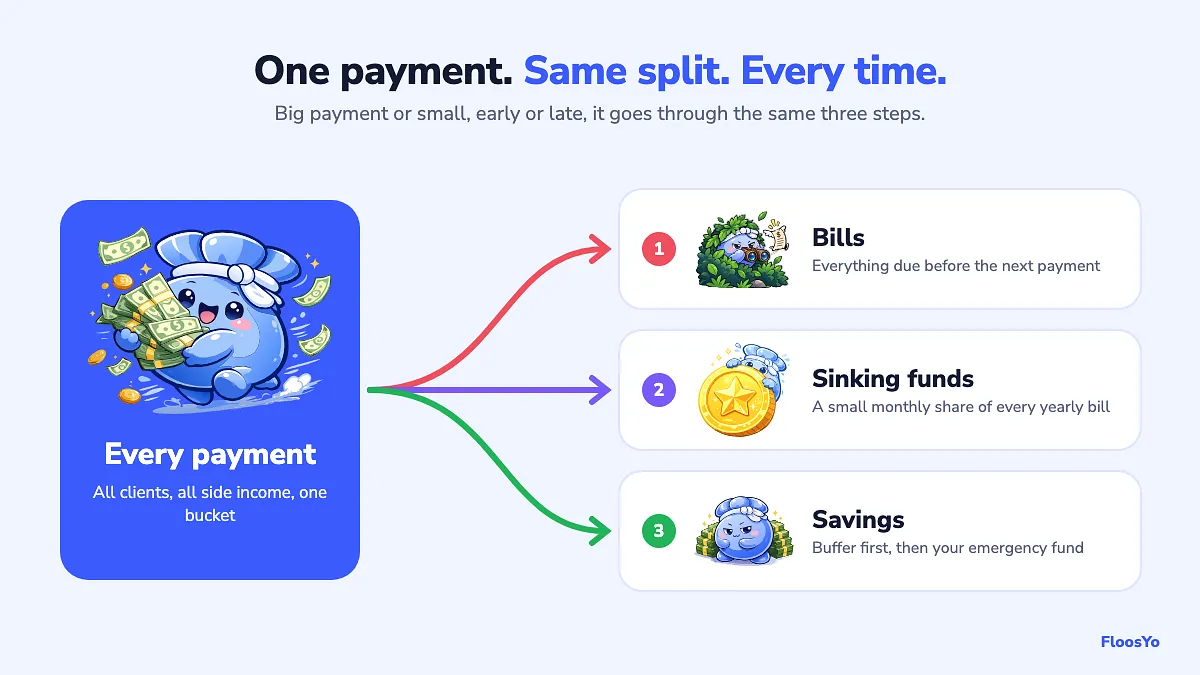
5. Put every payment in one bucket, then split it the same way
Don't build a separate plan for each client. Every payment goes into the same bucket, and every time money lands it gets split the same way: bills first, then a share to your sinking funds, then a share to savings. Big payment or small, the routine doesn't change, so there's nothing to decide.
6. Build a one-month buffer, a little at a time
A buffer is enough money to cover one month of bills before the next payment arrives. With it, a late client means waiting, not paying a bill late. You don't need a big month to build it. Feeding a little into it from every payment works, and it's the same habit as the sinking funds.
7. Give last month's leftover a job
When a month ends under budget, the leftover tends to disappear into the next month without anyone noticing. Move it on purpose, into savings or a sinking fund. That way you never have to work out what is "still left" from an old month, because nothing is left unassigned.
How to Budget on an Unpredictable Income
Unpredictable income has two problems: the amount changes and the date changes. Most advice only solves the amount. The date is what causes late bills.
The answer is to separate your spending from your payment dates. Know every bill that is still due this month, keep a one-month buffer so those bills are covered before the next payment arrives, and plan only with money that has actually landed. When a payment is late, the buffer pays the bills and the late payment refills the buffer when it arrives.
Then check two numbers each week: what you have left after the bills that are still coming, and whether your buffer is full.
How to Budget with Multiple Income Streams
When several clients or jobs pay you in the same month, each for a different amount, it's tempting to track each one separately. You don't need to. It doesn't matter which client paid what. Treat all of it as one income: everything goes into the same bucket, and the bucket gets split the same way every time, bills, sinking funds, savings.
Tracking each stream on its own makes sense for taxes or business records, and our freelance expense tracker guide covers that side. For your personal budget, one bucket is simpler and harder to get wrong.
Side hustle income: how to budget it
Side income follows the same rule as everything else: it goes into the bucket and gets split like any other payment. The mistake is treating it as bonus money that gets spent the day it arrives. If you have a regular salary, let the salary cover the bills and send a bigger share of side income to your sinking funds and savings.
If your side income is self-employment income, set some aside for tax too. The rules depend on where you live, so check what applies to you.
How big should your emergency fund be?
The common answer is three to six months of expenses. Our view: three months is a good place to start, but six is not the finish line. We prefer a full year. Work changes quickly, layoffs happen, and when your income already varies, a longer runway buys real calm. Our guide on how much to save helps you put a number on it.
If you have debt, keep making the required payments while you build the fund. Paying extra on debt with no emergency fund at all leaves you one surprise bill away from borrowing again.
How to set this up in FloosYo
FloosYo works whether you connect your bank in the iPhone app or prefer to log everything yourself, and you can use it on iPhone or on the web. Here's the setup that matches the steps above.
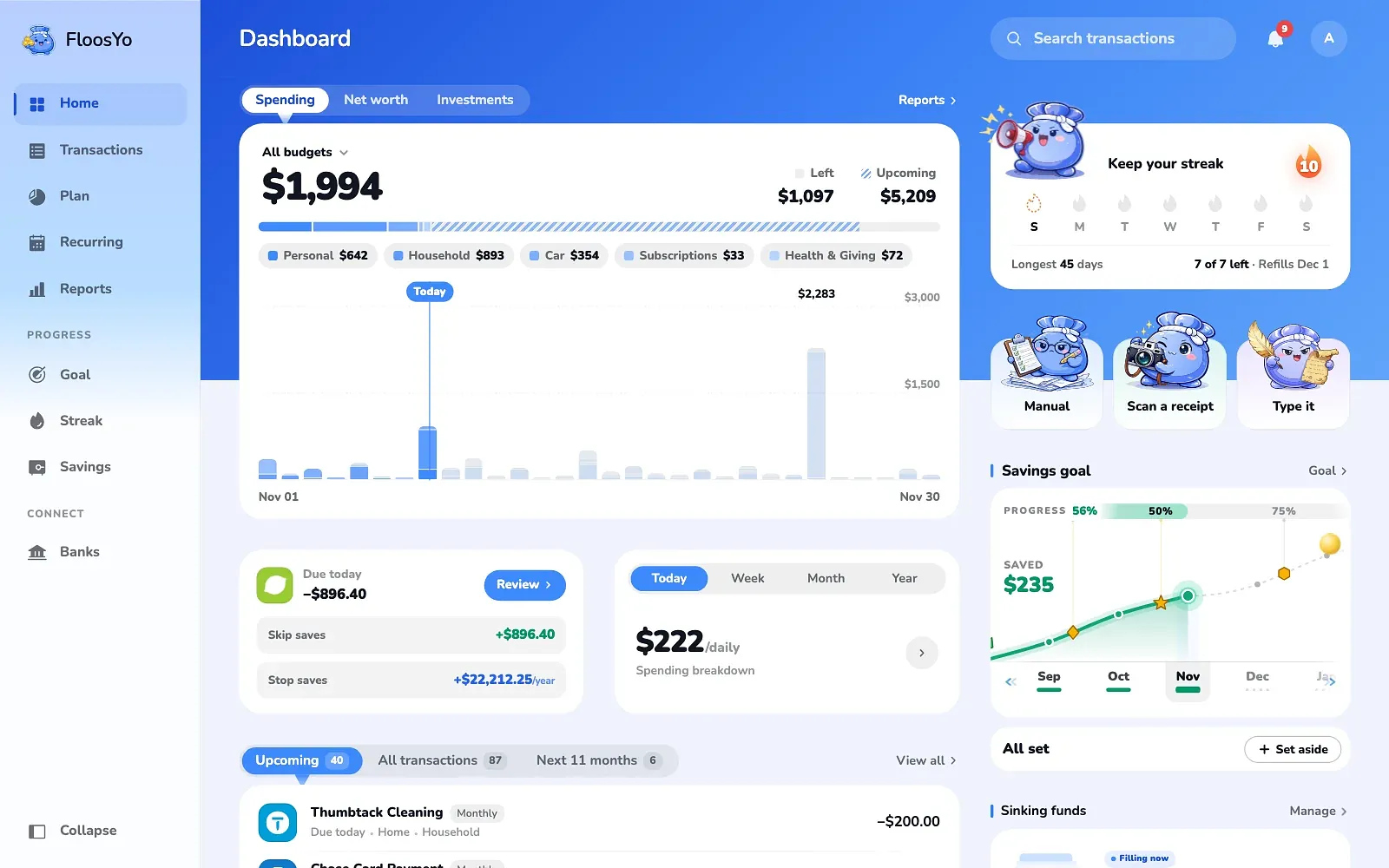
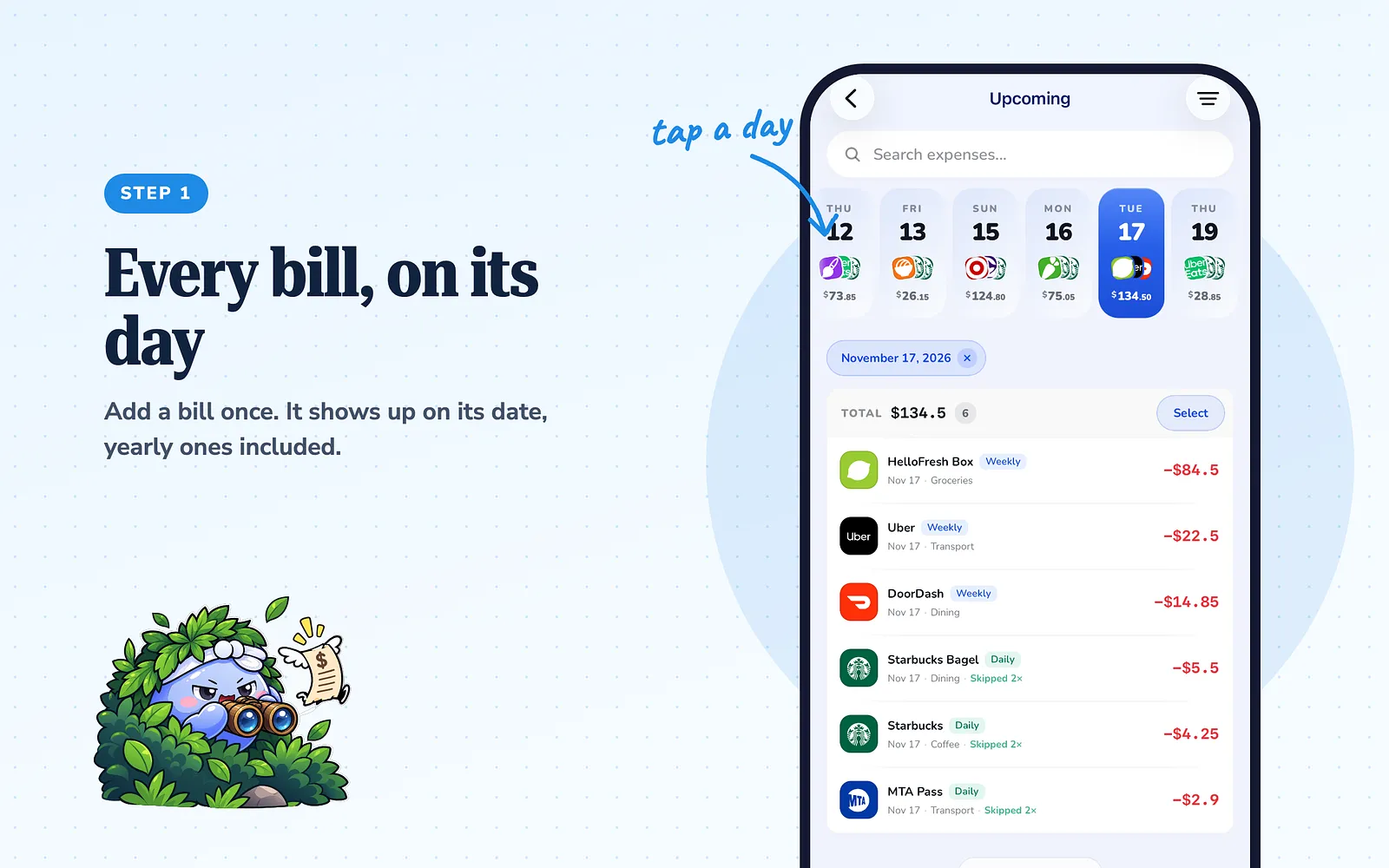
Step 1: Add your bills and see them on the calendar
Add each bill once, with its amount and how often it repeats, including yearly ones. Every renewal then shows on its day in Upcoming, with a logo for each charge. Tap a day to see just that day.
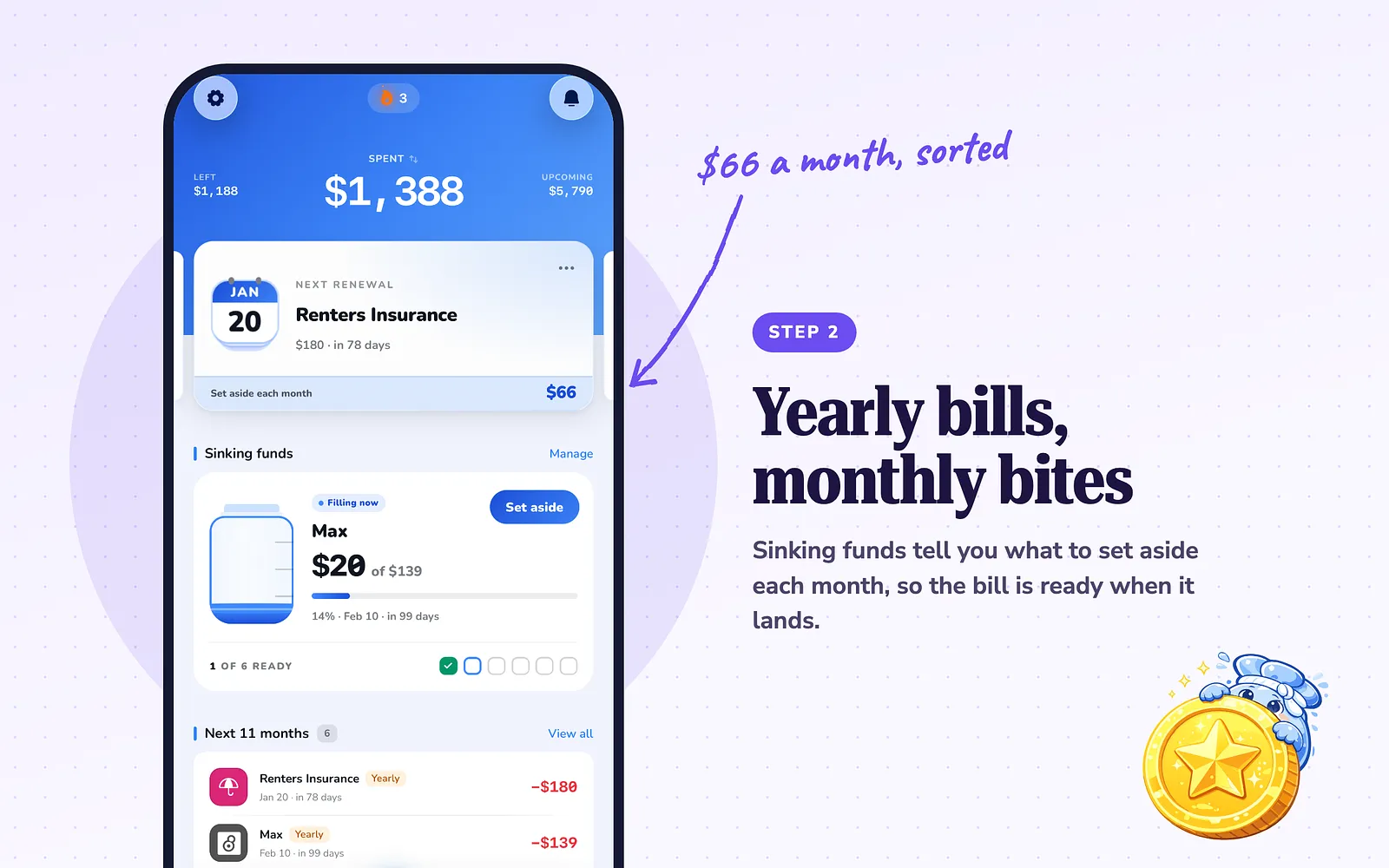
Step 2: Turn on Sinking funds for your yearly bills
Once you have yearly expenses, the Sinking funds card can sit on your dashboard. Turn it on in Actions → Edit dashboard. It shows how much to set aside each month so each fund is ready when it's due.
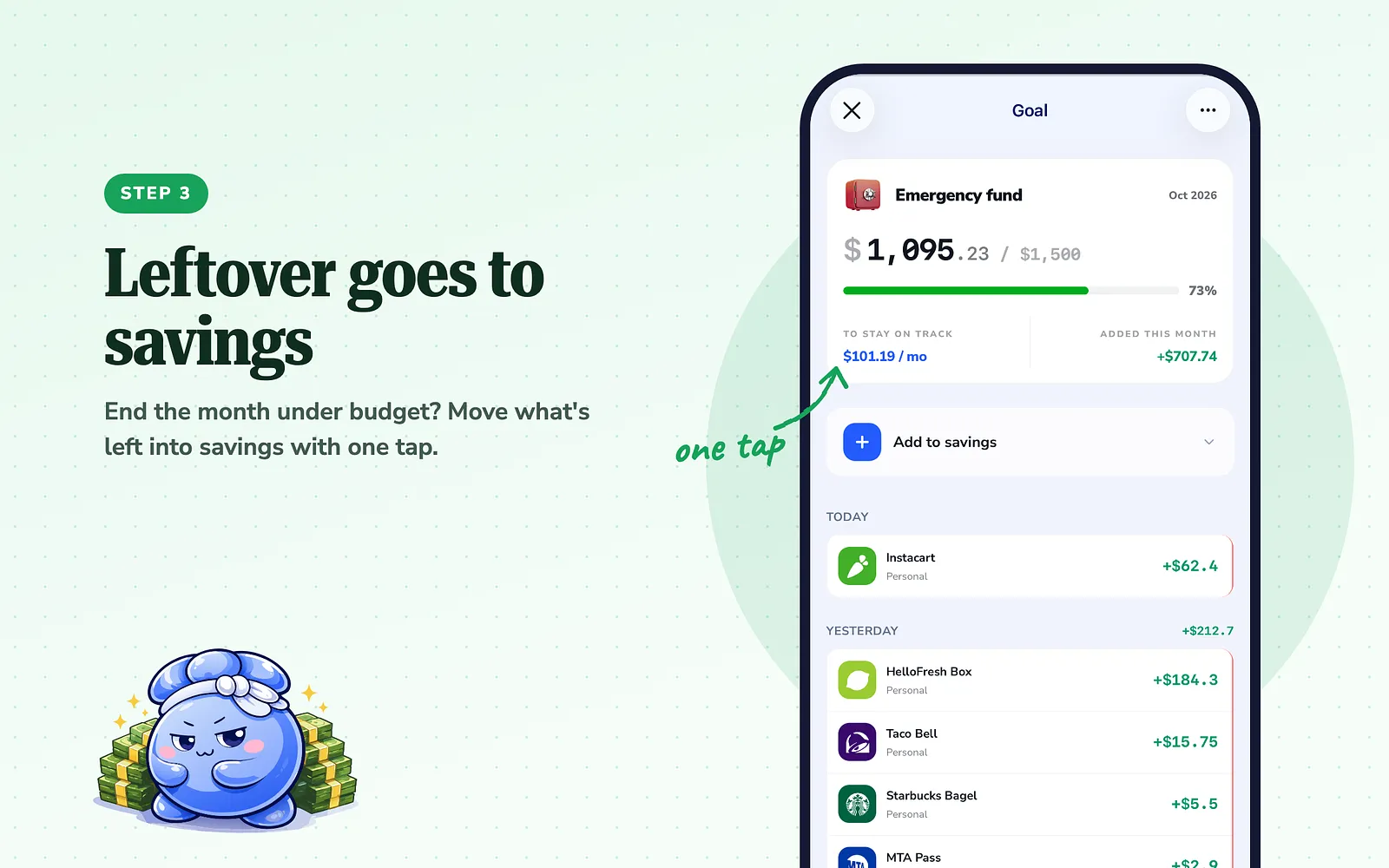
Step 3: Move last month's leftover into savings
When a month ends with money left over, your dashboard shows how much was left from last month. Tap it to add it to savings, so last month's money never mixes into this month's plan.
Step 4: Watch Left and Flexible
Each budget card shows what's Left, which already takes off the bills still coming this month, not only what you've spent. At the top, Flexible shows your income minus what you've budgeted. Adding income is optional: if you'd rather not enter it, budgets still work on their own.
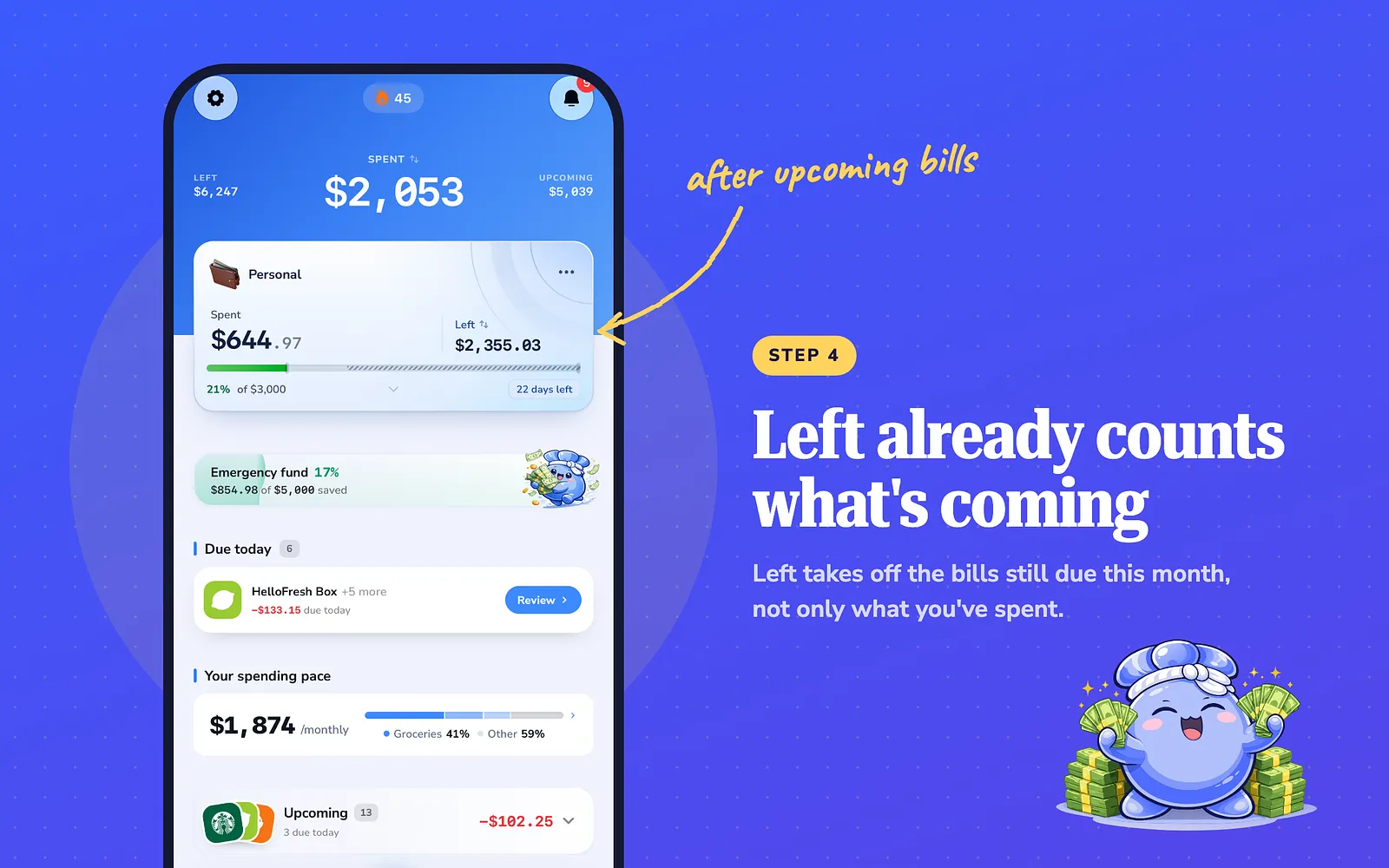
People who use FloosYo with irregular income have told us the same thing we found ourselves: sinking funds and moving the leftover into savings were what made it click. They no longer have to work out how much is left from an old month, because every amount already went somewhere: a bill, a sinking fund, savings, or spending.
What to do today
Write down every bill you pay once or twice a year. Next to each one, divide the cost by 12. Then, the next time a payment lands, set that monthly amount aside before you spend anything else. That one habit is what turns irregular income from a monthly guessing game into a plan.
Common questions
What is a sinking fund?
Money you set aside a little each month for a bill you know is coming, like car maintenance or a yearly subscription. When the bill arrives, the money is already there.
How big should my buffer be?
Enough to cover one month of bills. It lets a late payment mean waiting instead of paying a bill late. Build it a little at a time from every payment.
Should I budget from my lowest month or my highest?
Either works if every bill is in the plan. Budgeting from your lowest month is the common advice. We budget a little above what we usually spend, and it's a personal preference.
Can I use FloosYo without entering my income?
Yes. Adding income is optional. Your budgets, bills and sinking funds work without it.
Does FloosYo work on the web?
Yes. You can use FloosYo on iPhone or on the web. Connecting a bank is done in the iPhone app.
Sources
- FloosYo features described here: checked in the app, November 2026.
- The story and methods: the FloosYo team's own experience budgeting on freelance income.
Keep reading
Coming from another budgeting app? See how FloosYo compares to YNAB, Mint, Monarch or Rocket Money.
Which budget fits me: See which split fits the amounts you enter. Budget my income: Give every dollar a job before the month starts.