


Introduction: 50/30/20 Budgeting Meets Modern Apps
The 50/30/20 rule is one of the simplest frameworks in personal finance: 50% of income goes to needs (rent, groceries, insurance, minimum debt payments), 30% of income goes to wants (dining out, hobbies, streaming), and 20% of income goes to savings or debt repayment (emergency funds, retirement contributions, extra loan payments). It gives you three clear buckets - needs, wants, and savings - that make trade-offs obvious without drowning you in spreadsheet rows.
So why are people searching for 50/30/20 budget apps instead of reaching for a generic monthly budget tool? Because in 2026, most of us juggle multiple checking and savings accounts, credit cards, BNPL installments, and subscription services. Manually splitting all of that into three buckets is tedious and error-prone. A dedicated budgeting method built around the 50/30/20 rule does the heavy lifting: it syncs your financial accounts, sorts transactions into the right categories, and shows you a real-time dashboard so you can manage money before the month slips away.
This guide focuses on apps that make the needs, wants, and savings split visible and easy to maintain - not just "any app that tracks expenses." We reviewed seven options, matched each to a specific type of user (beginners, strict budgeters, couples, overspenders, DIYers), and included current 2026 pricing. By the end, you'll know exactly which app fits your monthly net income, spending habits, and devices.
How We Chose the Best 50/30/20 Budget Apps
Not every budgeting app works well with the 50/30/20 rule. Many tools let you track spending in specific categories but make it surprisingly hard to group those categories into three clear buckets. We looked for apps that reduce daily friction and keep the split front and center. Evaluation covered iOS, Android (including Google Play listings), and web versions where available, using data current through mid-2026.
Key Evaluation Criteria
Explicit 50/30/20 support: Can you set up needs, wants, and savings buckets without workarounds? Custom category mapping allows users to group spending into defined budget categories, which is essential.
Ease of use & setup: How quickly can a new user see their income split after sign-up? Fast logging of transactions prevents budget drift.
Automation & bank connections: Automated bank synchronization helps track expenses without manual entry. Most budgeting apps link directly to financial accounts to auto-categorize transactions, and automatic categorization accuracy matters.
Customization & flexibility: Flexible income-based targets adjust budget allocations according to net income, letting you tweak percentages (e.g., 60/20/20) and add sub-buckets inside needs or wants.
Visibility of the split: Real-time spending dashboards display expenditures against budget limits. Visual dashboards provide pie charts and progress bars for budget monitoring. Budgeting apps should keep spending categories visible at all times.
Pricing & value: Free vs. paid tiers, typical monthly and annual cost, and whether the key features justify the price.
Collaboration & sharing: Options for a partner or family member to share budgets while keeping some bank accounts private.
Platform support & reliability: iOS, Android, and web availability. Strong security features include data encryption and multi-factor authentication. Recurring bill management helps track due dates and prevent missed payments. Customizable alerts notify users when approaching spending limits. Savings goal tracking helps users build and monitor emergency funds or investments. Monthly reports identify spending habits and help refine budgeting strategies. Debt repayment tracking monitors credit card balances and loans.
Best 50/30/20 Budget Apps in 2026
Seven tools made the list, ranked by how effectively they support the 50/30/20 framework - not just general popularity. Each section covers why the app stands out, who it's best for, strengths, and drawbacks.
1. Quicken Simplifi – Best Overall App for 50/30/20 Budgets
Quicken Simplifi is a polished, mainstream budgeting app that explicitly supports the 50/30/20 budgeting method. Its "Spending Plan" mode lets you select the 50/30/20 framework directly, and its bank sync covers most major U.S. institutions via Plaid and Finicity.
Why It Stands Out
Simplifi's spending plan groups your fixed expenses, recurring expenses, and flexible spending into clear buckets that mirror the 50/30/20 split. Recurring bills and subscriptions are detected automatically, then mapped into the "needs" or "wants" bucket. Quicken Simplifi offers real-time personalized spending plans that project your cash flow and flag whether you'll overshoot any limit before month-end.
Best For
Planners who want automation without extreme rigidity - people with multiple accounts, regular bills, and clear savings goals. Ideal for U.S. users who want bank-connected 50/30/20 tracking with minimal manual entry.
Key Strengths
Built-in tools for categorizing expenses into needs vs. wants.
Real-time projections showing if you'll exceed your budget targets before month-end.
Cross-platform access (iOS, Android, web) with up-to-date bank connectivity.
Possible Limitations
Subscription cost of roughly $5.99–$6.99/month billed annually (~$72–$84/year) may feel steep for very simple budgets.
Heavier initial setup than ultra-simple apps, especially for users linking many accounts.
2. YNAB (You Need a Budget) – Best for Strict 50/30/20 Discipline
YNAB follows a zero based budgeting philosophy - every dollar gets a job. While it doesn't label itself a "50/30/20 app," disciplined users can adapt its category groups to enforce a strict 50/30/20 allocation with ease. YNAB helps enforce strict budgeting discipline for savings and debt repayment alike.
Why It Stands Out
YNAB forces intentional allocation, making it hard to let wants eat into savings - a common 50/30/20 failure point. Advanced goal-setting and detailed reports reveal long-term trends in each bucket, helping you refine your financial goals over time.
Best For
Serious budgeters willing to learn a system, including people paying off debt aggressively or saving for big milestones. It works well for couples and families: YNAB allows sharing with up to six users on one subscription. Even college students can benefit from the structure, and YNAB offers a 34-day free trial for new users to test it risk-free.
Key Strengths
Highly customizable categories grouped into 50/30/20 segments.
Strong educational content and live workshops that teach structured budgeting.
Robust syncing with bank accounts and credit cards plus detailed reporting tools.
Possible Limitations
Steep learning curve; not ideal for someone who just wants a quick visual.
Priced at ~$14.99/month or $109/year billed annually - one of the pricier budgeting tools in this category.
3. Money Vault – Best for Fast, Low-Friction 50/30/20 Tracking
Money Vault is best for low-friction tracking of budgets. It's a lightweight budget tracker that emphasizes speed - no mandatory bank sync, no complex onboarding. Money Vault supports voice input and receipt scanning for easy tracking, letting you effortlessly track where each dollar goes.
Why It Stands Out
The app is designed to keep the 50/30/20 split visible without forcing a complex budgeting method on you. Quick-add screens, smart defaults, and daily summaries are tailored to the three buckets, so you can track spending in seconds.
Best For
People who hate heavy apps, prefer manual control, or simply don't want to connect bank accounts. Freelancers or cash-heavy users who need a clear breakdown of spending will find this app helps them stay on plan without data-sync headaches.
Key Strengths
No bank login required; manual entry methods are optimized (voice, photos, templates).
Dashboard built around the 50/30/20 rule, not generic pie charts.
Low learning curve - start tracking the same day you download it.
Possible Limitations
Manual entry can become tedious for users with high transaction volume.
Fewer advanced reports and no investment tool compared to full financial suites.
4. Goodbudget – Best Envelope-Style 50/30/20 App for Beginners
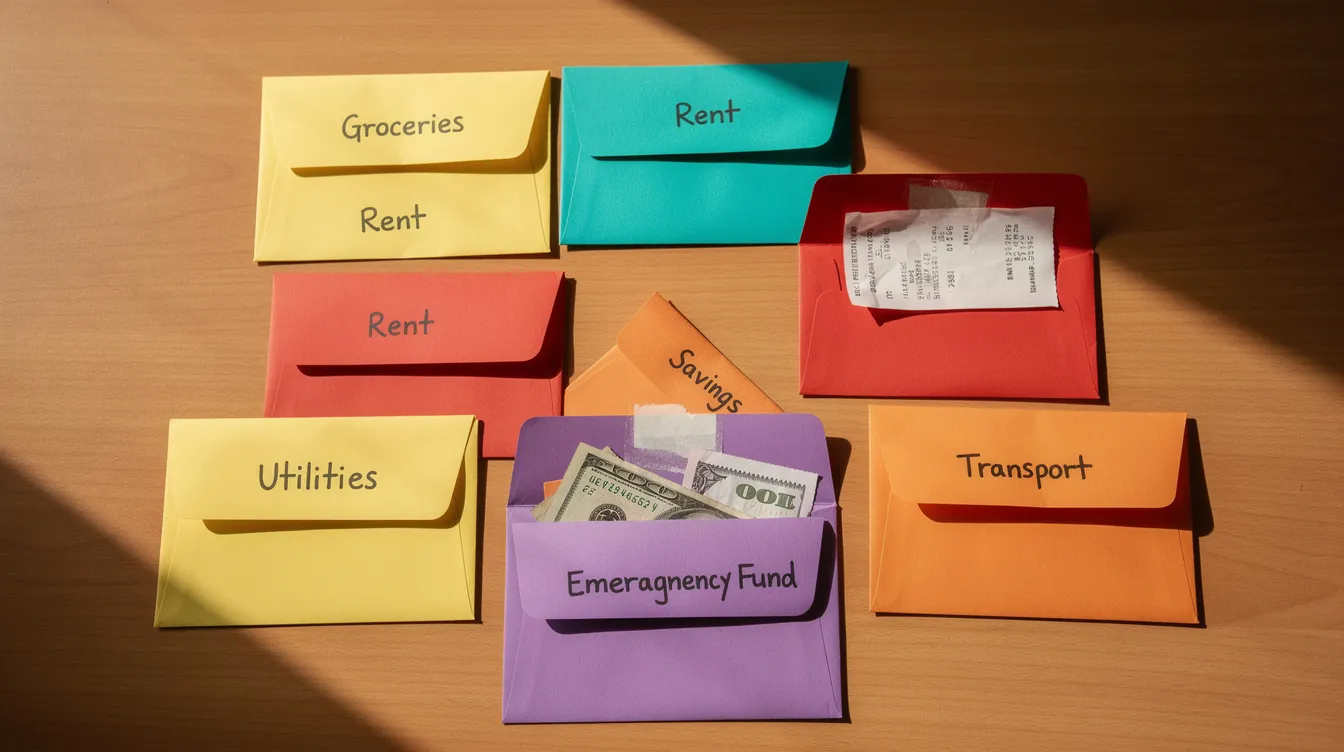
Goodbudget uses an envelope system for budgeting needs and wants. Its digital envelope budgeting approach maps naturally to 50/30/20: create separate envelopes for needs, wants, and savings goals, then fill them each month.
Why It Stands Out
The visual envelope approach helps new budgeters instantly see how much remains in each 50/30/20 category. Goodbudget's free plan includes 10 regular envelopes for budgeting, which is enough for a basic 50/30/20 setup. The paid version unlocks unlimited envelopes and additional sync features for more features and flexibility.
Best For
Beginners, couples just starting to budget together, and users who prefer manual envelope-style planning. It syncs across two devices in the free tier, making it easy for a family member to stay in the loop. EveryDollar requires manual entry in its free version too, but Goodbudget's envelope metaphor is more intuitive for visual learners.
Key Strengths
Clear envelopes grouped into needs, wants, and savings/debt.
Free tier sufficient for many simple 50/30/20 setups.
Available on mobile and web with sync across multiple devices.
Possible Limitations
Interface feels dated compared to newer 2026 apps; not as polished visually.
Bank syncing (where available) may be less seamless than in newer competitors.
5. Monarch Money – Best 50/30/20 Dashboard for Households
Monarch Money is a flexible budgeting and wealth app with powerful shared dashboards built for multi-person finances. Monarch Money supports category budgeting and flex budgeting, both of which can be configured to mirror needs, wants, and savings buckets for a household.
Why It Stands Out
Monarch lets you set shared goals, track recurring bills, and view combined spending - keeping the "needs" bucket under control across multiple incomes. It doubles as a net worth tracker and investment tool, pulling in data from savings accounts, investment accounts, and other financial accounts in one view. This makes it easy to monitor your overall financial health alongside daily spending.
Best For
Households with combined finances, couples budgeting together, or families tracking multiple income sources. Monarch allows multiple users to share a household budget seamlessly under the same subscription at no extra cost - meaning a partner or family member gets full access without paying separately.
Key Strengths
Multiple logins under one account with customizable access and views.
Excellent visuals: charts separating needs, wants, and savings over time alongside net worth and investments.
Strong integration with banks, credit cards, loans, and investment accounts as of 2026.
Possible Limitations
Priced at ~$14.99/month or $99.99/year, among the more expensive options.
Feature-rich interface can feel overwhelming if you just want a basic spending tracker.
6. PocketGuard – Best for Overspenders Who Need a 50/30/20 Safety Net
PocketGuard focuses on answering one question: "What's left to spend?" Its spending pace feature and custom categories can be aligned with a 50/30/20 framework, making it a strong spending tracker for people prone to overspending. PocketGuard alerts users when nearing budget limits, which protects the savings bucket from being raided.
Why It Stands Out
The app's alerts and spending pace calculations help users stay under their "30% wants" target. Tools for tracking subscriptions and recurring payments keep needs/wants boundaries clear, connecting with over 20,000 financial institutions.
Best For
Users who regularly go over budget on dining, shopping, or impulse buys. It's also useful for anyone who wants quick "can I afford this?" answers rather than detailed category planning. Credit monitoring and debt payoff planning are included, giving a fuller picture of financial health.
Key Strengths
Real-time "left to spend" numbers configured for needs vs. wants.
Alerts when spending trends threaten your 50/30/20 targets.
Debt payoff tools, subscription tracking, and identity protection features in one app.
Possible Limitations
Less direct out-of-the-box 50/30/20 visualization than some competitors; you may need to set up custom categories.
The free version has feature limits; full control over your finances requires the paid version at ~$12.99/month or $74.99/year.
7. Notion-Based 50/30/20 Templates – Best One-Time Purchase Alternative to Apps
If you dislike subscription-based budgeting tools, Notion templates tailored to the 50/30/20 rule offer a compelling alternative. They're typically a one-time purchase (or free from community creators) and live inside Notion's workspace.
Why They Stand Out
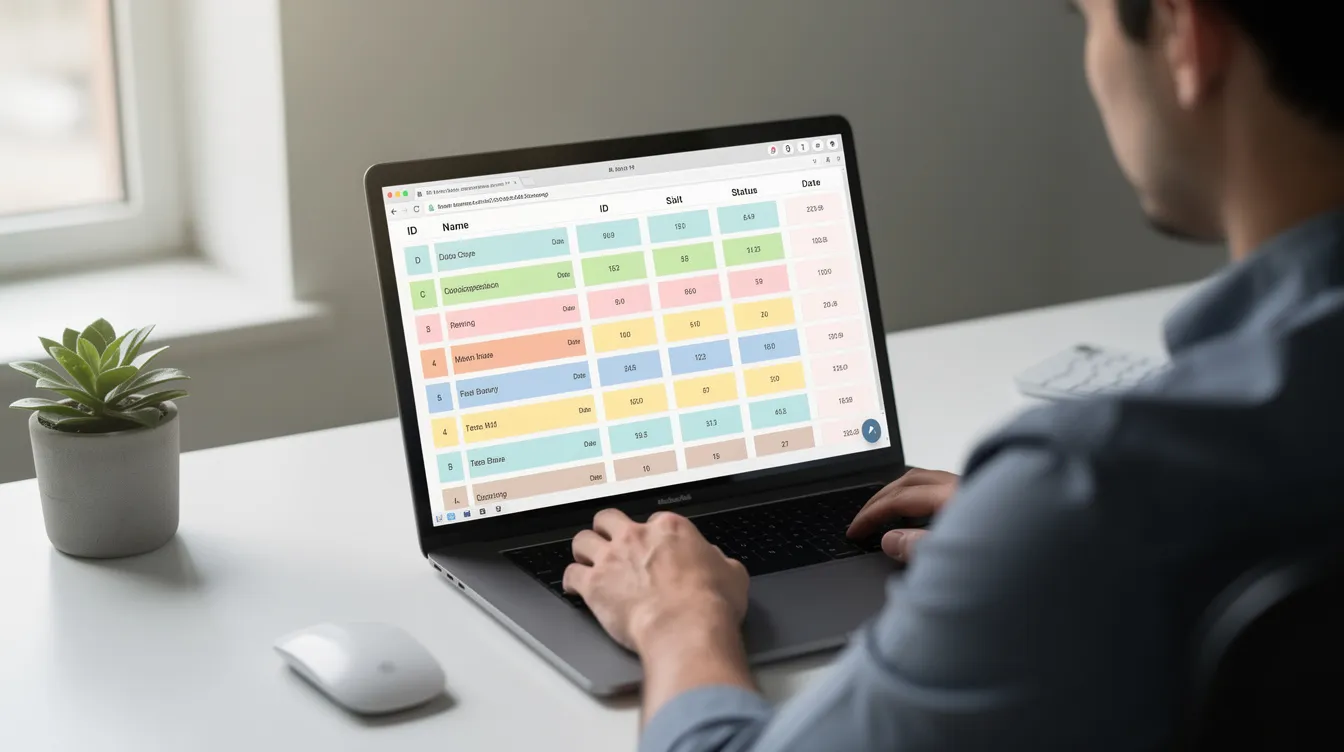
Templates in 2025–2026 often come pre-built with pages for needs, wants, and savings, including automated formulas that calculate percentages from your income. No recurring fees, and you get full customization - add fields for side hustles, irregular income, or long-term savings goals.
Best For
Users who already live in Notion and want to manage money inside the same tool. Also good for people who dislike connecting bank accounts and prefer manual logging in exchange for total control over their financial data.
Key Strengths
One-time purchase or free templates with built-in 50/30/20 logic.
Custom fields for groceries, pay schedules, and irregular income.
Integration with task lists, notes, and goal-tracking for a holistic life dashboard.
Possible Limitations
No automatic bank syncing; all income and expenses must be entered manually.
Initial setup and learning curve for people new to Notion.
Quick Comparison of the Best 50/30/20 Budget Apps
Here's a high-level snapshot to help you skim the differences and save time:
Quicken Simplifi – Best overall for automated 50/30/20 budgets with clear needs/wants/savings views.
YNAB – Best for strict rule-followers who want to enforce 50/30/20 (or more aggressive saving) allocations.
Money Vault – Best for fast, low-friction tracking without bank connections.
Goodbudget – Best envelope-style 50/30/20 budgeting for beginners and manual planners.
Monarch Money – Best for households needing a shared 50/30/20 dashboard and net worth tracking.
PocketGuard – Best for overspenders who need guardrails on their "30% wants" bucket.
Notion 50/30/20 Templates – Best one-time purchase for DIYers who prefer customizable, non-subscription tools.
How to Choose the Right 50/30/20 Budget App
The "right" app depends less on star ratings and more on your habits, tech comfort, and how strictly you want to follow the rule. The sections below walk through three deciding factors.
Choose Based on How Much Automation You Want
Fully automated, sync-heavy apps like Quicken Simplifi, Monarch Money, and PocketGuard handle the heavy lifting: they pull in transactions, apply automatic categorization, and update your dashboard in real time. The trade-off is trusting the app to classify your spending correctly - and occasionally fixing misclassified transactions.
Manual-first tools like Money Vault, Goodbudget, and Notion templates force you to log each expense yourself. That takes more time but builds stronger awareness of where money actually goes. If you dislike data entry, pick a sync-heavy app. If you want forced mindfulness, go manual or semi-manual.
Choose Based on Income Type and Complexity
A stable monthly salary fits neatly into any of these apps. Irregular freelance or gig income is trickier - you need to adjust bucket sizes frequently. More flexible tools like YNAB, Notion templates, and Money Vault let you reset targets each month without fighting the interface. Automated planners like Simplifi, Monarch, and PocketGuard work better for traditional paycheck-based budgets where income is predictable.
Choose Based on Whether You're Budgeting Solo or With Others
If you're budgeting with a partner or family member, shared dashboards, separate logins, and combined goal-tracking matter. Monarch Money and YNAB lead here - Monarch lets multiple users share one account seamlessly, and YNAB supports up to six members. For solo budgeters, simpler apps like Money Vault, Goodbudget, or Notion templates keep things lightweight without collaboration overhead.
Which 50/30/20 Budget App Is Best for You?
Choose Quicken Simplifi if you want an all-around 50/30/20 app with strong bank syncing and clear spending plans.
Choose YNAB if your top priority is discipline - sticking tightly to 50/30/20 and hitting aggressive financial goals.
Choose Money Vault if you want the fastest, lowest-friction way to log spending without linking bank accounts.
Choose Goodbudget if you're a beginner or envelope-budgeting fan who wants a simple structure for the 50/30/20 rule.
Choose Monarch Money if you manage money with a family member and want a shared 50/30/20 plus net worth view.
Choose PocketGuard if you tend to overspend on wants and need alerts to protect your savings bucket.
Choose Notion 50/30/20 Templates if you prefer a one-time purchase and like building customized systems.
Final Thoughts
The "best" 50/30/20 budget app is the one you'll actually open every week. Whether that's a sync-heavy dashboard like Monarch Money or a bare-bones Notion template, the principle is the same: keep the needs, wants, and savings split visible and easy to update. If an app makes that hard, you'll quit within a month - and no amount of features will matter.
According to The Penny Hoarder, 62% of Americans still live paycheck to paycheck. The 50/30/20 rule won't magically fix that, but making the split visible is the first step toward financial freedom. Start with one app that matches your style, commit to using it for a full month, and review your progress weekly.
Pick an app today. Set up your three buckets with this month's income. Track your first week. That small action - choosing a plan and following through - is what separates people who talk about budgeting from people who actually save.