

You are in line for coffee, phone in one hand, when a charge you barely remember clears. A streaming plan, a gym, cloud storage, the phone bill on the first. None of them feels large on its own. Together they leave the account before you choose.
Voice capture to text is a way to catch those costs while they are still a sentence. You speak the expense. The app writes it down. You check the draft, then you see what that rhythm costs across a year.
That last step is the whole point. A spoken note is not a finished record. It becomes useful when the amount and the repeat turn into a yearly number you can keep, cancel, or skip.
Table of Contents
- What Voice Capture to Text Means for Expense Tracking
- How a Spoken Phrase Becomes a Saved Expense
- What Each Spoken Phrase Turns Into and How to Act on It
- Phrasing Tips for Accurate Voice Entries
- What Happens to Your Voice Data at Each Stage
- Fixing Misheard Amounts, Wrong Categories and Missing Entries
- Frequently Asked Questions About Voice Entry
What Voice Capture to Text Means for Expense Tracking
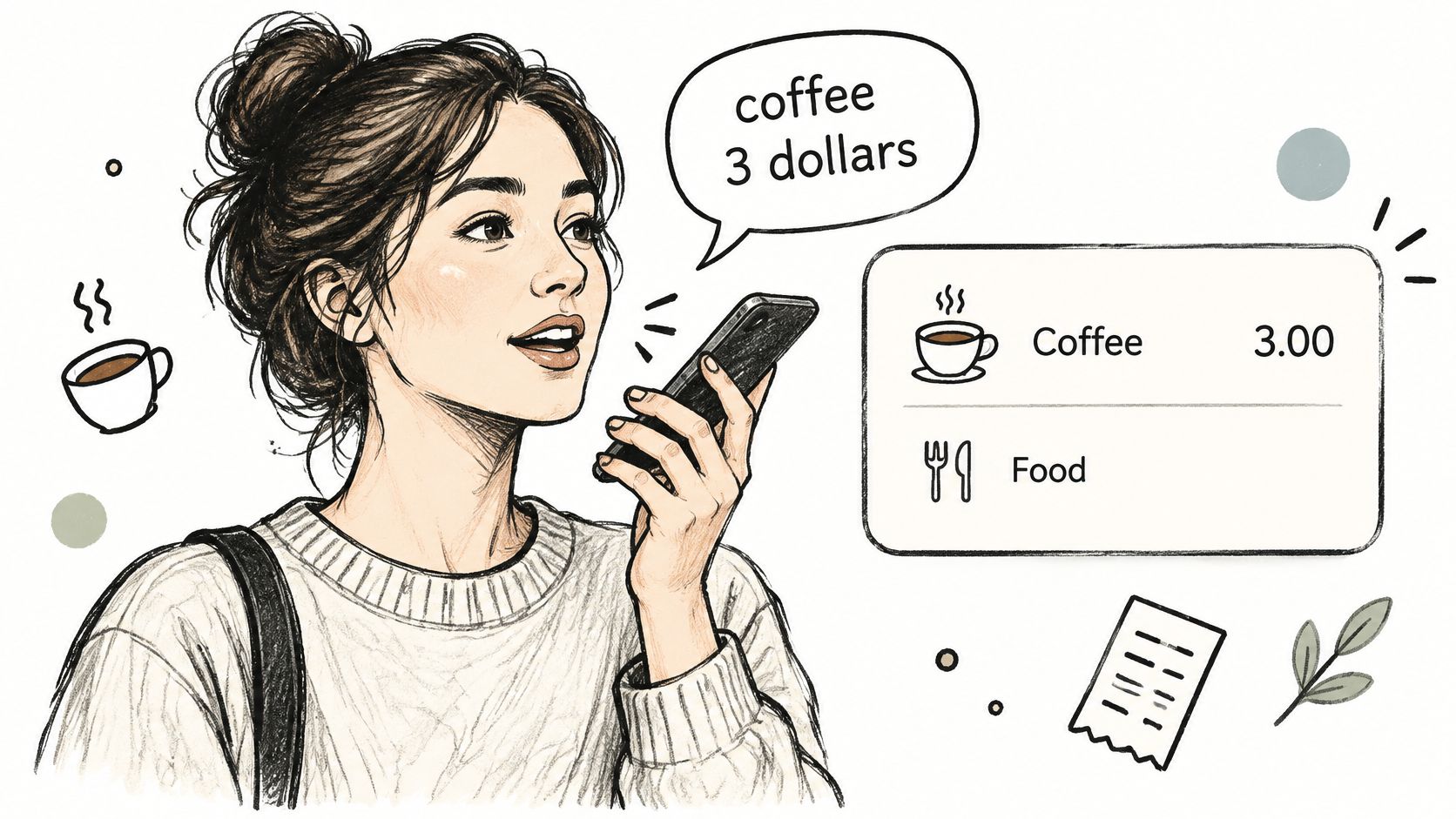
Voice capture to text means you say an expense out loud, FloosYo turns the speech into written text, and then reads that text for three fields: the amount, the category, and how often it repeats.
Picture a friend with a notebook. You say "streaming 15 dollars monthly." They write the words, then ask, "Is this every month?" before they file it. The app does the same job, only faster, and it still waits for your yes.
Three layers from sound to budget
Spoken words are the raw sound from the microphone. The transcript is those words written on the screen. Structured fields are the amount, category, and frequency that can feed a budget.
The first layer used to be very narrow. In 1952, Bell Labs' Audrey system recognized only the digits 0 through 9 from a single speaker. In 2016, Microsoft Research reported a 5.9% word error rate on the Switchboard benchmark, roughly matching a professional human transcriber, as a history of speech recognition describes.
Short phrases such as "streaming 15 dollars monthly" are now realistic to capture. Accuracy still depends on vocabulary, background noise, and accent.
A repeating charge is easy to forget because it does not ask for a fresh decision. A phrase that records the rhythm lets FloosYo project the monthly and yearly total. For the wider habit of watching outflows, how to track spending covers the basics, and voice covers costs a bank feed never sees.
A voice entry is a draft. It does not count until you confirm the fields.
You now know what you are speaking into. Every later step is about checking that draft before money math depends on it.
How a Spoken Phrase Becomes a Saved Expense
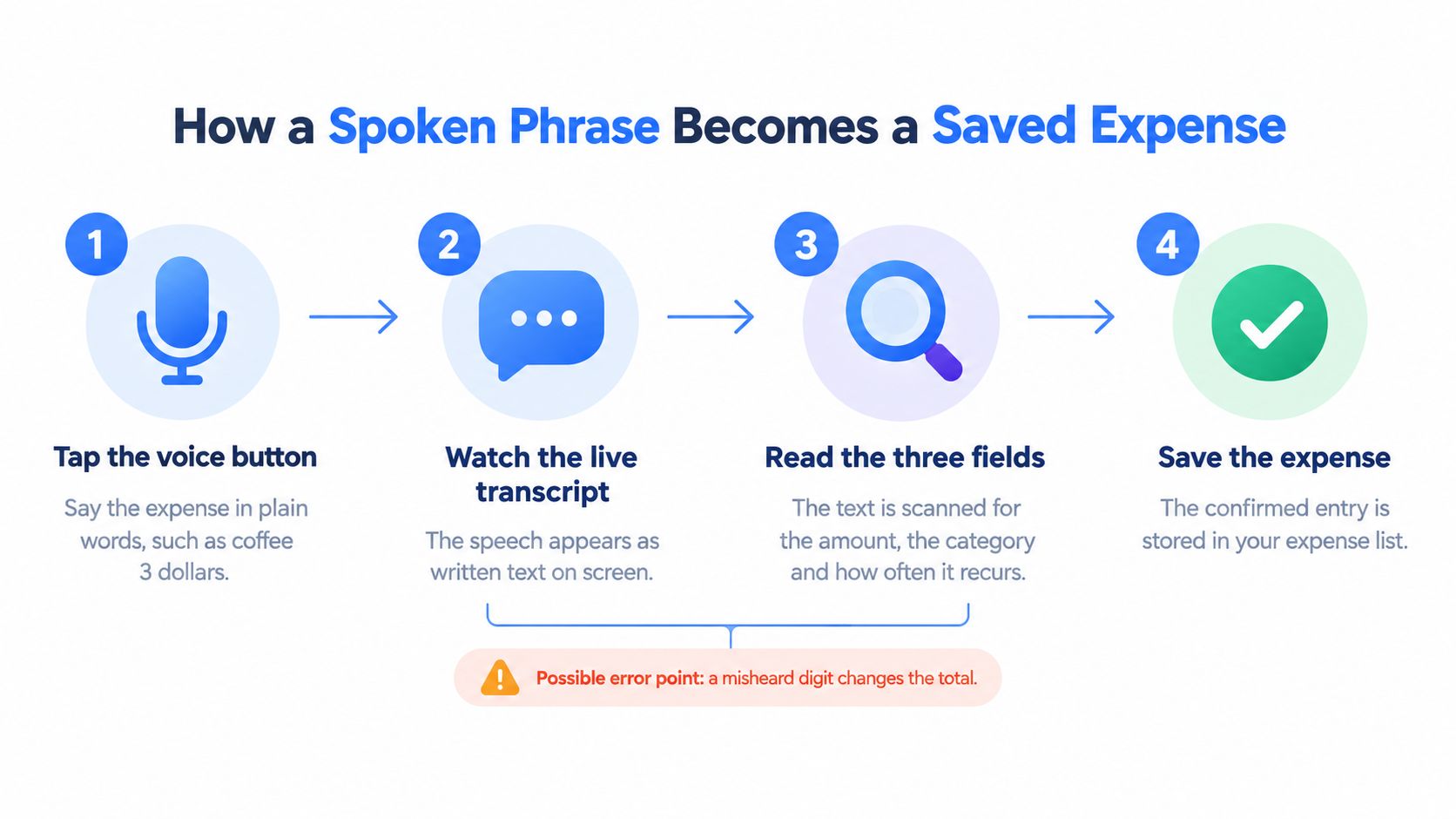
You open the app, say what you spent, and FloosYo handles the parsing. The save still waits for you. Streaming recognition fits a one-tap capture because interim text can appear while you are still talking, and a final result arrives after the utterance ends. Guidance on streaming speech recognition treats about 100-millisecond audio frames as a balance between efficiency and responsiveness, and it separates interim text from the finalized segment.
The six screens in order
- Tap the voice button and say the expense in plain words, such as "coffee 3 dollars."
- Watch the live transcript. Interim text can update the screen, and it is not final yet.
- Recording stops when the app detects that you have finished, so each capture stays short.
- The final transcript is parsed into amount, category, and frequency.
- A confirmation card shows each field with its parsed value.
- Only when you confirm does the expense get created.
A half-heard word on screen should never create a saved entry. Noise, echo, or a lossy recording can garble a short phrase, and soft background speech can insert words you never said. Holding the phone close to your mouth helps. Incomplete phrases should be rejected or re-asked, and an unclear number should wait for an explicit yes.
The app drafts. You approve.
Fix a wrong field on the card before you save, not after the total has already moved. You can finish a first entry in a few seconds, and you know the exact screen to read before you tap confirm.
What Each Spoken Phrase Turns Into and How to Act on It
A saved phrase is only useful once you can see the year. One-time spends stay in the log. Repeating spends get a projection you can act on.
Typical spoken phrases and their parsed fields
| Spoken phrase | Amount (USD) | Likely category | Frequency | Projected yearly (USD) |
|---|---|---|---|---|
| Coffee 3 dollars | 3 | Food and drink | One-time | Not projected |
| Gas 45 bucks | 45 | Transport | One-time | Not projected |
| Cloud storage 8 dollars every month | 8 | Cloud storage | Monthly | 96 |
| Coffee 8 dollars twice a week | 8 | Food and drink | Twice weekly | 832 |
| Phone plan 35 dollars on the first | 35 | Phone | Monthly, on the 1st | 420 |
Walk one row before you trust the column. 8 dollars a month times 12 is 96 dollars a year. 8 dollars twice a week is about 104 charges a year, or 832 dollars. Coffee and fuel in the first two rows are logged, and they are not projected, because they do not repeat.
Natural phrases such as "coffee 3 dollars" or "gas 45 bucks" can be read for amount, category, and currency. A repeating phrase needs a clear frequency word, such as "monthly," "every week," or "twice a week," or a day such as "on the first." Without that word, a subscription looks like a one-off.
Turn the year into a decision
A streaming plan at 15.99 a month reads as 191.88 a year once the frequency is captured. That yearly figure is the number to set beside canceling. The same idea applies to a spoken note like "cloud storage, 8 dollars every month," which can be stored as a recurring amount and interval, projected over twelve months, and compared with skipping or canceling, as an application of negative-option disclosure elements, not because any rule requires voice input.
Typed notes have a 200-character limit. Spoken notes should stay even shorter, one expense, amount, and rhythm.
- Pick the recurring charge you pay most often, such as a streaming plan, a gym, or cloud storage.
- Say it in one phrase with amount and frequency, for example "cloud storage 8 dollars every month."
- Review the confirmation card and fix any field before saving.
- Read the monthly and yearly projection and write the yearly number down.
- Decide among three options: keep it, cancel it, or skip the next cycle if you only need it sometimes.
If you skip or cancel, set the saved amount aside in a savings goal so the saving is visible. We remind you before subscription renewals, repeat habits, and spending moments that usually slip past. Categories can be renamed so "cloud storage" and "phone" match how you think, which is covered in personal budget categories.
Practical rule: Read the yearly number before you keep, cancel, or skip.
One entry a day for a week builds a list of recurring costs and their yearly totals. You leave with numbers, not a vague sense that subscriptions "add up."
Phrasing Tips for Accurate Voice Entries
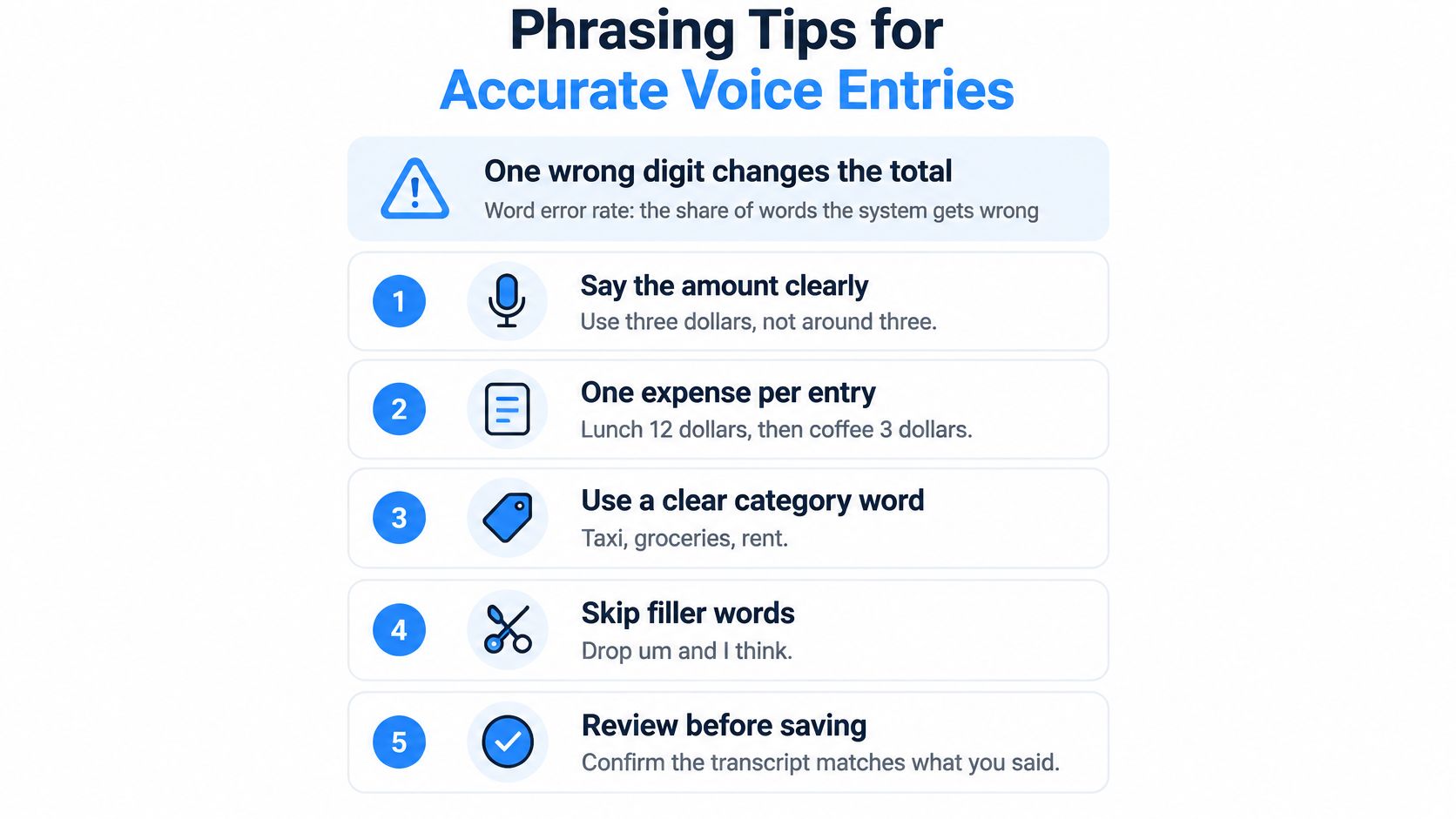
A short money phrase works like a handwritten check. One wrong digit changes the whole amount, even when every other word sounds perfect.
Word error rate is the share of words a speech system gets wrong. It counts insertions, deletions, and substitutions against the words you said. Microsoft's guidance on evaluating speech data uses this score to judge transcription quality, and lower is better. A low overall rate can still hide the one error that costs you. In "Netflix twelve ninety-nine monthly," a single swapped word changes the charge, and the changed charge changes the yearly total you will act on later.
So read the card like a checker, not a proofreader. The sentence can look fine while the amount, frequency, or merchant is wrong.
Seven habits that protect the number
- Say the unit. Use "dollars" or "euros" with the amount, as in "coffee 3 dollars" or "gas 45 bucks," instead of a bare number.
- Say the rhythm in plain words. "Monthly," "every week," or "twice a week" is clearer than a vague "regularly."
- Record one expense per entry. A second item in the same breath splits the parse.
- Keep the phone close and the room quiet. Background speech can insert words you never said.
- Keep a steady pace. Do not rush the number. That is the field that moves the yearly total.
- Use the merchant name as it appears on your statement. Familiar names map to categories more cleanly.
- Review every confirmation card. Our AI output can be inaccurate, and you must review what gets saved before confirming.
Still unsure a phrase landed correctly? Say it twice and check that both cards match. If they do not, edit the amount by hand. Treat every transcript as a draft with a good chance of being right, and give it a quick read before it counts.
What Happens to Your Voice Data at Each Stage
A recording can carry more than the words. A 2025 report notes that voice data may contain personally identifying traits, including gender, accent, emotional state, and subtle vocal features that can identify a speaker, as covered in reporting on voice data. A short money phrase can also bundle a merchant, an amount, and a schedule. Treat it like a rough receipt: handy, but only a draft until you check it.
FloosYo's voice features use third-party AI providers so you can record expenses faster. Audio and text you submit are sent to that provider. You keep ownership of what you put in, including budgets, categories, expenses, notes, and voice transcripts.
Voice entry lifecycle and user controls
| Stage | What happens | Your check |
|---|---|---|
| Speak | You say a plain expense such as "coffee 3 dollars" | Keep account numbers and card details out of the phrase |
| Send | Audio and text go to a third-party AI provider | Read the FloosYo privacy policy before daily use |
| Draft | FloosYo detects the amount, category, currency, and how often it repeats | Treat the card as a draft; AI output can be inaccurate |
| Confirm | You review what gets saved before confirming | Fix fields first, then save only if they are correct |
| Keep | You retain ownership of your data, including voice transcripts | Check retention and deletion details in that policy |
Because the audio and text go to a provider, the policy is the control panel for retention, deletion, and handling. Read it before voice entry becomes a habit.
Before a phrase counts, ask one question: if this draft is wrong and repeats, what does it cost over a year? A daily coffee entry and a monthly subscription live in different math, so check amount and frequency before the card becomes part of your budget.
Fixing Misheard Amounts, Wrong Categories and Missing Entries
Change one thing at a time, then re-record. If you move the phone, slow down, and rewrite the phrase in one try, you will not know which change fixed it.
Voice entry symptoms, causes and fixes
| Symptom | Likely cause | Fix |
|---|---|---|
| Amount is off by a digit | Similar-sounding number or background noise | Edit the amount on the card before saving; re-record in a quiet room |
| Extra words appear in the transcript | Background speech inserted text | Re-record closer to the phone in a quiet spot |
| Entry ignored or incomplete | Phrase has no clear amount | Add the missing amount or frequency and say it again |
| Saved as one-time instead of recurring | No frequency word in the phrase | Change the frequency on the card to monthly or weekly |
| Wrong category | Merchant term is unfamiliar | Pick the right category on the card; rename it in category settings if needed |
| Wrong currency | Phrase did not state a currency | Say the currency next time or edit it on the card |
| Repeated misses | Accent or fast speaking pace | Type the entry instead, and speak the key amount more slowly |
When to stop retrying
Edit the amount on the card before it is saved. That single tap fixes a bad digit without another recording. If the category is wrong, pick the right one on the card, then rename it in category settings if you will say that merchant again.
If the same phrase fails three times, type it and check the amount by hand against your bank record. Accent, pace, and a noisy commute can all produce that pattern. Typing is not a failure. It is how you keep a wrong yearly total out of the list.
If the cards disagree, the amount is not ready to save.
Frequently Asked Questions About Voice Entry
Is anything saved without my approval? No. A voice entry becomes an expense only after you confirm the card.
Does a one-time purchase show a yearly total? No. One-time spends are logged and not projected, because they do not repeat.
Can I change a recurring entry after saving it? Edit the expense in the app and confirm the new frequency. Check the exact steps in the app menu, since the wording can vary.
Does FloosYo cancel a subscription for me? FloosYo records the decision and reminds you before renewal. You complete the cancellation with the provider, so keep their cancellation page or phone number handy.
Which languages does voice entry support? Check the current language list in the app, since it can change.
Can I record income with voice? Check in the app whether voice entry covers income, rather than assuming the expense flow does both.
Where do I learn how transcripts are kept? Read the retention and deletion section of the privacy policy, and use the lifecycle table earlier in this guide as a checklist.
FloosYo turns a spoken expense into amount, category, and frequency, then shows the monthly and yearly cost before the next charge. Renewal reminders and a skip or stop choice give you a number to act on, not another chart after the money is gone. Visit FloosYo and speak one repeating cost today, then confirm the yearly total before you keep it.