
You open your banking app, see a healthy-looking balance, and assume your finances are moving in the right direction. Then you notice four streaming services, a gym membership you stopped using, two software tools, and a yearly domain renewal taking money from the same account.
None of those charges looks serious on its own. Together, they can keep your cash flow tighter than expected and slow the progress you thought you were making. A useful net worth tracking app should do more than draw a rising or falling chart. It should show where recurring money leaves, what those charges cost over a year, and which decision can stop the next outflow.
Table of Contents
- The Quiet Money Leak Behind Your Net Worth
- What a Net Worth Tracking App Actually Does
- Why Recurring Spending Distorts the Picture
- Core Features Worth Paying Attention To
- Chart-Heavy Trackers vs Recurring-First Apps
- Using a Recurring-First App Day to Day
- Choosing the App That Fits Your Spending
The Quiet Money Leak Behind Your Net Worth
Many individuals check balances, not annualized outflow. That habit creates a misleading sense of control. Your checking account may look comfortable today while recurring commitments have already claimed a large part of the money available over the next several months.
Take a reader named Sam. Sam remembers paying for one streaming service, a gym, and cloud storage. A transaction review reveals several more subscriptions, a forgotten design tool, a second entertainment service, and a domain renewal billed once a year. The bank statement records every payment, but it doesn't explain that these charges belong to a repeating pattern.
Practical rule: Treat every recurring charge as a future commitment, not as a small payment that has already disappeared.
The problem isn't limited to subscriptions. Phone plans, software, delivery memberships, annual services, recurring donations, and household bills all affect the money available for saving, debt reduction, or other priorities. A charge that feels harmless in a monthly view becomes much easier to judge when the app shows its projected yearly cost.
That annual view changes the conversation. Instead of asking, “Can I afford this payment today?” you ask, “Would I willingly spend this total over the next year?” The second question is more useful because it connects a recurring expense to the balance sheet rather than isolating it as a minor transaction.
A recurring-first tracker should therefore move through three stages:
- Detect: Find repeated merchants, amounts, and billing rhythms without relying on memory.
- Translate: Convert monthly, weekly, and annual charges into comparable projections.
- Decide: Prompt you to keep, skip, downgrade, or cancel each expense.
That is the trigger for needing a net worth tracking app. You don't need another dashboard that confirms your account balances. You need a system that turns quiet leaks into visible decisions and records what happens after you make them.
What a Net Worth Tracking App Actually Does
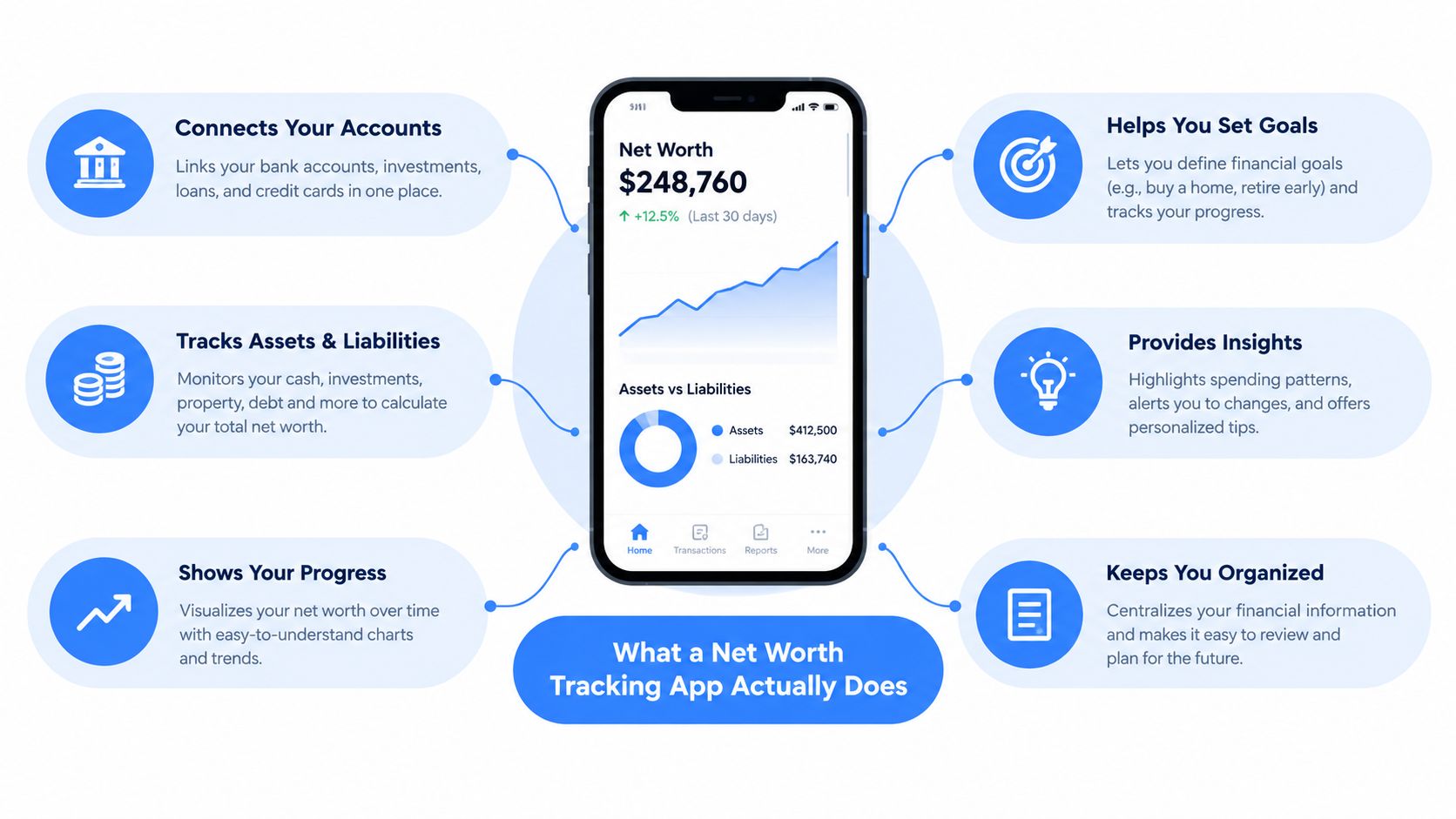
In plain language, a net worth tracking app combines what you own and what you owe into one running picture. Assets can include cash, investments, property, and other valuables. Liabilities can include credit balances, loans, and other amounts you must repay. The basic calculation is assets minus liabilities.
The Federal Reserve's 2022 Survey of Consumer Finances reported a median household net worth of $192,900 and a mean net worth of $1,063,700. The median rose 37% from 2019 to 2022, the largest three-year increase in more than 40 years of tracking, according to this net worth tracking guide based on the Federal Reserve data. Those figures are national benchmarks, not targets you should copy, but they show why a complete balance-sheet view matters.
A serious tracker should answer four practical questions:
What do I own and owe
The app should aggregate account balances and let you add assets or liabilities that don't appear in a bank feed. Property, private assets, manually entered accounts, and debts still belong in your net worth even when they can't be connected automatically.
Claritas describes Net Worth Profiles built from nearly 150,000 households using rolling three years of quarterly surveys. Its profiles estimate assets and liabilities across savings, investments, residence value, insurance cash value, collectibles, real estate, mortgages, auto loans, student loans, credit card balances, and personal loans, as documented in its Net Worth Profiles release notes. Your app doesn't need to reproduce that survey, but it should respect the same principle. Your financial position has two sides.
What recurring commitments reduce my progress
Cash flow feeds net worth. If recurring charges consume money that would otherwise remain available, they affect how quickly your balance sheet can improve. A tracker that only displays assets misses the decision that controls part of that movement.
For example, a $14.99 monthly subscription costs $179.88 over a year. That arithmetic is enough to change the question from “Is this worth fifteen dollars?” to “Would I choose this service at nearly one hundred eighty dollars a year?” You don't need an investment return comparison to make the decision.
What action should I take
A useful app should connect a finding to an action. A renewal reminder should arrive before the charge, a price increase should be flagged, and an unused service should offer a clear skip or cancel path. Reporting without a decision is just a more attractive statement.
Where does saved money go
Cancellation only helps if the freed cash remains available for a defined purpose. Savings tracking should record the avoided cost and route it toward a chosen goal, rather than letting it vanish into general spending.
Why Recurring Spending Distorts the Picture
People routinely underestimate repeating payments because memory stores the service, not the full billing history. A person may remember subscribing to a video platform but forget the trial that converted, the annual plan billed several months ago, or the service attached to an old email address.
C+R Research found that consumers estimated subscription spending at about $86 per month, while itemized spending averaged $219 per month. The gap was $133 per month, and 74% said recurring charges were easy to forget. 42% had forgotten they were still being charged for a subscription they no longer used, according to the C+R Research subscription spending analysis.
| Category | Self-Reported Avg | Itemized Avg | Annual Gap |
|---|---|---|---|
| Subscription spending | $86/month | $219/month | $1,596/year |
The annual gap in that survey is not a forecast for every household. It illustrates why a monthly mental estimate is a poor control system. When a recurring expense is missed by the household budget, the money still leaves the account, but the person can't make a deliberate keep-or-cancel decision.
The broader evidence points in the same direction. West Monroe's consumer survey found average subscription spending of $273 per month, up from $237 in 2018, while 97% of Americans underestimated their spending and two-thirds were off by $200 or more, as reported in the Subscription Creep Index.
A balance tells you what remains. A recurring-cost view tells you what has already been promised.
The distortion becomes worse when a household has irregular income or several billing dates. A healthy balance on payday can coexist with upcoming annual renewals, variable bills, and routine charges that will reduce available cash before the next income arrives.
That is why a basic net worth chart is insufficient for recurring-spend control. It records the result after transactions happen. A recurring-first view identifies the commitments before they renew, annualizes their cost, and gives the household a chance to change the result.
For a plain-language explanation of the category, see this guide to what recurring expenses are. The useful test isn't whether you can name every subscription. It's whether your system can find the ones you stopped noticing.
Core Features Worth Paying Attention To
Don't buy a tracker because it has attractive charts. Buy it because each feature helps you answer a specific question and take a specific action.
Can it find what I forgot
Automatic recurring detection should group transactions by merchant, amount, and cadence. Merchant normalization matters because the same company may appear under a payment processor, shortened name, or different statement label. The app should identify a repeating pattern instead of forcing you to search line by line.
Read-only bank linking is useful here. Plaid describes aggregation as a query interface for transactions across accounts, while independent support documentation explains that connected apps can receive balances, historical transactions, and account details without receiving the password or permission to move money, as outlined in this explanation of Plaid bank connections. That least-privilege model fits a tracker whose job is observation and decision support.
Is this charge worth its yearly cost
Every recurring item should show monthly and yearly projections. A small charge is hard to compare with a phone plan or annual service until the app places them in the same time frame.
Quiet alerts also matter. If a recurring amount rises, the app should tell you before the next charge becomes a permanent new baseline.
What should I do next
Usage signals and renewal timing should lead to a clear prompt. A service nearing renewal might be worth keeping, skipping for one cycle, downgrading, or canceling. The app shouldn't make you stare at a category chart and invent the next step.
For bank-connected expense tracking, look for a workflow that combines imported transactions with manual controls, as described in this guide to an expense tracker with bank sync.
How do I record what the bank misses
Voice entry is valuable for one-off bills, cash expenses, or charges that haven't arrived through a bank feed. You should be able to say or type a natural description and have the app capture the amount, category, and frequency without opening a spreadsheet.
What happens to the money I don't spend
Savings tracking should show the avoided cost and connect it to one defined goal. If you skip a recurring charge, an automatic rule can route the saved amount into that goal or an appropriate investment bucket. The point is not to create more automation for its own sake. The point is to stop canceled spending from becoming untracked spending elsewhere.
Chart-Heavy Trackers vs Recurring-First Apps
These products solve different problems. A chart-heavy tracker is a reporting layer. A recurring-first app is an action layer.
A chart-heavy tracker usually focuses on assets, liabilities, historical curves, account aggregation, and portfolio views. It answers, “How much do I have, and how has that number changed?” That is useful for reviewing progress and reconciling a broad financial picture.
A recurring-first app answers different questions: “What keeps charging me? What will it cost over the year? What can I skip before renewal?” It may use read-only bank access, manual entry, or voice capture to keep attention on decisions rather than on every possible visualization.
| Capability | Chart-Heavy Tracker | Recurring-First App |
|---|---|---|
| Primary job | Show wealth over time | Find and reduce repeating outflows |
| Main question | How much do I own and owe? | What is charging me, and what should I change? |
| Strongest view | Assets, liabilities, and trend lines | Recurring list, renewal timing, and yearly projections |
| Data approach | Broad aggregation and balance history | Lean bank data plus manual or voice entry |
| Typical action | Review, reconcile, and monitor | Keep, skip, downgrade, or cancel |
| Best fit | Reporting and long-term visibility | Subscription and bill control |
Hybrid products exist, but combining features doesn't guarantee that either job is handled well. Some tools provide a recurring category without giving it useful renewal prompts. Others show net worth beautifully while leaving users to identify hidden subscriptions on their own.
A good choice depends on your actual bottleneck. If your accounts are fragmented and you need assets, debts, and property in one place, prioritize the balance-sheet view. If your net worth problem is that money keeps leaving through forgotten commitments, prioritize detection and action.
The privacy trade-off also deserves attention. Bank-linked tools reduce manual work, while manual or offline tools give you more control over what gets shared. Neither approach is automatically correct for every household. Choose the level of connection you can maintain accurately and comfortably.
Using a Recurring-First App Day to Day
A useful daily workflow should feel more like reviewing commitments than building a budget from scratch.
Start with a controlled connection
Connect the bank through a read-only link, or begin with manual entry if you don't want to connect an account. The first review should identify the accounts that contain subscriptions, bills, and routine purchases. Don't assume a single checking account contains the whole picture.
The app then normalizes merchant names and groups repeating transactions. A streaming service, gym membership, cloud storage plan, and annual bill should appear as recognizable items rather than a confusing list of statement descriptions.
Review decisions before charges land
Set a regular review point, such as a weekly check before common renewal dates. Look for trials ending, price changes, unused services, and annual plans that are easy to forget.
A practical decision list is short:
- Keep: The service is used and its projected cost is justified.
- Skip: You want a temporary break without fully ending the service.
- Cancel: The service no longer earns its place in the recurring outflow.
- Monitor: The charge is necessary, but the amount or timing needs attention.
Voice or text capture fills the gaps. If a bill isn't visible in the bank feed, record it in plain language with its amount and frequency. That keeps the projected monthly and yearly picture closer to reality without requiring manual spreadsheet work.
Route the avoided cost
Suppose you cancel a software plan or skip a delivery membership. The app should display the projected saving and attach it to one chosen goal. Automatic funding is more useful than a vague instruction to “save more,” because it records the decision and gives the avoided payment a destination.
Keep the system simple. One active goal can be easier to maintain than several competing rules. The goal might be a cash reserve, a planned purchase, or an investment contribution that follows your own permissible financial choices. The important part is that the money is redirected intentionally.
Refresh the bigger picture
At the monthly review, update connected balances and manually entered assets or liabilities. Then compare the new net worth figure with the recurring changes you made. A lower outflow won't always produce a visible immediate jump because other transactions and asset values move too, but the decision remains measurable.
Don't check market-linked balances obsessively. Frequent checking can turn ordinary fluctuations into stress without improving your spending decisions. Use the recurring review for action and the net worth review for direction.
Choosing the App That Fits Your Spending
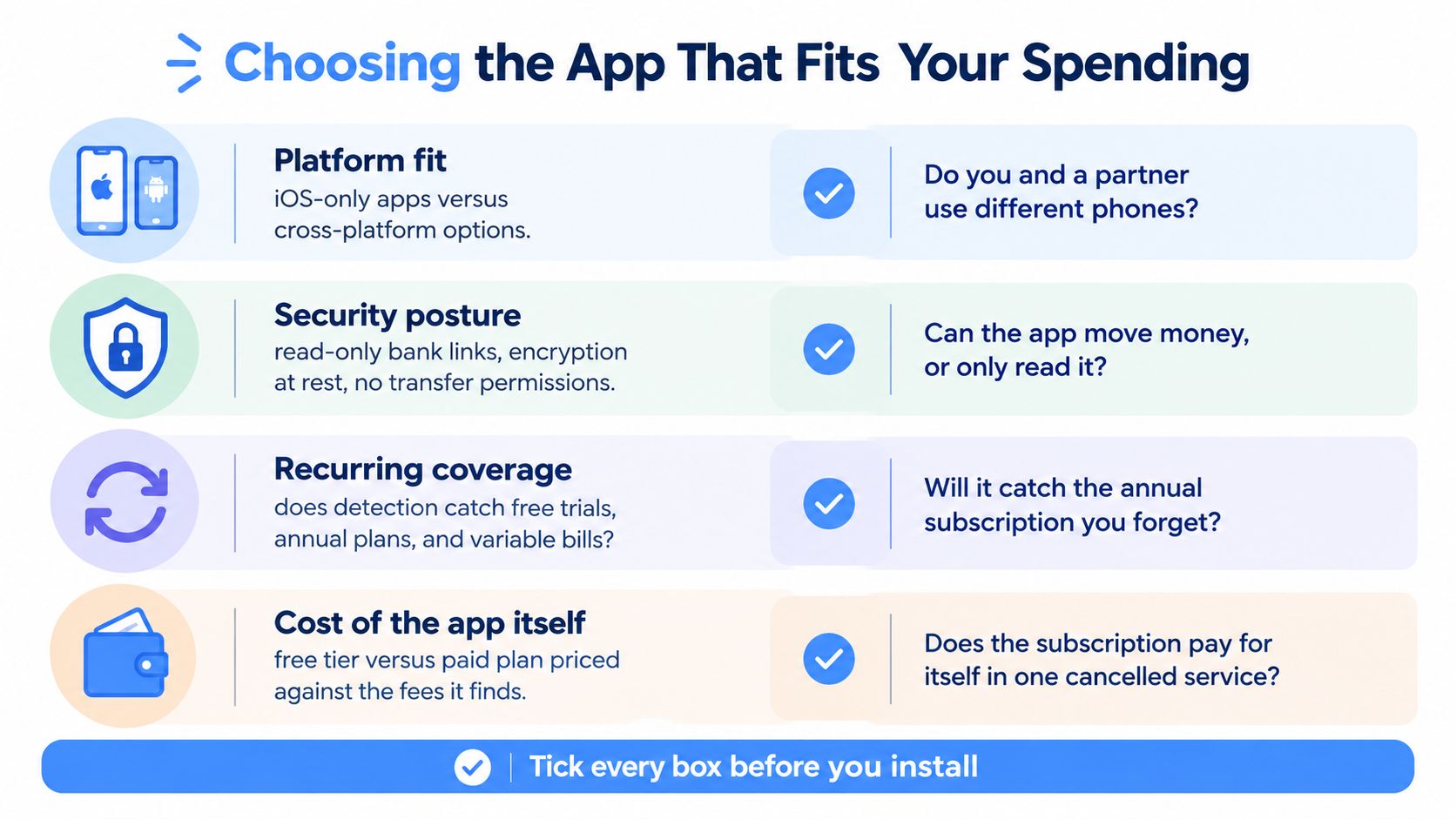
Start with the problem, not the feature list. If your biggest issue is incomplete visibility across assets and liabilities, choose a balance-sheet tracker. If you keep discovering forgotten renewals and recurring charges, choose an app that treats those items as the main workflow.
Platform fit comes first. An iOS-only app won't work for a partner who uses another platform unless the household has a workable shared process. Check whether the product offers the devices your household uses before entering data or paying for a trial.
Security deserves more than a generic shield icon. Ask whether the bank connection is read-only, whether the app stores credentials, how financial data is encrypted at rest, whether logs redact sensitive account details, and whether you can export your information. A tracker should read balances and transactions without having permission to transfer money.
Look for fast capture and real prompts
Voice entry or receipt capture matters when bank feeds miss a bill or when manual entry would otherwise create friction. But fast capture isn't enough. The app should turn the entry into a useful projection and show what decision follows.
A chart can tell you that a category grew. A decision prompt can ask whether to cancel the service responsible. Prefer the second when recurring drain is the issue.
Pricing should be judged against identified savings, not against the number of features on the product page. Compare the free tier, the paid plan, the trial terms, and the cancellation process. A paid app may be rational if it identifies a recurring charge you genuinely want to remove, but don't keep an app subscription that costs more than the problem it solves.
For another practical approach to finding repeating payments, use this guide to an app for finding recurring charges.
Before installing, check:
- Platform: Does it work on every device you and your household use?
- Bank linking: Is access read-only, and can you use manual entry instead?
- Security: Are encryption, authentication, logging, and data-sharing policies clear?
- Decision prompts: Does it suggest keep, skip, downgrade, or cancel actions?
- Capture: Can you record bank-missed bills quickly by voice or text?
- Export: Can you retrieve your data if you change tools?
- Trial: Can you test recurring detection and renewal reminders before committing?
A recurring-first app like FloosYo prioritizes cancel-or-keep prompts, renewal notifications, yearly projections, voice or text entry, and routing avoided spending toward one goal instead of concentrating on asset visualization. That suits readers whose net worth problem is invisible subscription drain rather than investment reporting.
Use FloosYo to connect your bank through read-only access, surface recurring charges, and see what subscriptions and bills cost monthly and yearly before they renew. Review the keep, skip, or cancel prompts, then visit FloosYo to start tracking recurring drains and directing the savings toward a specific goal.