
A family of five is looking at an average household spending scale of $78,535 a year, or about $6,545 a month, with housing, transportation, and food together exceeding half of that spending. Cutting unused subscriptions is a practical first move because it can improve cash flow without immediately changing the essentials your household relies on.
The familiar scene is a crowded kitchen table, school notices beside grocery receipts, a phone bill waiting for approval, and several small charges that nobody remembers authorizing. One streaming plan renewed overnight. A fitness app is still billing after the January motivation disappeared. A delivery habit feels harmless until the annual total appears.
A workable family of 5 budget isn't about forcing every month into the same shape. It's about seeing which costs repeat, which costs change with the children's ages and schedules, and which payments can be paused before they absorb money needed for food, transport, or care.
Table of Contents
- Why a Family of 5 Budget Needs a Fresh Look
- Building Your Baseline Budget with Custom Categories
- Tracking Recurring Charges and Hidden Subscriptions
- Cutting Costs and Comparing Subscription Options
- Managing Seasonal Expenses and Childcare Variances
- Reviewing and Adjusting Your Budget Monthly
Why a Family of 5 Budget Needs a Fresh Look
A five-person household can't be managed with a single per-person multiplier. The number and ages of children, the adults' relationship, childcare arrangements, school schedules, and regional prices all change what “affordable” means. The U.S. poverty framework has historically treated family size and composition as central to minimum economic need, with Social Security Administration tables reporting thresholds by family structure and size from 1959 through 2021 and updating them through the annual average CPI-U. The SSA's historical poverty tables also show why an old nominal figure shouldn't be reused as a current family budget.
Current spending data offers a useful scale, but not a ready-made answer. The Bureau of Labor Statistics breakdown of 2024 household spending reports average annual expenditure of $78,535, or approximately $6,545 per month. Housing accounted for $26,266 annually, $2,189 monthly, and 33.4% of total expenditure. Transportation reached $13,318 annually, $1,110 monthly, and 17.0%, while food represented $10,169 annually, $847 monthly, and 12.9%. Housing and transportation alone consumed half of average spending, and food added another major recurring obligation.

Those figures describe broad consumer units, not an exact family-of-five plan. The BLS definition includes families, financially independent individuals, and people sharing major expenses, so use the data as a reference point rather than a target. Your own baseline should reflect rent or housing payments, commuting patterns, school needs, healthcare, debt obligations, and the local cost of feeding five people.
Childcare can change the entire shape of the month
Childcare is where generic templates often fail hardest. The Federal Reserve's 2025 household well-being report found that only one-quarter of U.S. parents with children under 13 used paid childcare during the preceding week. Among parents who did, median spending was $250 per week, increasing to $350 for parents using at least 20 hours of care. Median monthly childcare payments reached $1,083, more than half the median housing payment.
That creates two very different household realities. A family using relatives or unpaid care may appear to have unusually low childcare spending, while a family paying for daycare, after-school care, or summer programs may have little room for discretionary cuts. A useful budget therefore needs age-based and calendar-based categories, not one permanent “kids” line.
Practical rule: Build the budget around the children's actual schedules, then use subscription cuts to create breathing room around those fixed realities.
Building Your Baseline Budget with Custom Categories
Start with the money that enters the household. Record each paycheck and other legitimate income source, or connect the accounts that provide the information, then distinguish dependable income from amounts that vary. The purpose isn't to produce a perfect forecast. It's to prevent a budget from promising money that won't reliably arrive.
Next, create categories that match how your family makes decisions. A rigid template might group every child-related purchase into one line, but that hides useful questions. Separate childcare, school costs, groceries, transport, healthcare, recurring services, and seasonal spending when those categories require different actions.
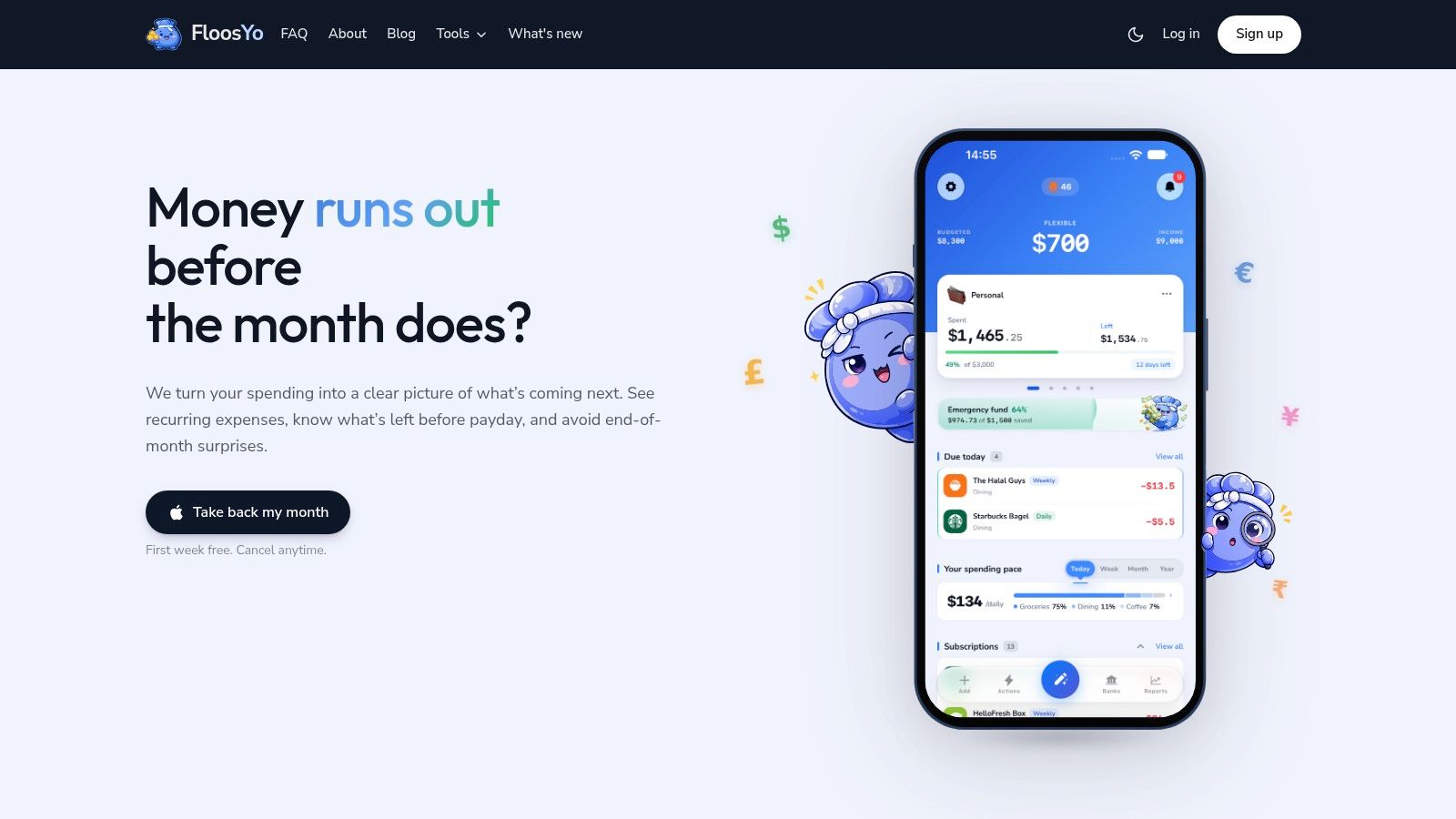
A flexible category system lets you rename categories, adjust their colors, and change icons so the budget reflects your household's language. "Kids' activities" may be useful in one home, while "football," "music," and "school trips" may be more actionable in another. You can also create a category for annual or irregular obligations, because a yearly bill shouldn't become a surprise only because it doesn't arrive every month.
For a practical setup, use this sequence:
- Record income first: Add the household income that will fund the period. If income changes, use a conservative working figure rather than assuming the strongest month will repeat.
- Separate essentials: Housing, food, transportation, care, healthcare, utilities, and required payments need visibility before discretionary spending is assessed.
- Divide fixed and flexible costs: A phone plan is usually predictable. Groceries, fuel, and food delivery can move, so track them separately.
- Add non-monthly obligations: Include school supplies, maintenance, seasonal activities, annual memberships, and other planned costs in a rollover category.
- Name the decision attached to each category: For subscriptions, the decision may be keep, downgrade, skip, or cancel. For groceries, it may be meal planning or changing the purchase cycle.
For more ideas on structuring categories without making the system burdensome, use this guide to personal budget categories. The right level of detail is the level that helps someone in the household make a decision quickly. If categorizing an expense takes longer than reviewing it, the system is too elaborate.
A bank connection can supply recorded transactions, but it won't capture everything. Cash purchases, school payments, and informal spending may need manual entry. A voice-based entry option is useful after a hectic pickup or grocery run because you can record the amount, category, and frequency without reconstructing the day later.
This walkthrough shows how a household budgeting workflow can fit into a normal routine:
The baseline isn't a restriction. It's a shared record that lets both adults see what has already been committed and what can still change.
Tracking Recurring Charges and Hidden Subscriptions
Small recurring charges cause trouble because they don't demand attention at the moment they leave the account. A family might notice a large grocery trip, yet miss a collection of modest renewals spread across different days. The answer is to review recurring outflows as a group and translate each one into both a monthly and annual view.
Start with automatic detection if your bank data supports it. Look for repeated merchants, similar amounts, and billing rhythms, then verify whether each charge still serves the household. Add manual entries for cash expenses and habits that never appear in the bank record.
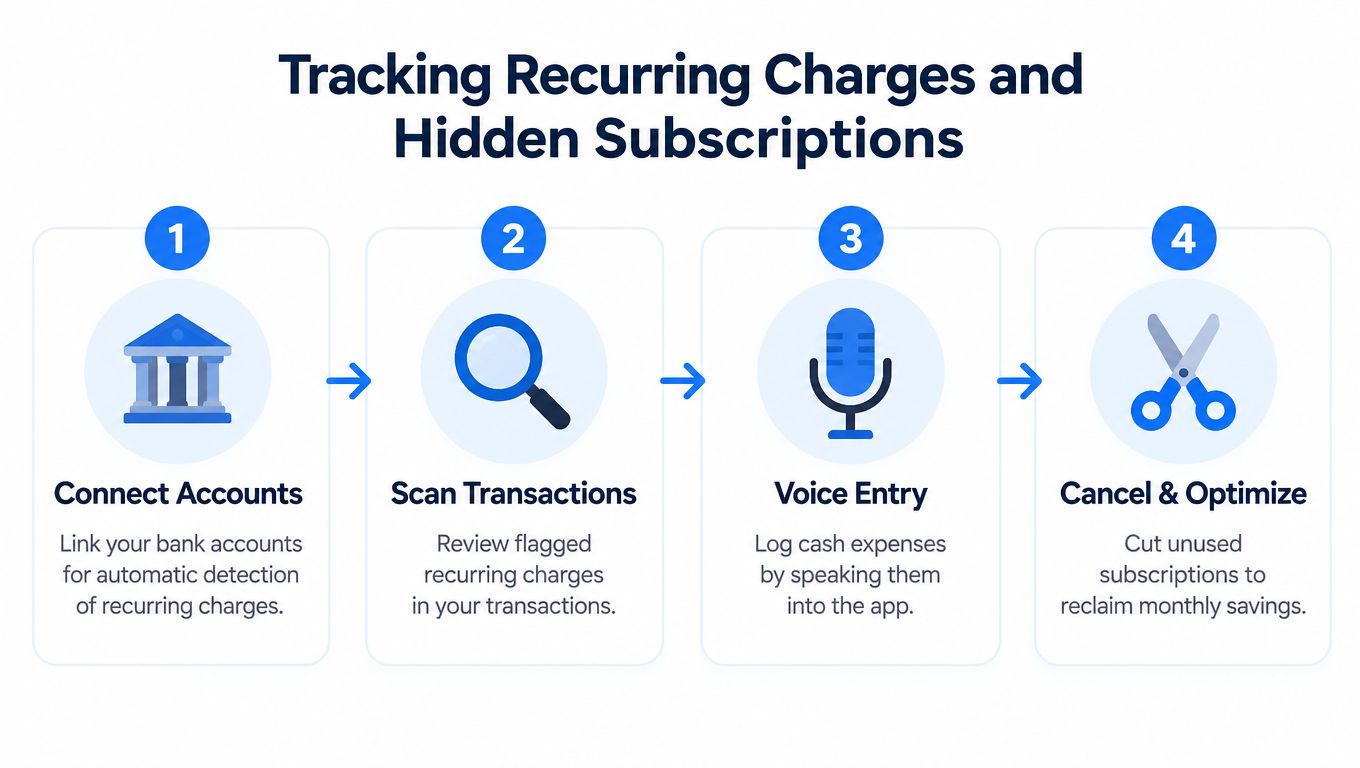
Voice entry works particularly well for the gaps between formal reviews. Say that you spent a certain amount on a takeaway meal, school parking, or a recurring service, and confirm that the expense has been assigned to the right category and frequency. The value isn't novelty. It's reducing the friction that makes people postpone recording expenses until the details are gone.
Create a renewal record, not just a total
For every subscription or automatically renewing bill, capture four details:
- Next charge date: This tells you when a decision must be made.
- Regular price: A discounted trial can become a different recurring cost after the introductory period.
- Billing frequency: Weekly, monthly, and annual charges have different effects on cash flow.
- Cancellation path: Record whether the service must be canceled through an app store, website, provider account, or another channel.
The FTC's finalized click-to-cancel rule was designed to require sellers to make cancellation at least as easy as enrollment, but the rule was vacated by the Eighth Circuit on July 8, 2025, as described by Crowell's legal alert. The practical lesson remains useful regardless of the rule's status. A renewal tracker should tell you not only what will be charged, but also how to stop it.
The FTC rule covered automatically renewing arrangements, including free or discounted trials that convert to regular billing and plans that continue when the customer takes no action. This explanation of the click-to-cancel rule describes the proposed online cancellation standard and the importance of recording trial-end dates, regular prices, billing frequencies, and cancellation methods.
FloosYo can connect to bank data for recurring-charge detection, accept voice or text entries for expenses the bank doesn't see, show monthly and annual projections, and present skip or cancel decisions with estimated savings scenarios. Its read-only bank access means it reads transactions rather than moving money, which keeps the workflow focused on visibility and decisions.
A renewal isn't harmless just because it's small. The relevant question is whether the service deserves another billing cycle.
Use a dedicated recurring-expense review, such as this guide to checking subscriptions, before each renewal cluster. Canceling one service matters, but recording the saved amount matters too. Without that second step, the money often dissolves into other untracked habits.
Cutting Costs and Comparing Subscription Options
The best cut is rarely the one with the most dramatic emotional appeal. It's the one that removes a recurring outflow while preserving the household function you actually need. A family may not need several entertainment services at once, but it may need reliable internet, cloud storage for school files, or a phone plan that supports work and childcare coordination.
Compare services by function, use frequency, replacement cost, and cancellation flexibility. A streaming service watched most evenings may justify its place more than a second service used only for one program. A gym membership that nobody uses is different from a low-cost exercise app used by multiple family members. A food-delivery habit might be replaceable on ordinary evenings but useful during a demanding week, which makes skipping selected cycles more realistic than an all-or-nothing promise.
Subscription Savings Comparison
| Service | Monthly Cost | Annual Cost | Potential Savings |
|---|---|---|---|
| Streaming service | Record the actual charge | Monthly charge multiplied by the billing months | Full annualized cost if canceled |
| Phone plan | Record the household plan charge | Monthly charge multiplied by the billing months | Difference after downgrading or changing providers |
| Cloud storage | Record the recurring tier price | Monthly charge multiplied by the billing months | The amount saved by using a lower tier |
| Gym membership | Record the actual charge | Monthly charge multiplied by the billing months | Full annualized cost if unused |
| Food delivery membership | Record the recurring charge | Monthly charge multiplied by the billing months | Savings from canceling or skipping the next cycle |
The table deliberately uses your household's actual figures rather than invented “typical” prices. The BLS consumer expenditure data reports $6,224 spent on food at home in 2024, up 2.8% from $6,053 in 2023, or roughly $519 per month. That isn't a precise grocery allowance for five people, but it shows why ordinary food spending deserves a full-year view alongside subscriptions.
The USDA publishes monthly food-at-home estimates at multiple spending levels through its monthly food plan reports. Use those ranges as a reference, then adjust for children's ages, school meals, dietary needs, local prices, and what your family already buys.
Prioritize cuts that create usable cash flow
A cut works when the saved money has a destination. Mark the charge as canceled, downgrade it, or skip the next cycle, then project the result over the year. A savings tracker that records each avoided charge can direct the amount toward a defined household goal instead of allowing it to disappear into unplanned spending.
Don't start by cutting every small pleasure. Start with services nobody uses, duplicate plans, forgotten trials, and habits that continue automatically after their original purpose has ended.
Managing Seasonal Expenses and Childcare Variances
A family budget can look balanced in September and strained in July without anyone behaving recklessly. School schedules change, childcare needs expand, children eat more meals at home, and activities move from occasional payments to concentrated seasonal costs.
Consider a household with three children, one younger child needing care and two school-age children. During the school year, relatives may cover some care and school meals may cover part of the week. Summer removes that structure. The parents now face more hours requiring supervision, additional activities, more meals at home, and a tighter daily schedule that can produce extra transport and convenience spending.
The Federal Reserve report gives a useful benchmark for the variation. Among parents using paid childcare, median monthly payments were $1,083, while a 2025 parent survey cited in the report indicated expected summer childcare spending of about $300 per month versus $70 during the school year. The same source reported that food spending rose 33% when children were home more often. These figures aren't a universal forecast, but they demonstrate why a single monthly childcare or grocery target can mislead.

Use a calendar budget
A useful seasonal plan maps costs before they arrive:
- School-year care: Track daycare, after-school care, transport, and meal arrangements separately.
- Summer care: Add camps, extra supervision, activities, and the meals that school normally covers.
- Transition months: Flag the weeks when one child starts school, changes care, or loses a program.
- Food changes: Increase the grocery planning allowance when all children are home more often, then reduce it when the regular schedule returns.
The strongest approach is to project the expensive season early and reduce avoidable recurring charges before it begins. A paused streaming plan or unused membership won't solve childcare, but it can release cash for the weeks when the household has less flexibility.
Avoid pretending that seasonal spending is an emergency. If the calendar makes the expense foreseeable, give it a category and a funding plan. That turns a panicked card charge into a planned household outflow.
Reviewing and Adjusting Your Budget Monthly
A monthly review should be short enough to happen and detailed enough to matter. Choose one recurring time when both adults can look at the same information. Review income received, essential spending, upcoming renewals, seasonal categories, and the savings created by decisions made during the month.
Use a simple sequence:
- Clear the past month: Confirm that transactions are categorized correctly and add missing cash or voice entries.
- Scan the next month: Check renewal dates, annual bills, school payments, care changes, and large planned purchases.
- Compare projections with reality: If groceries or transport consistently differ from the original category, change the category rather than blaming the household for failing to meet an unrealistic number.
- Make one or two decisions: Cancel, downgrade, or skip a recurring charge. Avoid creating a long list that nobody will finish.
- Record the result: Move the saved amount toward the active household goal and note what created it.
A consolidated digest can help when several bills fall due close together. Renewal notifications are most useful when they arrive before the charge, while home-screen widgets can keep due dates, goal progress, and overall budget standing visible without opening a full report.
Treat the budget as a living record
The monthly review isn't a test that produces a pass or fail. It's a feedback loop. A child may enter a new care arrangement, a commute may change, or a grocery category may need to reflect different school-meal access. Update the plan when the facts change.
The monthly budget planner guidance can help structure that review without turning it into a daily accounting exercise. The most valuable result is a clear next action, such as canceling a forgotten renewal, skipping a cycle, or setting aside the amount needed for a known seasonal cost.
Celebrate specific progress. “We spent less” is vague. “We canceled an unused service, avoided its next renewal, and recorded the saved amount toward the school-season category” tells the household what worked and how to repeat it.
FloosYo combines bank-detected recurring charges, voice and text expense entry, renewal reminders, monthly and yearly projections, skip or cancel decisions, and savings tracking in an iOS budgeting app. Visit FloosYo to turn the recurring charges in your family of five budget into clear decisions before the next bill arrives.