
You changed your bank account on a Friday because the new account promised fewer fees and cleaner controls. By Saturday morning, the gym payment still tried the old account, a streaming renewal hit before you expected it, and one biller rejected the new details because its update form hadn't processed yet. The account change looked complete in the banking app. Your recurring payments hadn't received the memo.
That's why change account type shouldn't be treated as a settings toggle. It's a recurring-payment continuity project. You need to know which money comes in, which payments leave, when each transaction is due, and what the change will cost over a full year. A $9.99 charge is $119.88 a year, while a $49 charge becomes $588 before taxes or price changes. Small charges become easier to challenge when you see the full commitment.
Table of Contents
- The Hidden Cost of a Simple Account Type Change
- What to Gather Before You Change Account Type
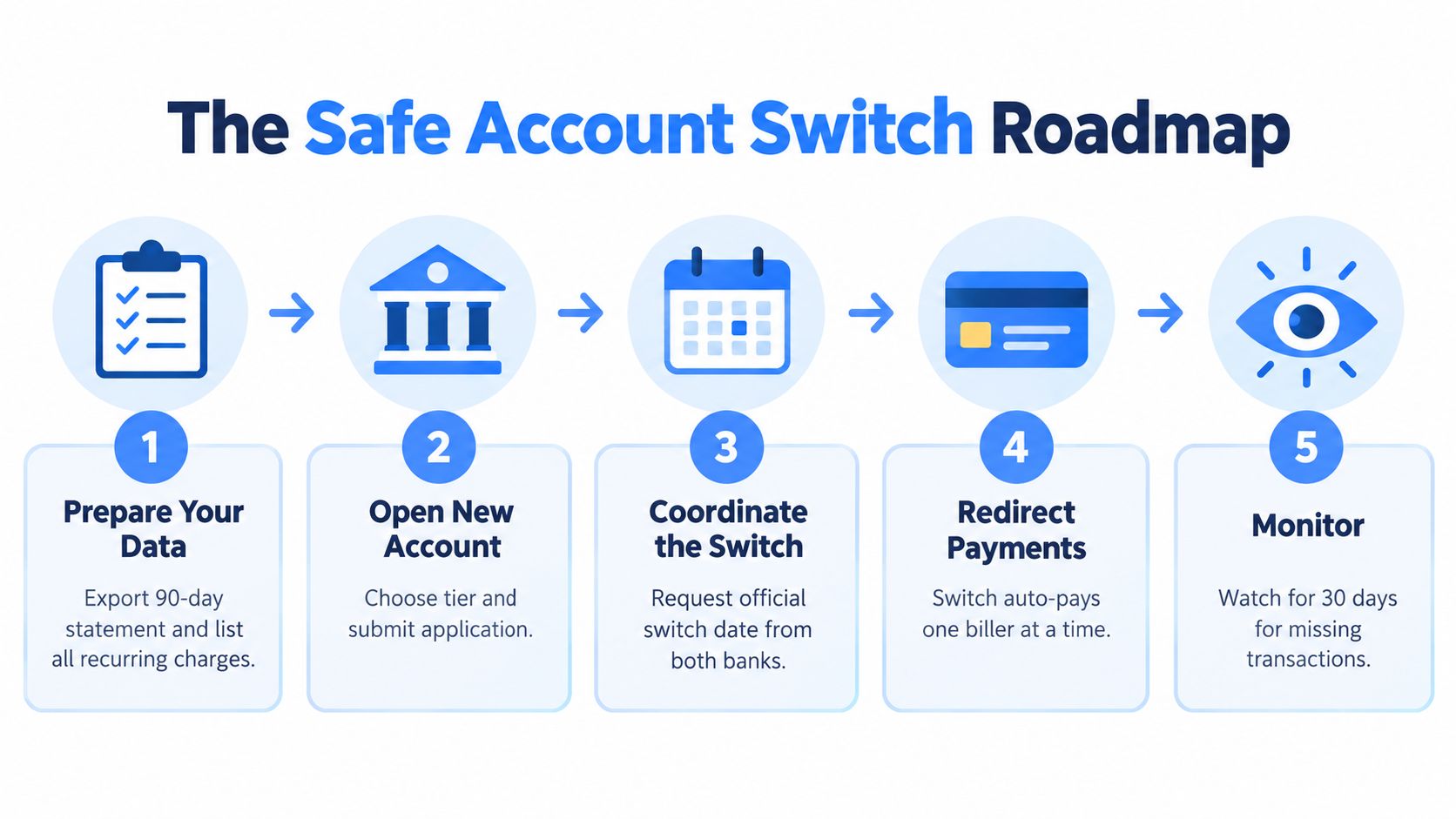
- Step-by-Step Plan to Change Account Type Safely
- Recurring Charges That Need a Closer Look First
- Common Pitfalls When You Change Account Type
- Keeping Your Recurring Spend Visible After the Switch
The Hidden Cost of a Simple Account Type Change
You upgrade an account on Friday, then a $9.99 subscription charges the old details on Saturday. The failure can trigger a late fee, a reactivation request, or repeated payment attempts. If the debit covers rent or a utility bill, the consequence quickly exceeds the original charge. Viewed annually, that $9.99 debit represents $119.88 a year, so one missed payment deserves more attention than its face value suggests.
The UK's Current Account Switch Service shows the scale of activity behind an account change. Launched in 2013, it had completed 11.4 million switches by the end of 2024 and redirected 160.5 million payments for customers moving between participating banks and building societies, according to the CASS Q4 2024 dashboard. Those payments include salaries, bills, subscriptions, refunds, and other repeating transactions that must keep moving.
Practical rule: A confirmation screen proves that you submitted a change. It does not prove that every biller has used the new account.
The same distinction matters whether you move from checking to savings at one institution or leave for an entirely new provider. A same-bank tier change may issue a new debit card number, breaking every merchant wallet that stores the old card without warning, even when the account number stays the same. A provider switch can also require new payment credentials, mandates, and direct-deposit instructions. Employers, public bodies, and merchants may update their records at different times.
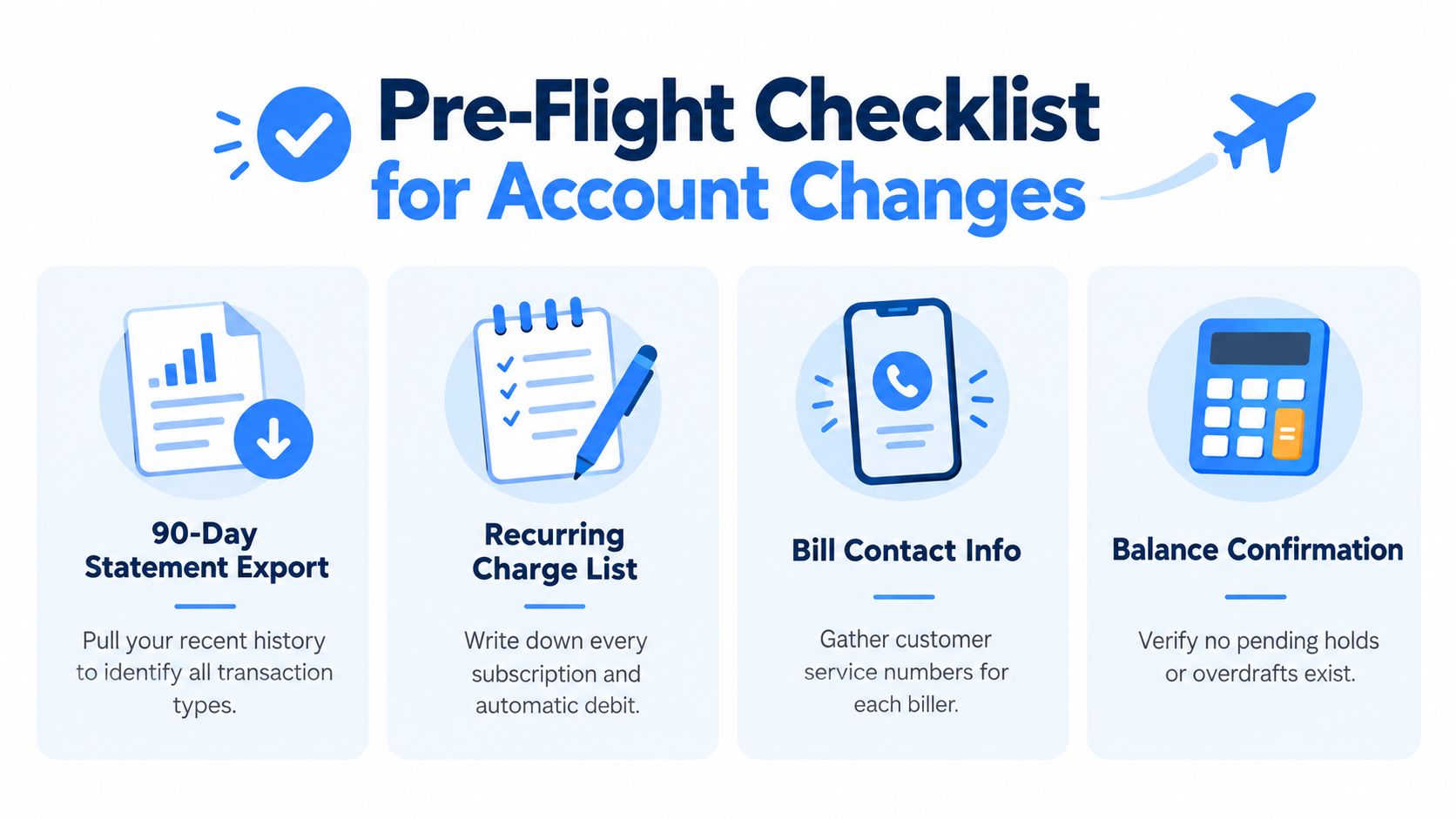
Check the account balance definition and review pending activity before closing anything. The available balance may differ from what remains after pending card payments, scheduled debits, and holds clear.
Treat the change as a recurring-payment continuity project. Inventory each debit, move fixed commitments before flexible subscriptions, and keep the old account open until the last expected payment has cleared. That workflow catches the charge that looks minor today but costs far more across a year.
What to Gather Before You Change Account Type
A $9.99 subscription looks minor until you project it across a year: $119.88 before the next debit arrives. Build your records around that reality. Export recent statements, inspect every debit and credit, and record the merchant, billing date, amount, payment method, and account used. Bank feeds can miss annual renewals, occasional charges, or payments routed through a digital wallet.
Create a working file with these categories:
- Statement history: Export enough history to show monthly, quarterly, and annual patterns. A short recent view will not expose every renewal.
- Recurring-charge register: List rent, utilities, phone service, software, streaming, gym payments, cloud storage, food delivery plans, and every automatic debit. Add the annualized cost beside each charge.
- Biller access: Save each merchant's login and customer-service details. Some billers require direct confirmation before accepting new account information.
- New-account information: Keep the new routing details, account number or masked identifier, activation confirmation, and bank instructions together.
- Old-account timetable: Note the expected closure date, but treat it as provisional until pending transactions and incoming payments have cleared.
- Income and refund sources: Record salary, freelance income, tax payments, benefits, reimbursements, and merchant refunds that arrive automatically.
- High-risk commitments: Flag rent, mortgage payments, insurance, installment arrangements with late-fee exposure, and subscriptions whose free trials end soon. A trial near its end may require cancellation rather than migration.
Choose the destination account before changing payment instructions. Individual and joint ownership determine who can access and authorize transactions. Checking versus savings, or basic versus premium, can change payment access, minimum-balance rules, service fees, and overdraft behavior. Compare the conditions against a normal month, not just the advertised benefit. A lower fee is useless if the new account blocks a payment method you rely on.
Use this subscription-checking guide to catch charges hidden behind digital wallets, app stores, or infrequent billing schedules. Then decide which workflow applies: changing tiers at the same bank, or moving the relationship to a new provider. That choice determines which account details, merchant records, and income instructions need attention first.
Step-by-Step Plan to Change Account Type Safely
A same-bank tier change can leave one bill pulling from the old setup while another tries the new one. Treat the change as a recurring-payment continuity project, not a settings toggle. The risks differ depending on whether the bank keeps your relationship in place or you rebuild it with another provider.
Branch A for a same-bank tier change
Ask the bank for the exact effective date. Confirm whether the account number, routing details, debit card, overdraft settings, and pending transactions will stay unchanged. “Upgrade” and “downgrade” can describe different internal processes, so get the operational details in writing instead of assuming every payment will follow automatically.
Open or activate the destination tier before editing any biller. Move automatic payments individually, starting with rent, utilities, and other priority debits. Then update insurance, phone service, software, and subscriptions. Save each confirmation. Batch changes are how one missed merchant becomes a late fee or interrupted service.
Watch for overlap. A payment may still draw from the old account while the new instruction is being established, while another biller may test the new details before its next scheduled debit. Keep enough money in both accounts to cover legitimate pending items. A bill reminder app can track due dates while both payment paths remain active.
Branch B for a new provider
Linking the old account for read-only access can help the new provider verify history without giving it authority to move money. Open the new account, confirm any verification deposits, and check that it is active before sending new payment details to merchants.
Update billers in this order:
- Housing and core household bills: Change rent, utilities, and payments where failure creates an immediate problem.
- Insurance and necessary services: Update policies, phone service, and accounts that can suspend coverage or access.
- Subscriptions and flexible spending: Move streaming, gym, software, and other recurring services after priority debits are secure.
- Income and refunds: Update payroll, freelance deposits, tax payments, benefits, and merchant refund destinations.
- Stored cards and digital wallets: Update the payment card in merchant wallets and app stores. These details can remain active without sending an account-change notification.
Inbound payments need a separate check. A salary reroute or refund update may take more than one pay or settlement cycle, so verify the first deposit in the new account rather than trusting the submitted request. Continuity is the whole project. Treat every unconfirmed biller as an open risk until its first debit clears the new account.
Do not close the old account until the last expected debit has cleared, the largest incoming payment has arrived, and the balance is reconciled. Annualize each charge before setting priorities. A $9.99 renewal is $119.88 a year, so check it before the next debit lands. The recurring-charge inventory shows what moves first, while annualized costs reveal which forgotten payments deserve attention.
Recurring Charges That Need a Closer Look First
Treat recurring payments like a portfolio before you change account type. Pull the statement export, tag each debit, and decide whether it belongs in your new setup at all. The objective isn't to preserve every payment. It's to preserve the commitments you still want and remove the ones that have been running on autopilot.
Use three practical groups:
- Essential: Rent, utilities, core communications, and necessary services. These move first because a failed payment can interrupt housing or household access.
- Flexible: Streaming, gym memberships, software, cloud storage, and food delivery plans. Move them after essential debits are confirmed.
- Discretionary: Forgotten trials, duplicate services, unused apps, and habits you no longer value. Cancel these instead of migrating them.
Annualize every charge before you decide. A $14.99 software payment reads as $179.88 a year. A $9.99 streaming bundle reads as $119.88 a year. A $39.99 annual charge can be represented as roughly $3.33 per month, which makes it easier to compare with other software expenses. These are arithmetic projections before taxes, price changes, or billing adjustments.
A payment that looks minor in a transaction feed can become one of your largest avoidable outflows once you view it over a year.
Create a decision sheet with three columns: move immediately, wait one complete billing cycle, and cancel. Essential debits without a dependable merchant portal belong in the first column. A subscription tied to a trial that hasn't converted belongs in the cancellation column. A promotional rate may deserve one cycle of observation so you can confirm that moving the payment won't reset the offer.
| Charge Tier | Annualized Cost | Migration Timing |
|---|---|---|
| Essential housing or household debit | Calculate from the actual recurring amount | Move immediately after the new account is active |
| Flexible subscription or service | Multiply the recurring amount by its billing frequency | Wait until essential payments are confirmed |
| Trial, duplicate, or unused service | Calculate the projected cost before deciding | Cancel rather than migrate |
The point is not to create a perfect budget. It's to decide what deserves continuity. A new account type should carry the obligations you chose, not every charge that happened to survive in the old transaction feed.
Common Pitfalls When You Change Account Type
You change the account type in minutes, then discover that your employer, insurer, and favorite subscription still point to the old details. The bank completed its task. Your recurring payments did not. Treat the switch as a continuity project, and review every charge as an annual commitment. A $9.99 monthly debit represents $119.88 a year before the next payment even arrives.
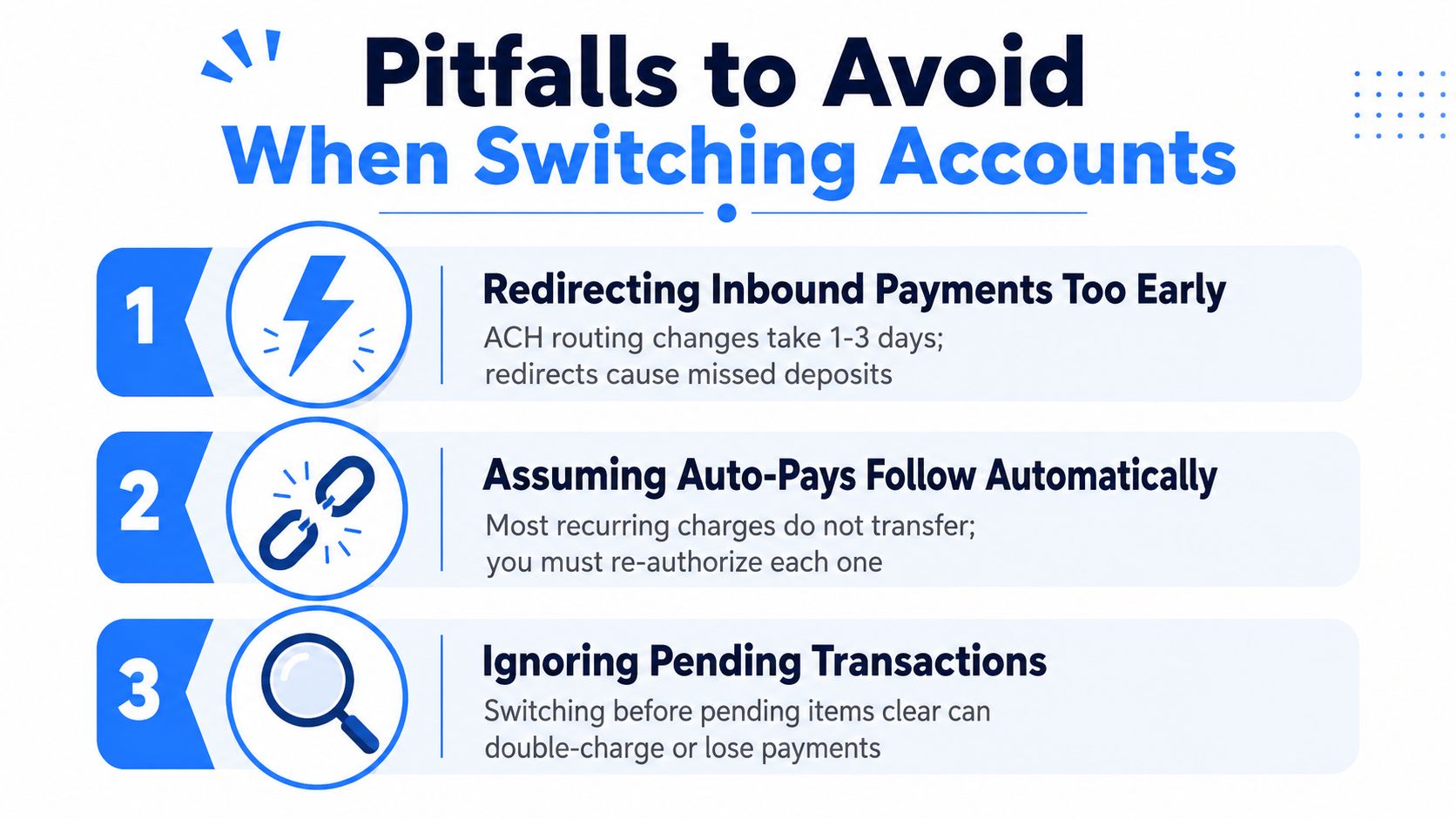
Redirecting money before the destination is ready
Move payroll, refunds, and other incoming payments only after the new account is active and its details are verified. If an employer or merchant sends money to an account being closed, the payment can be returned or delayed. Confirm the first successful deposit in the new account before declaring the reroute complete.
Do not transfer the full old balance on the same day. Leave enough money to cover pending items and charges that have not migrated yet.
Assuming automatic payments follow
Recurring merchants usually require their own authorization. A biller may keep using the old account, retry a failed payment later, or request a new mandate. A card saved in a merchant wallet may also remain visible in the app while the underlying account or card has changed.
Update every biller directly and save the confirmation. Check the streaming service, gym, insurer, software vendor, and utility provider separately. The bank's migration message does not prove that any of them accepted the new payment source.
Forgetting account conditions
The new tier may have different balance requirements, fee rules, or overdraft behavior. A direct deposit that has not arrived can leave the account below its required balance, even while the old account still holds money. Read the fee schedule and payment rules before moving the balance.
Overdraft behavior deserves a place in your account-type decision. The Federal Reserve reports that 12% of U.S. adults with a bank account paid an overdraft fee in the prior year, with higher rates among lower- and middle-income groups and among Black and Hispanic adults, in its 2025 household economic well-being report. A missed condition can turn a routine switch into a fee problem.
Closing before the evidence is in
Keep the old account open and funded with a sensible buffer until pending transactions, recurring debits, and incoming payments are reconciled. Check for duplicate funding, a failed card payment, or an automatic transfer still tied to the old account. A $9.99 charge missed during the switch is easy to dismiss, but its projected annual cost is $119.88.
Close the old account only after the transaction evidence supports it, not just because the bank sent an account-change confirmation.
Keeping Your Recurring Spend Visible After the Switch
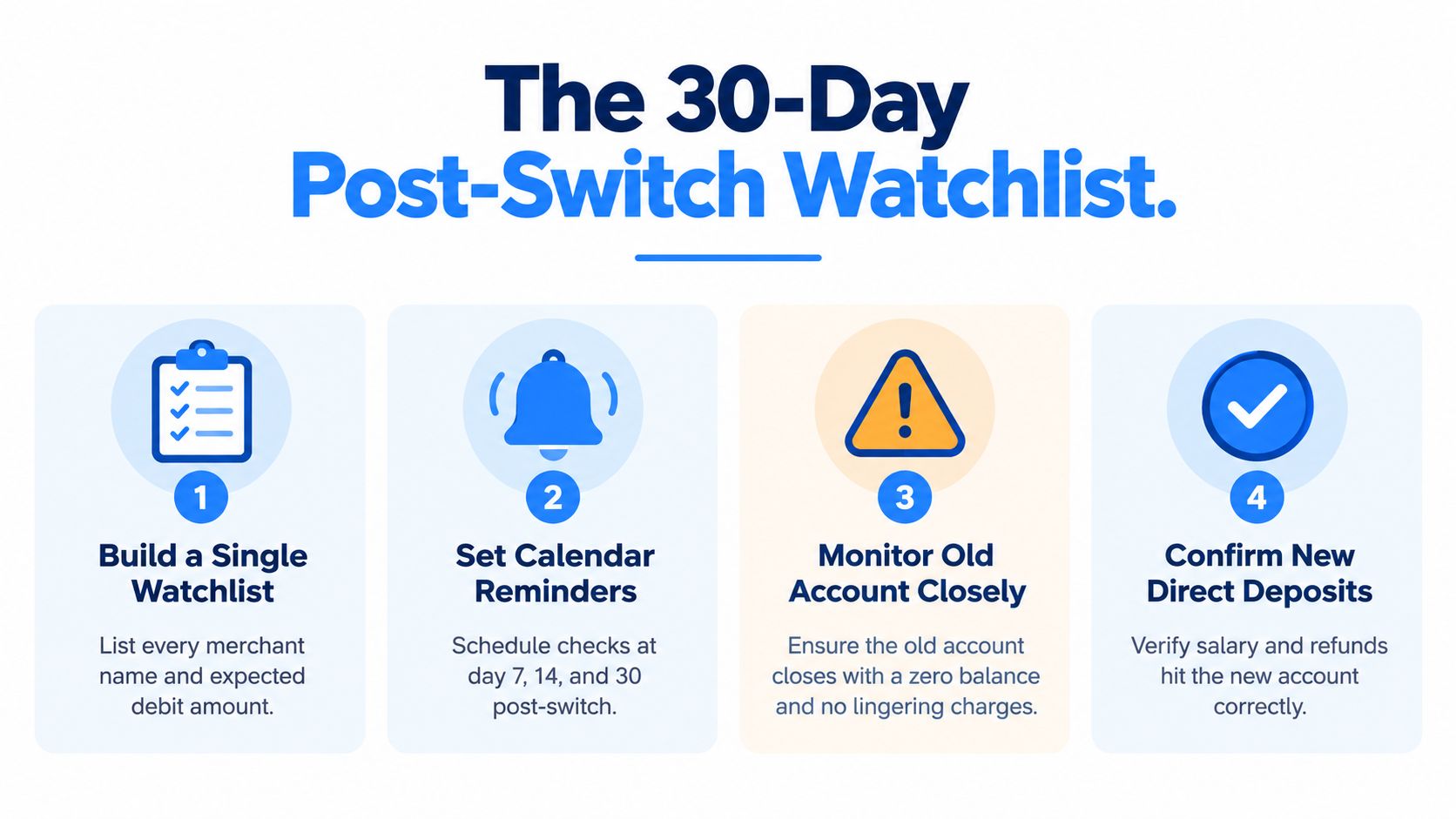
The first month after the change is when the weak links appear. One merchant uses the new details, another keeps the old mandate, and a third bills on an annual schedule you forgot to include. You need one watchlist that shows what should happen and makes the absence of a transaction visible.
Record four fields for every recurring item:
- Merchant name: Use the name that appears on the statement, not only the brand you remember.
- Expected debit date: Note the normal billing day and any renewal window.
- Expected amount: Include the actual charge, not a rounded estimate.
- Funding source: Record the last four digits or account label so you can spot an old-account payment immediately.
Review the new account every Monday during the first month. If an expected charge hasn't appeared within a reasonable window around its usual date, investigate it immediately. Contact the merchant before the payment becomes a failed debit, and check the old account for a charge that never migrated.
Annual projections make the watchlist more useful. A $39.99 annual charge becomes about $3.33 per month when you spread it across the year, so it can't hide among small daily purchases. If the charge no longer earns its place, cancel it. If it does, keep it visible and confirm that the next renewal uses the correct funding source.
Keep goals and automatic transfers connected
A savings goal or automatic transfer can keep pointing at the old account. When that account closes, the goal may stop receiving funds. Check every destination account, scheduled transfer, and income rule after the change.
A voice note makes this easier without turning your morning into a spreadsheet session. Say, “Today's largest expected debits are rent and the phone bill,” then compare those items with the watchlist. Voice entry is especially useful for cash spending or transactions the bank feed doesn't capture, because you can record the amount, category, and frequency as soon as you remember it.
Apple's subscription rules show why renewal timing deserves attention. Upgrades generally take effect immediately, while downgrades typically remain pending until the next renewal date, according to Apple's StoreKit subscription guidance. If you're reducing recurring spending, make the downgrade before renewal and verify the next billing amount instead of assuming the lower plan applies immediately.
Apple also says auto-renewable subscriptions continue renewing unless canceled, and its account settings show renewal options and subscription groups in its subscription documentation. U.S. negative-option rules similarly require clear disclosure of recurring billing, charge amounts, renewal timing, and cancellation methods, as summarized in this FTC subscription-enforcement analysis. Check the renewal date, price, and cancellation deadline before moving a subscription to the new account.
Tomorrow, verify two things first: the largest direct deposit reached the new account, and the largest recurring debit cleared the new funding source. Once both are confirmed, you can close the old account with far more confidence than any confirmation screen can provide.
Use FloosYo to connect your bank, surface recurring charges, and see what subscriptions and bills cost monthly and yearly before they renew. Its voice entry, renewal reminders, skip or cancel decisions, projections, and savings tracking can keep the post-switch watchlist visible without making you manage another spreadsheet.