

A household can believe it spends $86 a month on subscriptions, then discover the average is $219, a difference of $133 every month and roughly $1,596 a year. C+R Research findings summarized by MakeMyReceipt show why recurring costs are so difficult to manage: the charge is small when it arrives, but its full yearly weight stays hidden.
That pattern appears in more than streaming. A cloud-storage plan, gym membership, phone add-on, food delivery habit, or annual software renewal can sit in the background until several charges collide. The problem usually isn't a lack of discipline. It's a lack of visibility at the moment a decision still matters.
An app budget planner can change that timing. Instead of showing only what you've already spent, it can identify repeating charges, estimate their monthly and yearly cost, and remind you before the next payment. The useful question becomes simple: should you keep, monitor, skip, downgrade, or cancel this expense?
This decision-first approach is especially useful as recurring spending continues to grow. Bank of America Institute reported that subscription spending rose 7.7% year over year in July 2026, outpacing overall card spending by more than 1.5 percentage points for the second consecutive year, based on transaction data from 70 million consumer and small-business accounts. The reported subscription-spending analysis also found that entertainment and retail subscriptions represented about 43% of subscription spending in the prior twelve months, while food, fitness, and fashion represented another 26%.
The right planner doesn't ask you to study charts every evening. It helps you notice the next outflow early enough to act.
Table of Contents
- Introduction Why Recurring Costs Quietly Drain Your Budget
- What an App Budget Planner Actually Does
- Core Features to Look For Before You Choose
- How to Evaluate and Choose the Right App for You
- Set Up Your Planner for Accurate Projections
- Real World Examples That Turn Insight Into Savings
- Conclusion Your Quick Onboarding Checklist
Introduction Why Recurring Costs Quietly Drain Your Budget
You check your bank balance after breakfast and see a charge you recognize but didn't remember expecting. It might be a streaming renewal, a cloud-storage payment, or a delivery order that seemed insignificant when you placed it. Nothing looks alarming by itself, yet the total available for the rest of the month is lower than you planned.
That surprise often leads to a familiar reaction. You search through messages, open several service accounts, and try to remember which plans renew monthly, quarterly, or annually. By the time you've identified the charge, the payment has already left your account. A tracker that only records the event afterward can describe the problem without helping you prevent it.
Recurring costs are particularly easy to overlook because they reduce the need for an active decision. Automatic billing is convenient, but it also separates the payment from the original choice to sign up. Research on subscription fatigue reports that over 80% of consumers feel overwhelmed managing multiple recurring payments, while nearly 70% say they waste money on subscriptions they forget about or rarely use. The independent research on recurring-payment fatigue connects that burden with lower awareness and delayed cancellation decisions.
Practical rule: A recurring expense deserves attention before renewal, not only after it appears in a spending report.
A useful guide to recurring expenses starts with a complete definition. Recurring expenses include monthly subscriptions, utilities, phone plans, gym fees, annual renewals, and any other charge that repeats on a cycle. Daily habits belong in the same conversation when they repeat often enough to affect the plan.
The system is straightforward. First, detect the charge and confirm its rhythm. Next, show what it costs over a month and a year. Finally, give yourself a clear choice, such as keep, skip, stop, or monitor. That sequence turns a vague feeling of financial leakage into a manageable list of decisions.
The rest of this guide focuses on how to choose and use an app budget planner for that purpose. You'll see which features improve visibility, how to test an app before adding another recurring bill, and how FloosYo's voice entry, renewal reminders, projections, and savings tracking fit into a practical workflow.
What an App Budget Planner Actually Does
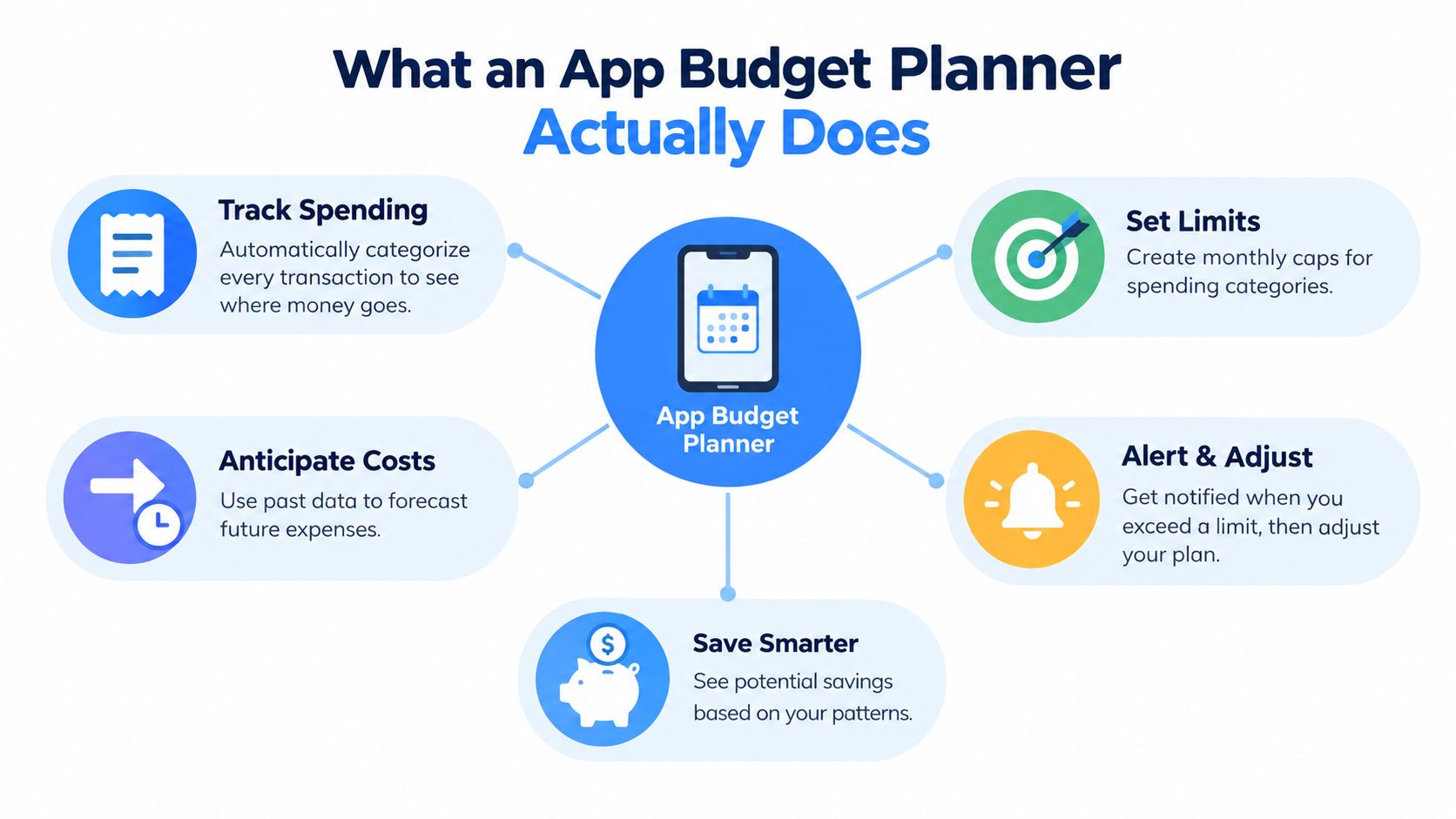
A basic expense tracker answers one question: where did the money go? An app budget planner should answer a more useful question: what will leave the account next, and do I still want it to?
Think of the planner as a calendar that displays cost as well as dates. A normal calendar might show that a phone bill is due on a particular day. A decision-focused planner adds the amount, category, previous pattern, projected yearly outflow, and a reminder before the payment. That extra context gives you time to change the outcome.
The process usually has four connected parts:
- Transaction collection: Bank activity supplies purchases, bills, and deposits.
- Pattern recognition: Repeated merchant, amount, and timing signals identify recurring charges.
- Projection: The app converts each recurring expense into monthly and yearly views.
- Action prompting: You decide whether to keep, skip, cancel, downgrade, or monitor it.
Tracking is only the starting point
Many budget apps organize past spending into charts. Those charts can help you understand patterns, but they arrive after the decision. If a renewal already happened, the report can't reverse it. A planner built around recurring costs moves the useful moment earlier, when a reminder can still lead to cancellation or a skipped cycle.
Categorization also matters. If a phone add-on appears under a vague label, you may not recognize it as a repeating obligation. Clear categories, stable merchant names, and real logos make the list easier to review. Published evaluations of transaction categorization have reported first-pass accuracy of around 93% to 96% for AI-powered systems, compared with 68% to 70% for older rules-based systems. The comparative categorization audit also emphasizes consistency across billing cycles, not just one-time accuracy.
Annual math makes small charges visible
A monthly amount can sound harmless because it competes with today's spending. Annual math changes the comparison. A $10 monthly charge becomes $120 over a year, giving you a clearer basis for deciding whether the service earns its place in the budget.
Bank connections can handle what the account sees, while voice or text entry fills the gaps. You might say that you spent money on a daily coffee or a cash-paid purchase, and the planner can place that amount into the right category and frequency. A cash-flow forecasting app extends the same idea by showing how known income and repeating outflows affect the balance ahead.
The distinction is important. Retrospective tracking helps you learn. Pre-charge planning helps you act.
Core Features to Look For Before You Choose
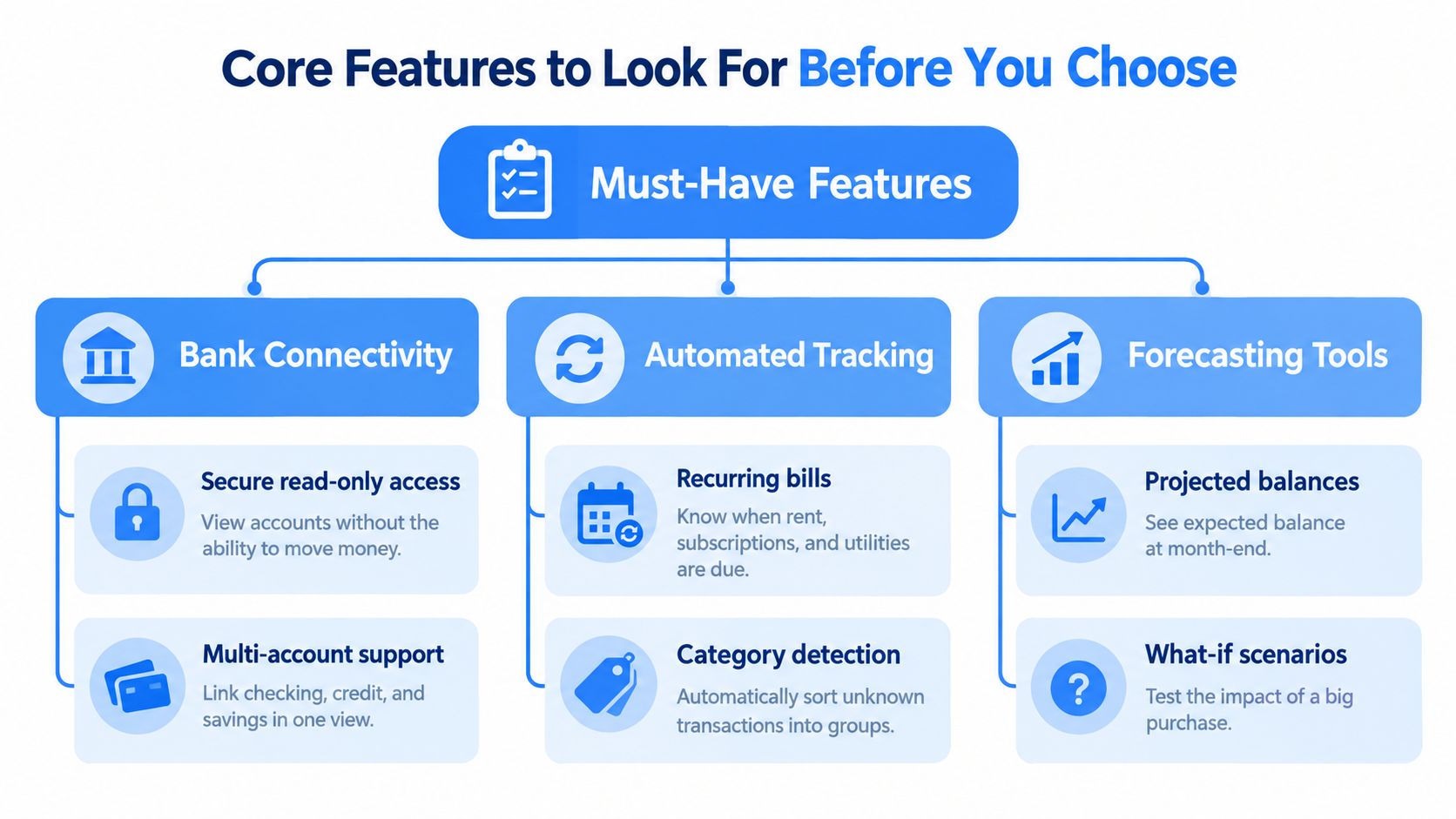
A feature deserves a place in your planner only if it solves a specific problem. Bank connectivity should reduce manual work, recurring detection should uncover forgotten commitments, and reminders should arrive early enough for you to make a choice. A long feature list means little if the app still leaves you guessing what will happen next.
Connect accounts without giving the app payment power
A good bank connection should be read-only. The app needs to view transactions and deposits, but it shouldn't be able to move money. Check how the provider handles credentials, tokens, account identifiers, and security events before linking an account.
Look for:
- Secure authentication: You sign in through your bank's own authentication flow rather than handing your banking password directly to the budgeting provider.
- Read-only permissions: The connection imports information but can't initiate transfers.
- Data protection: Encryption at rest, redacted logs, and signature checks for incoming financial messages are meaningful trust signals.
- Privacy limits: Read the data-sale policy and confirm that financial information isn't sold to advertisers.
A bank-synced expense tracker should bring accounts into one view without making security an afterthought. Multi-account support is useful when bills, subscriptions, and everyday spending are split across different institutions.
Detect repeating charges at the right rhythm
Monthly subscriptions are only one type of recurring expense. A complete system should recognize monthly, quarterly, and yearly charges, including annual software renewals, phone plans, utilities, and other automatic obligations. The amount and date may vary slightly, so the app should learn from merchant descriptors, billing cadence, and repeated-charge consistency.
The reason matters more than the label. If the app misclassifies a cloud-storage renewal as a one-time technology purchase, the projected budget won't reflect the next outflow. Adaptive categorization is valuable because repeated items need stable names and categories over time.
Capture what banks can't see
Bank syncing won't record every cash purchase or informal habit. Voice entry removes the friction that causes manual logs to disappear. Text entry should offer the same flexibility, parsing an amount, category, and frequency without forcing you through a long form.
For example, a quick entry for a recurring gym payment can record the amount and rhythm. A separate entry for a repeated food delivery habit can help you compare its monthly pattern with its yearly total, even when the charges don't come from a formal subscription.
Turn insight into a decision
Look for monthly and yearly projections on each expense, not only a total spending chart. Then check whether the app offers an action layer:
- Renewal reminders: Alerts arrive before the charge, with timing that gives you room to decide.
- Consolidated digests: Several upcoming expenses appear together instead of creating notification noise.
- Skip and cancel choices: The app lets you record the decision and estimate what you won't spend.
- Savings tracking: A skipped expense can be connected to one clear goal, so the avoided outflow becomes visible progress.
- Income planning: The budget reflects actual income rather than treating spending limits as isolated numbers.
Customizable categories, colors, icons, and home-screen widgets also affect daily use. A planner is more likely to stay accurate when you can make the categories fit your life and see due items without opening several screens.
How to Evaluate and Choose the Right App for You
The right app depends on the moment where your current system breaks. Someone who forgets annual renewals needs advance alerts. Someone who buys small items throughout the day needs fast capture. A household needs a consolidated view, while a freelancer may need clear separation between personal costs and recurring work tools.
Use this matrix as a starting point rather than choosing by download count or visual design alone.
Choose Your App Budget Planner by User Type
| User Type | Top Priority | What to Test First |
|---|---|---|
| iOS user who logs on the move | Voice and text capture | Say a natural expense phrase and check whether the amount, category, and frequency are filed correctly |
| Household managing several bills | Shared visibility and recurring detection | Link the relevant accounts and verify that phone, utilities, subscriptions, and annual renewals appear together |
| Student or gig worker | Fast manual entry and projections | Record a cash or irregular expense, then check its effect on monthly and yearly totals |
| Freelancer or creator | Category control and recurring work expenses | Rename categories, review merchant labels, and separate work subscriptions from personal spending |
| User focused on surprise charges | Pre-charge reminders | Check whether an upcoming renewal appears early enough to cancel, skip, or downgrade |
| Goal-oriented saver | Automatic savings tracking | Test whether a skipped expense is recorded and connected to one selected goal |
Automation and manual control involve a trade-off. Bank syncing saves time and can reveal forgotten charges, but you still need the ability to correct a category or add a missing cash purchase. An app that automates everything without allowing review can create distrust. An app that asks you to enter every transaction can become another task you stop doing.
Notification quality matters just as much as notification availability. A reminder that arrives after the billing event is only a receipt. Test the timing with an upcoming phone plan, gym renewal, or cloud-storage payment. You should be able to understand the charge, its projected annual cost, and the available decision without hunting through menus.
Projection clarity is another useful test. Ask whether the app distinguishes a monthly charge from an annual renewal and whether it shows both the immediate amount and the longer-term outflow. Then calculate the app's own cost against the savings it helps you identify. A paid finance app should justify itself through reduced waste or improved control, not through optimistic promises.
Households also need to check account coverage, category sharing, and whether each person can understand the same budget view. Students and gig workers may value voice capture more than extensive reports. Freelancers should check whether categories and widgets make recurring business tools easy to monitor without losing sight of personal spending.
A short trial is more informative than a feature page. Connect accounts securely, review the detected recurring list, set one reminder, and make one skip or cancel decision. If the workflow is clear and the potential avoided outflow exceeds the app's price, you have a practical basis for continuing.
Set Up Your Planner for Accurate Projections
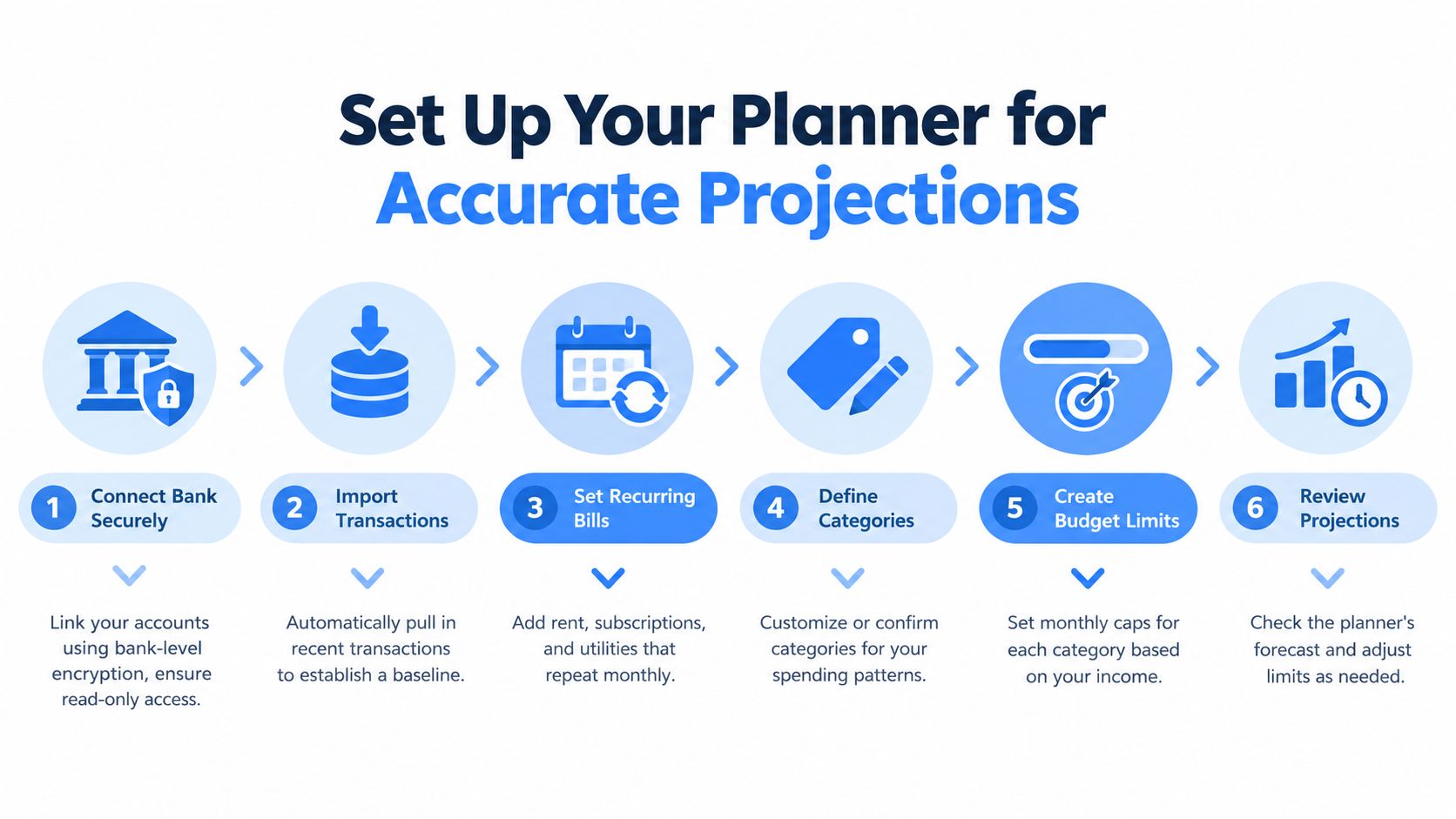
Accuracy improves when setup follows a sensible order. Start with the source of truth, then confirm the patterns, then add the expenses that don't appear in bank data. Only after that should you set limits and goals.
Start with secure account data
Connect the accounts that contain recurring bills and everyday purchases using read-only access. Review the imported transactions before changing limits. The first pass gives the planner enough context to distinguish a repeated phone payment from a one-time purchase.
Next, let automatic detection identify recurring charges. Check each result manually, especially when a merchant changes its descriptor or when the amount varies. Confirm the frequency as monthly, quarterly, or yearly. An annual renewal shouldn't disappear from a monthly budget because it charges less often.
Add missing habits and correct the labels
Use voice or text entry for cash purchases and habits that never reach a connected account. Keep the wording natural, but verify the amount and category after saving. Then adjust merchant labels, logos, and categories until the recurring list makes sense at a glance.
Annualization is the key check. A budgeting guide recommends writing the yearly cost beside each monthly charge using monthly cost multiplied by twelve. For example, $17.99 per month becomes $215.88 per year. The budgeting guide with this annual-cost example demonstrates why the yearly number often changes how you judge a seemingly minor service.
Add limits, income, reminders, and one goal
Log income so the budget grows by the amount received. Set category limits that reflect the available income, then review the projected balance after recurring bills are included. Customize categories and widgets to show what matters most, such as due expenses, goal progress, or current budget standing.
Set renewal reminders before the charge date. Consumer guidance recommends clear advance notices, and California automatic-renewal rules require reminders for annual subscriptions 15 to 45 days before renewal in the covered circumstances. The consumer guidance on renewal reminders gives a useful reference point for deciding whether an app's alerts are timely.
Finally, create one savings goal rather than scattering small amounts across several destinations. When you skip or cancel an expense, record the avoided amount there. The goal becomes a visible record of decisions, not an abstract intention.
Real World Examples That Turn Insight Into Savings
A recurring-spend system becomes useful when it changes an ordinary choice. The following examples use neutral household expenses and focus on the decision before money leaves.
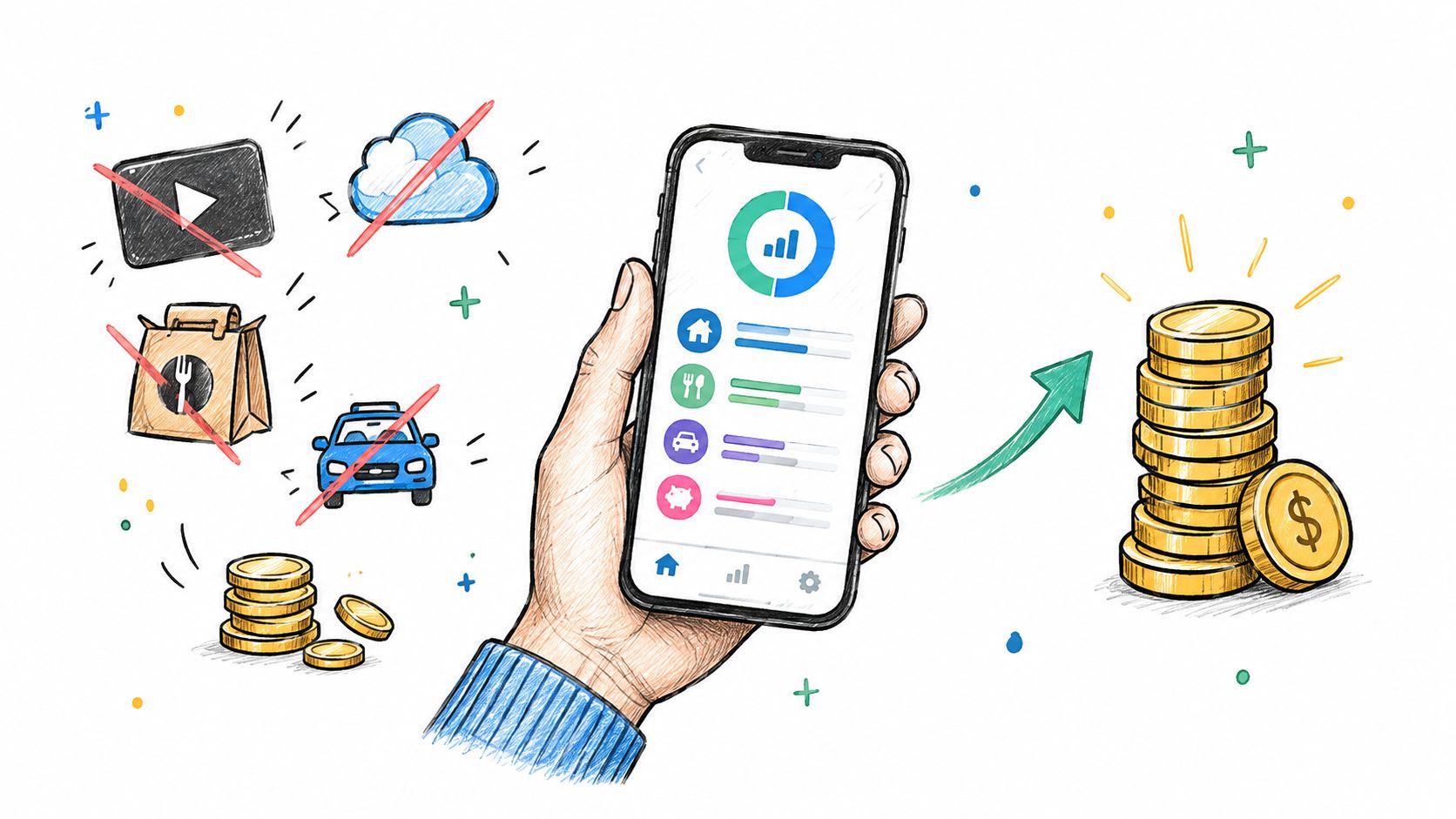
The unused streaming and cloud-storage pair
A user reviews the recurring list and sees a streaming plan alongside cloud storage. Both services still have value, but one is rarely used and the other has a lower-cost tier that fits current storage needs. Instead of deleting both immediately, the user marks the streaming plan for cancellation and downgrades the storage plan at the next available change point.
The planner records the decisions and shows the projected monthly and yearly outflow after the changes. The savings goal receives the avoided amount automatically, so the user doesn't need to remember a separate transfer or recreate the calculation.
The repeated food and transport habit
Another user doesn't have a formal subscription problem. The issue is frequent food delivery and ride-hailing, each treated as a one-off purchase. Voice entries fill gaps in the bank record, while category and frequency data reveal that these small choices repeat often enough to deserve a yearly view.
The user chooses monitor rather than cancel. A pre-charge or habit reminder appears before the usual spending moment, and a consolidated digest groups the relevant decisions. This approach preserves flexibility while making the cost visible before the next order or ride.
A useful decision can be small: You don't have to eliminate every convenience. You need to know what keeping it costs and choose it deliberately.
The gym and phone-plan renewal
A gym membership approaches renewal, and a phone plan is due for review around the same period. The planner sends reminders early enough to compare use, ask about a lower plan, or skip a cycle where the provider allows it. The user keeps the phone service, negotiates a more suitable option, and pauses the gym membership during a period of low use.
The actions hub keeps those choices in one place. The home-screen widgets then show upcoming outflows, the standing budget, and progress toward the single savings goal without requiring a full review session.
The broader lesson is that alerts work best when they lead to a specific action. A chart may show that a category was expensive last month. A pre-charge prompt can help you decide what happens next week.
Use the video as a practical reminder to review recurring charges before their billing dates. The strongest routine is brief: open the upcoming list, check the annualized total, make a keep, skip, stop, downgrade, or monitor decision, and confirm where the avoided amount will be tracked.
Conclusion Your Quick Onboarding Checklist
A budget planner earns its place when it helps you make decisions before charges arrive. The first week should establish a reliable recurring list, realistic projections, and a simple routine for acting on reminders.
Use this checklist:
- Verify recurring detection: Confirm that monthly, quarterly, and yearly bills are filed with the correct amount and rhythm.
- Review annual projections: Look at every recurring cost in yearly terms, especially small services that feel harmless month by month.
- Enable pre-charge notifications: Make sure alerts arrive early enough to cancel, downgrade, negotiate, or skip a permitted cycle.
- Add missing spending: Use voice or text capture for cash purchases and daily habits that bank syncing can't see.
- Correct categories: Rename unclear merchants and adjust categories so repeated charges remain recognizable.
- Create one goal: Route avoided spending into one visible savings target instead of leaving the result untracked.
- Check income: Log paychecks or other received income so the available budget reflects real inflows.
- Use the actions hub and widgets: Keep decisions, upcoming charges, goal progress, and budget standing close at hand.
Don't treat the planner as a replacement for judgment. Treat it as an early-warning system that turns forgotten outflows into visible choices. A recurring payment may still be worth keeping, but you should be able to explain what it costs, when it renews, and why it belongs in the plan.
Review the recurring list regularly, but keep the routine light. The point isn't to spend more time managing money. It's to spend less of it by catching avoidable charges while a decision is still available.
FloosYo connects to your bank, identifies recurring spending, and shows monthly and yearly projections before the next charge lands. Visit FloosYo to try voice entry, renewal reminders, skip or stop decisions, and savings tracking in one iOS budget planner.